
Requirements engineering becomes clearer when I use the right tool for each task. In my main article on Requirements Engineering Tools, I show how draw.io, Confluence, Jira, and Camunda support practical requirements work. I use draw.io to visualize ideas and processes; I use Confluence to document knowledge and decisions; and I use Jira to manage tasks, issues, and progress. Then I use Camunda to model business processes. Therefore, this article helps me build a stronger and more connected toolset.
With these insights, I can also move naturally into the main article on Processes. There, I explore Process Management, BPMN, and Camunda as a practical tool for BPMN modeling. Therefore, I can see how process thinking connects workflows, responsibilities, decisions, and improvement work. Click through to learn how Processes help me structure work, model business processes, and create stronger business value.

Process Management
Process management helps me understand how work really flows through an organization. I use it to connect goals, tasks, roles, decisions, and results. Therefore, this section moves from simple process basics to more advanced management topics. As a result, I can build a clear path from understanding processes to improving them.
Process Foundations
Before I improve a workflow, I need to understand what a process is. A process turns inputs into results through connected activities. Therefore, I start with What is a Process? The Backbone of Business Operations. This article gives me the basic idea behind every process discussion.
Next, I use Process Basic Concepts: Your Key to Clear Business Workflows. It helps me explain tasks, events, roles, inputs, outputs, and responsibilities. In addition, it gives readers a simple vocabulary for later topics. As a result, they can follow process management without getting lost.
I also include Process vs. Algorithm – What’s the Difference? at this early stage. A process describes business work and organizational flow. An algorithm describes exact logic for solving a problem. Therefore, this comparison helps me avoid confusing business analysis with technical execution.
Process Management and BPM
After the basics, I move to management concepts. I use What is Process Management? because it explains how I plan, guide, monitor, and improve processes. It shows that process management goes beyond drawing workflows. Instead, it helps me create better coordination and stronger results.
Next, I use What is Business Process Management? as a deeper follow-up. It helps me show BPM as a continuous discipline. BPM does not end after one improvement project. Instead, I use it to analyze, model, execute, measure, and optimize business work.

Process Types and End-to-End Thinking
Once I understand BPM, I need to classify processes. Therefore, I use Process Types: How to Differentiate Core, Support, and End-to-End Processes. This article helps me separate value-creating work from enabling work. In addition, it explains why different process types need different attention.

Then I move to End-to-End (E2E) Processes: A Key to Efficiency. End-to-end thinking helps me look beyond single departments. It shows how work travels from the first need to the final result. As a result, I can detect breaks between teams, systems, and responsibilities.
I also include How the End-to-End Process Transforms Business Efficiency from the Ground Up. This article expands the practical value of E2E thinking. It helps me show how better flow can improve speed, quality, and customer value. Therefore, it fits well after the basic E2E introduction.
Process Lifecycle and Modeling
After I understand process types, I need a structured improvement path. I use Design and Analysis in the Business Process Lifecycle for this step. It shows how I examine processes before I change them. Therefore, it helps me avoid random improvements without a clear reason.
Next, I use Process Modeling: A Key to Streamlined Workflows. Modeling helps me make process knowledge visible. It also supports reviews, workshops, and stakeholder discussions. As a result, I can find gaps before they create operational problems.
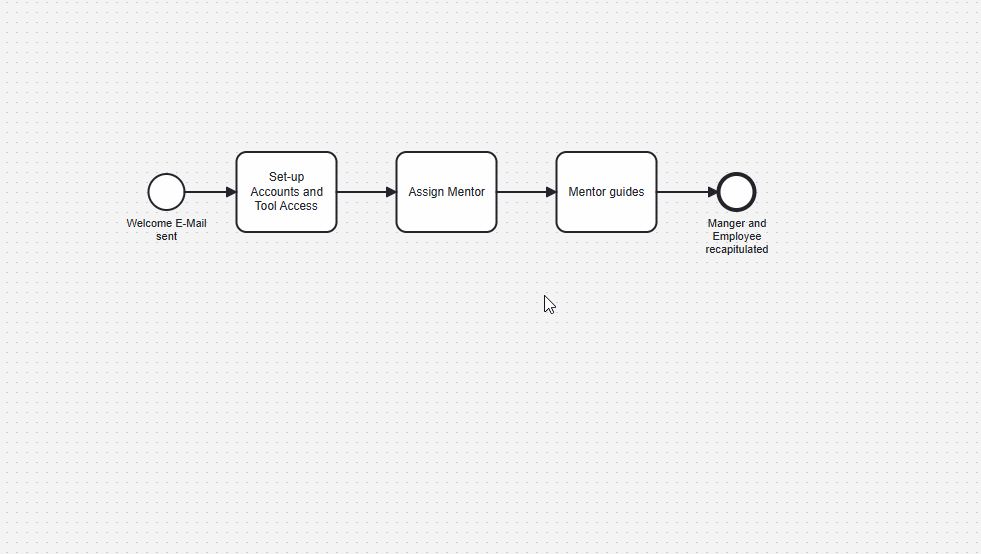
Process modeling also supports better communication. I can show activities, roles, decisions, and handovers in one shared view. In addition, models help me compare the current process with a future process. Therefore, they become practical tools for analysis and improvement.

Optimization and Responsibilities
Once I can model a process, I can improve it. Therefore, I use How I Improve Workflows Through Process Optimization. This article shows how I remove waste, reduce friction, and improve outcomes. However, optimization must still protect quality and people.
Then I add RACI Responsibilities in BPMN Process Management and Analysis. Clear roles matter when I analyze and improve processes. RACI helps me define who performs, approves, supports, and receives information. As a result, process work becomes easier to coordinate.
This topic also connects well with BPMN. BPMN can show tasks, events, flows, and responsibilities. However, a diagram alone may not explain every accountability. Therefore, RACI adds a useful management layer to process analysis.

Connecting Process Management Disciplines
Process management often overlaps with other disciplines. Therefore, I include Bridging the Gap Between Process Management Disciplines. This article helps me connect BPM, requirements engineering, service management, and organizational improvement. As a result, readers can see process work as part of a wider system.
This connection matters because processes rarely exist alone. They interact with services, software, roles, data, and business goals. In addition, they influence customer experience and operational performance. Therefore, I need a broad view when I manage processes.
Process Orientation and Organizational Change
Finally, I move from single processes to organizational thinking. I use Why Process Orientation Matters to explain this broader perspective. Process orientation helps me focus on value streams, outcomes, and collaboration. Instead of thinking only in departments, I think in flows.

Then I include Reimagining Public Sector through Process Orientation. This article shows how process orientation can support public organizations. Public services often involve complex rules, many stakeholders, and long handovers. Therefore, process orientation can make public work clearer and more citizen-focused.
Together, these topics create a complete learning path. I start with simple process basics. Then I move through BPM, process types, lifecycle thinking, modeling, optimization, roles, and orientation. As a result, this hub helps readers understand process management step by step.
Business Process Modeling and Notation (BPMN)
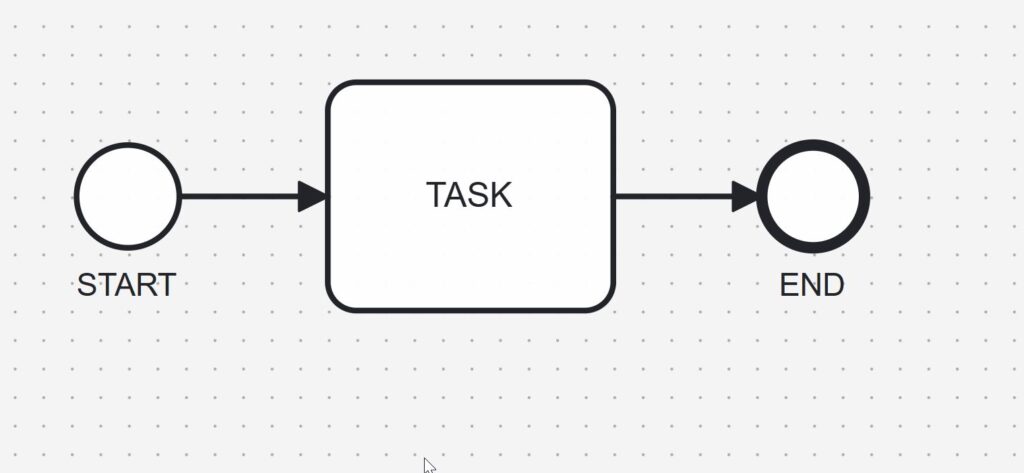
Business Process Modeling and Notation helps me describe processes in a clear visual language. I use BPMN when I want to show activities, decisions, events, roles, and process flows. Therefore, BPMN gives process management a practical modeling foundation. BPMN helps me turn business work into process models that people can understand and improve.
BPMN Introduction
Before I model details, I need to understand what BPMN means. A process model should not only look professional. Instead, it should explain how work moves from start to finish. Therefore, I begin with the basic purpose of BPMN.
I start with What is BPMN – Business Process Management and Notation? because it introduces the topic in simple terms. Then I use How BPMN Supports Effective Process Management to show why BPMN matters in real improvement work. In addition, this article connects BPMN with practical process management. As a result, I can explain why BPMN supports better process understanding and better decisions.
BPMN Foundations
After I understand the purpose, I need the basic rules. BPMN uses symbols, meanings, and modeling conventions. Therefore, I must know how notation and meaning work together. A BPMN diagram only helps when the symbols express the process correctly.
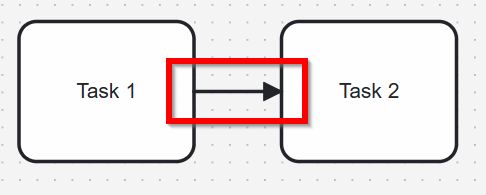
Then I move to BPMN Elements Explained: Events, Activities, Gateways, and Sequence Flows. This article helps me explain the central building blocks of BPMN. I use it to cover activities, events, gateways, flows, pools, and lanes. Therefore, I can build process models with a stable basic vocabulary.
Then I use Understanding Message Events in BPMN 2.0. This article helps me explain how processes exchange information with other participants, systems, or organizations. Message events show when a process sends, receives, or waits for a message. Therefore, this topic connects the basic event concept with real communication between process participants.
Next, I use The Power of the Signal Event in BPMN 2.0. This article helps me explain communication that does not need one specific receiver. A signal event can announce that something has happened, and every listening process may react. Therefore, this topic is a natural next step after message events because it shows another important way BPMN models communication.
After that, I use How to Use the Compensation Event in BPMN 2.0. This article helps me explain how BPMN models reversal logic when completed work must be undone. A compensation event is useful when a payment needs to be refunded, a booking needs to be canceled, or a previous action needs a defined follow-up correction. Therefore, this topic expands the event foundation beyond communication and shows how BPMN can model business recovery behavior.
After that, I use How to Model Multiple Intermediate Events in BPMN 2.0. This article helps me model situations where a process can react to more than one event while it is already running. For example, a process may wait for a message, a timer, or another trigger at different points. Therefore, this topic builds naturally on the core event concept and prepares readers for more detailed process behavior.
BPMN Roles and Perspectives
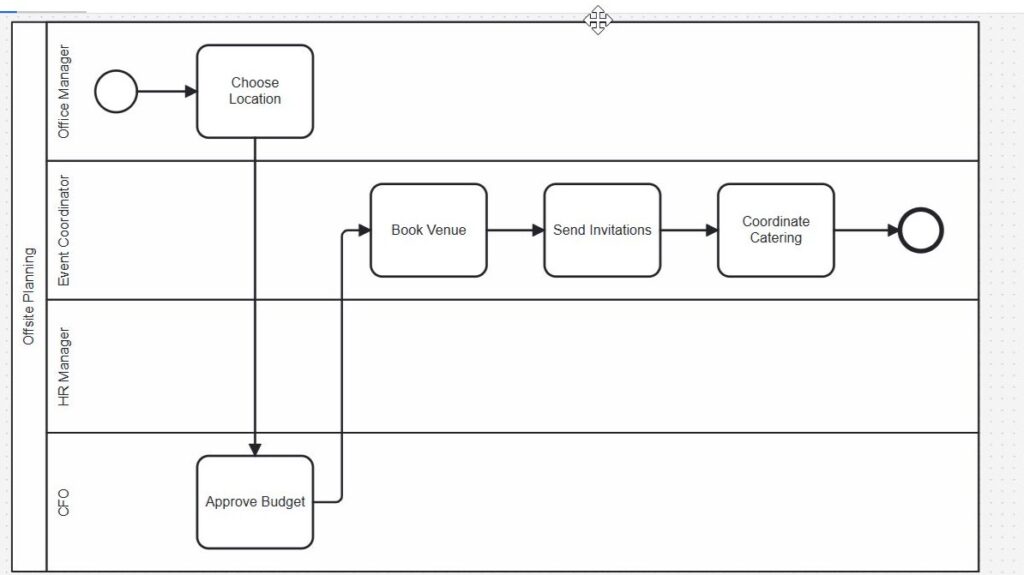
A process never exists without people, systems, or organizations. Therefore, I need to show who does the work and who participates. BPMN helps me separate responsibilities and interactions. Clear roles and perspectives make BPMN models easier to read and easier to discuss.
I use BPMN Project Roles for Effective BPM to explain who contributes to BPMN work. This topic helps me connect modeling with real project collaboration. It also shows why process modeling needs more than one viewpoint. As a result, I can build models that reflect business reality better.
Next, I use The Participant Perspective in BPMN. This article helps me explain pools, participants, and external collaboration. Therefore, I can show how organizations, systems, or actors interact in a process. In addition, this perspective helps me avoid mixing internal work with external communication.
BPMN Gateways
After I know the basic elements, I need to model decisions and parallel work. Gateways help me control how a process path splits and joins. However, each gateway type answers a different process question. I use BPMN gateways to show choices, parallel work, event reactions, and complex routing clearly.
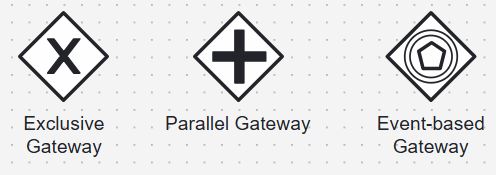
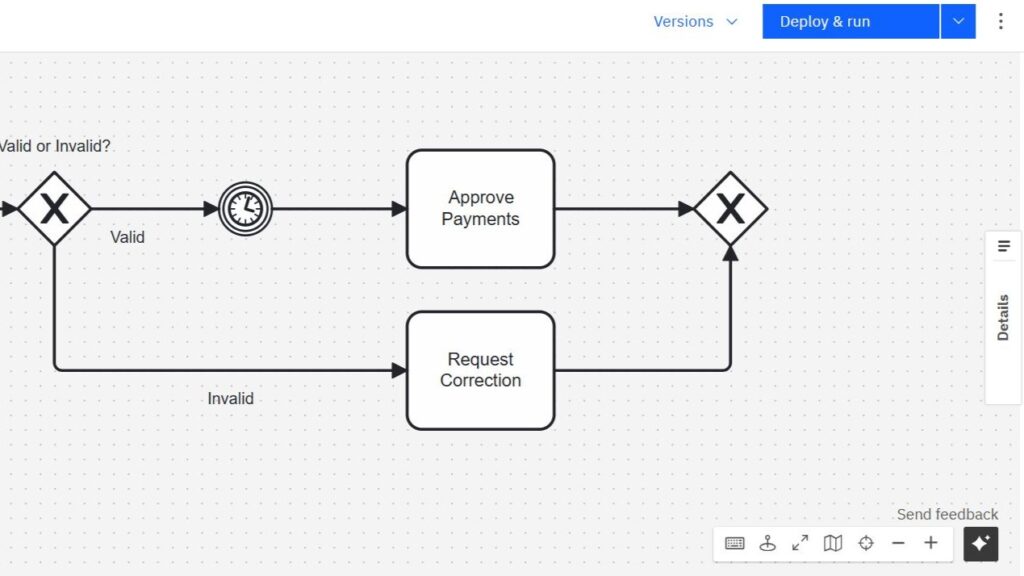
I start with Exclusive Gateways in BPMN 2.0: Clear and Simple. This article explains how I model either-or decisions. Therefore, it gives me the easiest gateway entry point. As a result, I can show business rules without overloading the process model.
Then I use Parallel Gateways in BPMN 2.0: Understanding and Using Them Effectively. This topic helps me model work that happens at the same time. It also helps me show where parallel paths should join again. Therefore, I can describe coordination without hiding important dependencies.
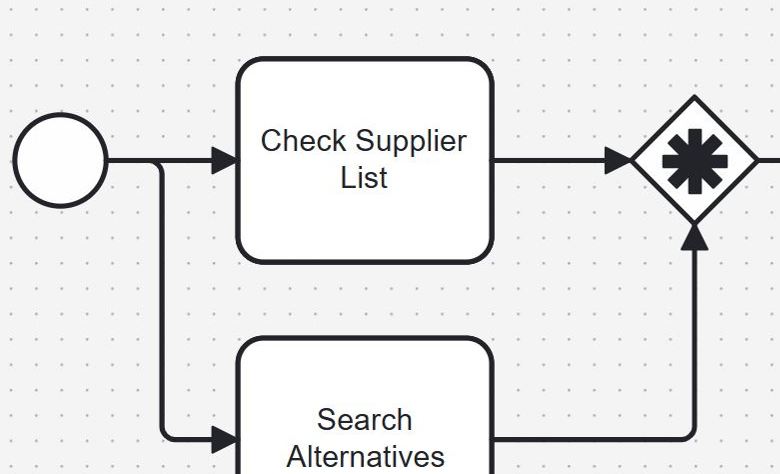
After that, I move to Event-Based Gateways in BPMN 2.0: A Practical Guide. This article explains situations where the next path depends on an event. For example, a process may wait for a message, a timer, or another trigger. Event-based gateways help me model processes that react to what happens next.
Finally, I use Complex Gateways in BPMN 2.0: A Simple Guide. This topic belongs near the end of the gateway cluster because it needs more modeling maturity. Complex gateways can express advanced routing logic. However, I use them carefully because simple models often communicate better.
BPMN in Process Management
BPMN becomes valuable when I connect modeling with improvement work. A diagram should support analysis, communication, and better decisions. Therefore, I do not model processes only for documentation. I use BPMN to understand work, reveal problems, and improve processes step by step.
This section connects all BPMN articles inside the Processes Hub. I begin with the meaning and value of BPMN. Then I build the foundation with syntax, semantics, roles, perspectives, and core elements. After that, I explore gateways because they shape process behavior in more detail.
As a result, readers can move through the topic in a logical order. They can first understand BPMN as a process language. Then they can learn the elements and modeling rules. Finally, they can model more elaborate process behavior with the right gateway types.
Camunda
Camunda helps me move from BPMN theory into practical process modeling. I use it when I want to create, test, and understand BPMN diagrams more actively. Therefore, Camunda belongs naturally inside a Processes Hub. Camunda helps me turn process knowledge into visible BPMN models that I can build and improve.
Camunda Introduction
Before I create a process model, I need to understand the tool itself. Camunda supports BPMN modeling and process automation. However, I first need a simple entry point. I start with Camunda basics because the tool becomes easier when I understand its purpose.
I use What is Camunda? as the first article in this section. It introduces Camunda in a clear and practical way. In addition, it explains why Camunda matters for BPMN modeling. As a result, I can understand the role of Camunda before I start modeling.
This first step also helps me connect tools with process thinking. I do not want to use Camunda only because it looks technical. Instead, I want to know how it supports real process work. A tool becomes useful when it helps me understand and improve business processes.
Camunda User Interface
After I understand Camunda, I need to find my way around the interface. A modeling tool can feel confusing at first. Therefore, I need a simple guide before I build my first project. The Camunda interface becomes easier when I learn its basic areas step by step.
I use Getting Started with Camunda Home User Interface: Your Guide to the Basics for this stage. This article helps me understand where I can start. It also shows how the home area supports my first actions. As a result, I can move through Camunda with more confidence.
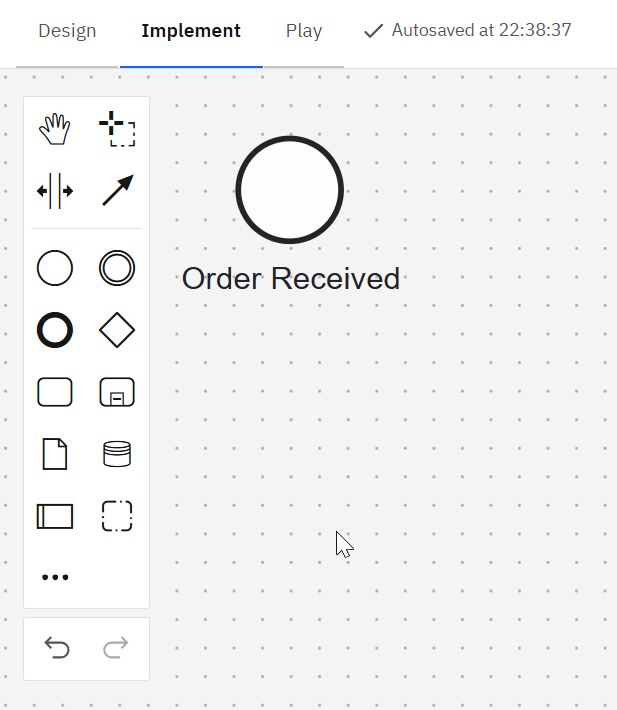
This topic belongs before project creation. First, I need orientation. Then I can create and manage my own work. Therefore, this article creates a smooth bridge from theory to action.
Camunda Project Setup
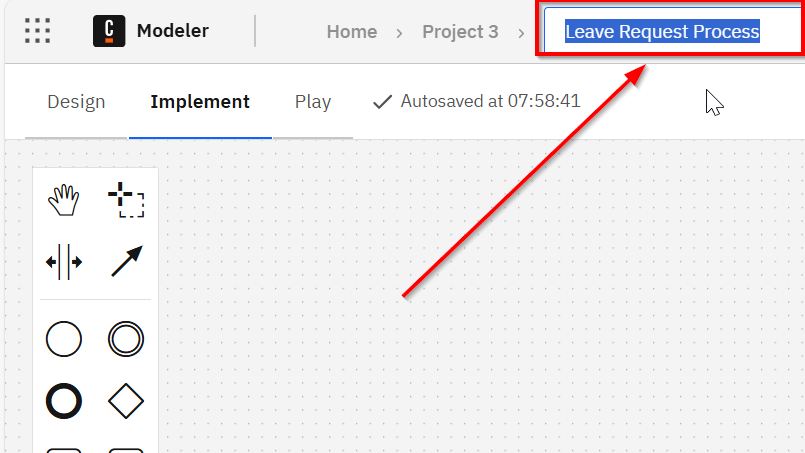
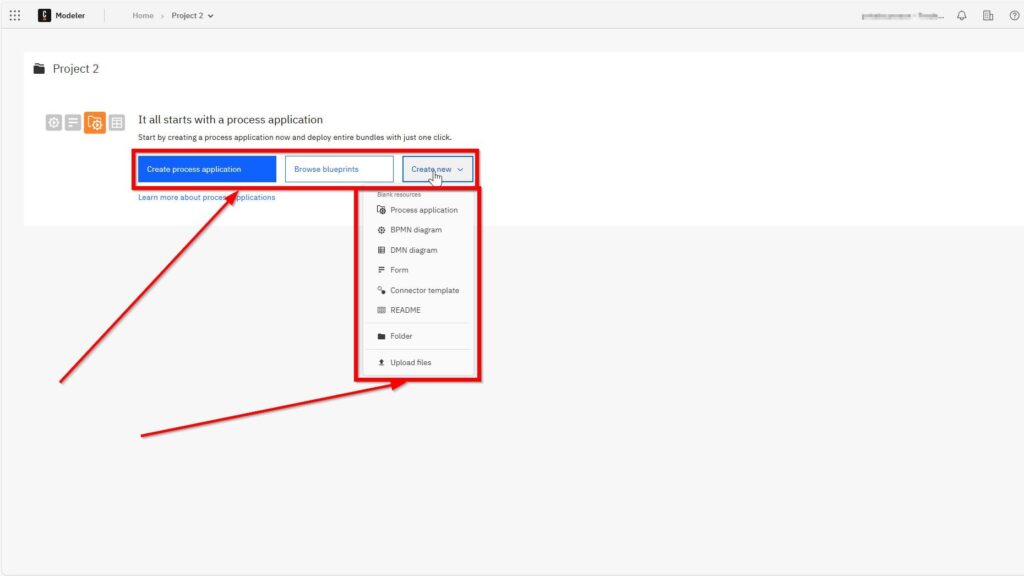
Once I understand the interface, I can create my first workspace. A project gives my modeling work a clear structure. Therefore, I should learn project creation before I model larger examples. A well-created Camunda project gives my BPMN work a clean starting point.
I use How to Create a New Project in Camunda after the user interface guide. This order feels logical because I first learn where things are. Then I learn how to start a real project. As a result, I can prepare the environment for practical BPMN modeling.
Project setup also supports better learning. I can keep examples organized. In addition, I can return to my models later. Therefore, I avoid scattered files and unclear modeling steps.
BPMN Foundations in Camunda
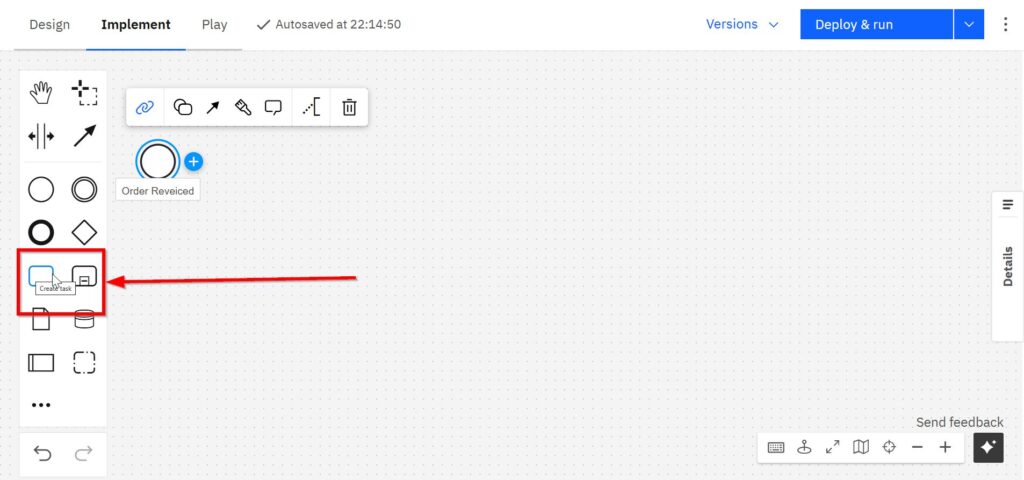
After the setup, I need to model with the right BPMN elements. Camunda helps me work with BPMN visually. However, I still need to understand what each element does. BPMN Core Elements with Camunda gives me the practical foundation for hands-on modeling.
I use How to Use BPMN Elements in Camunda as the next article. It helps me connect BPMN concepts with concrete modeling steps. In addition, it makes core elements easier to apply. As a result, I can use events, tasks, gateways, and flows more clearly.
This article belongs in the middle of the Camunda section. It depends on basic tool knowledge. However, it also prepares me for more specific modeling topics. Therefore, it creates the foundation for practical process examples.
Roles and Responsibilities in Camunda Models
After I understand core elements, I need to show who performs the work. Processes often involve people, teams, departments, or systems. Therefore, I need lanes to make responsibilities visible. BPMN Lanes in Camunda help me connect process steps with clear responsibility.
I use BPMN Lanes in Camunda: A Step-by-Step Guide after the core elements article. This order makes sense because lanes build on basic BPMN modeling. In addition, lanes make models more useful for business discussions. As a result, I can show not only what happens, but also who does it.
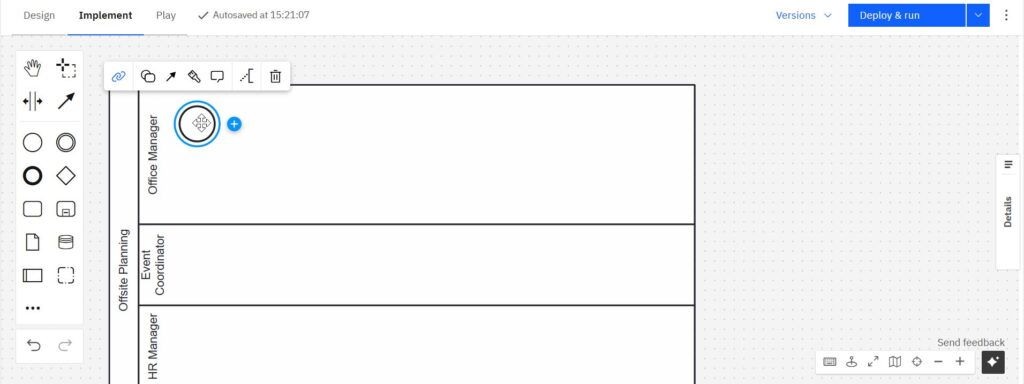
Lanes also improve communication. They help readers follow the process across roles. Moreover, they make handovers easier to see. Therefore, I can use lanes to create clearer and more realistic process models.
Practical BPMN Example with Camunda
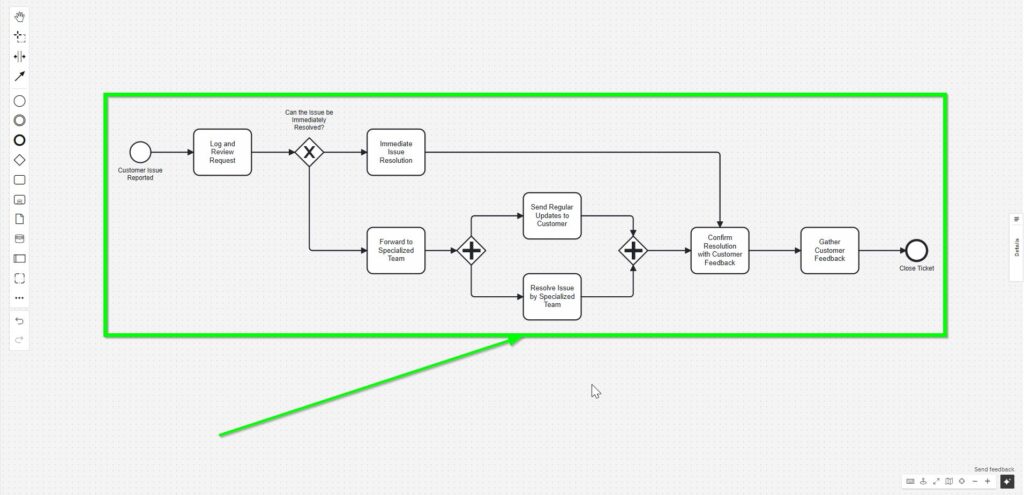
Finally, I need a complete example that brings the pieces together. A practical model helps me apply the tool, the elements, and the structure. Therefore, I place the example near the end of this section. A full BPMN example with Camunda helps me turn separate lessons into one practical workflow.
I use Engaging and Practical BPMN Example with Camunda as the final learning step. This article lets me connect project setup, BPMN elements, and lanes. In addition, it shows how a process model works as a whole. As a result, I can move from isolated features to complete process understanding.
This example also supports deeper learning. I can see how modeling choices affect readability. I can also check whether the process tells a clear story. Therefore, I use the example to strengthen both tool skills and process thinking.
Camunda in the Processes Hub
Camunda completes the practical side of the Processes Hub. First, I learn what Camunda is. Then I explore the interface and create a project. After that, I model BPMN elements, add lanes, and study a full example.
This order helps readers grow step by step. They can start with orientation and move toward real modeling work. In addition, they can connect Camunda with Process Management and BPMN. Camunda becomes most useful when I use it to make processes visible, structured, and easier to improve.
All Process Articles
If you simply want to browse, explore articles on the following topics: