
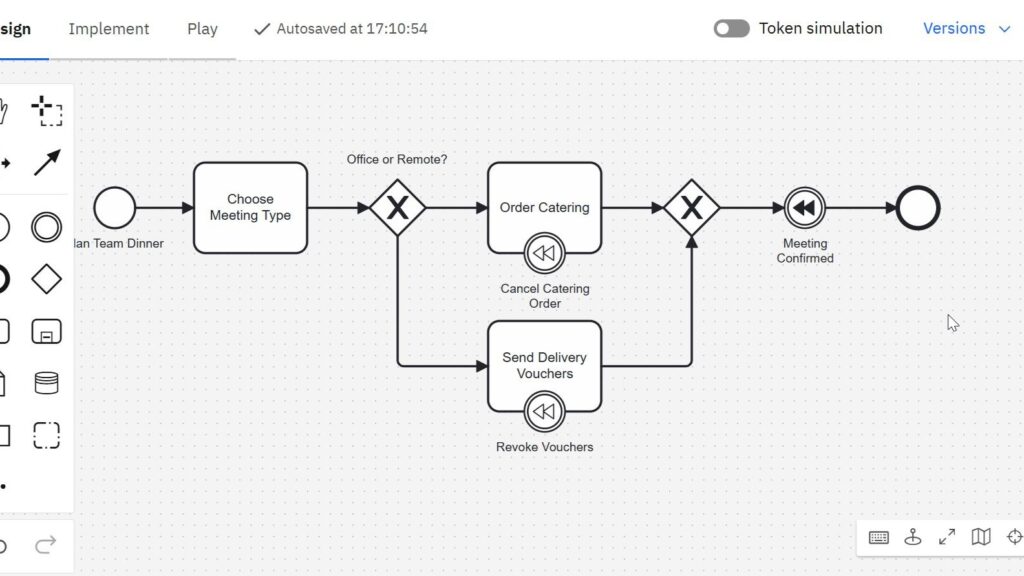
Sometimes, a business process must undo a completed action. A payment may be refunded, or a service may be canceled. In BPMN 2.0, I model this with the compensation event in BPMN. It helps me show how a process reacts when earlier work needs to be reversed. In this article, I explain what compensation events are, when I use them, and how they work with a simple example.
What is a Compensation Event in BPMN?
In BPMN 2.0, a compensation event defines a rollback action. It reverses an earlier activity that was already completed. That’s important: compensation is not about errors. It’s not an exception. It’s a controlled reversal of a successful task.
For example, if I successfully booked a hotel, but later cancel the trip, I may need to reverse the booking. That’s exactly what the compensation event is for. Learn more about BPMN 2.0 for example with insight into Complex Gateways in BPMN 2.0: A Simple Guide or Process Basic Concepts: Your Key to Clear Business Workflows (open in new tabs).
Events in BPMN 2.0: A Quick Recap
To understand compensation, I first need to understand events. BPMN 2.0 defines three major event types:
- Start events – mark the beginning of a process
- Intermediate events – react to events during the process
- End events – signal the process is done
Among the intermediate events, there’s a special one: the intermediate compensation event. It gets triggered when I want to undo a task. This can be attached as a boundary event on a task or thrown explicitly in the main flow.
Example: Team Dinner with Two Options
Let me take a real-world example. Every Friday, I plan a dinner for my team. The team chooses between two options:
- We meet in the office and get catering.
- We meet remotely, and I send everyone digital meal vouchers.
Both options require action. But sometimes, after placing the order, the dinner gets canceled. This means I must cancel catering or revoke vouchers. A clear case for the compensation event in BPMN.
Step-by-Step: Understanding the Process Flow
Step 1: Plan and Decide
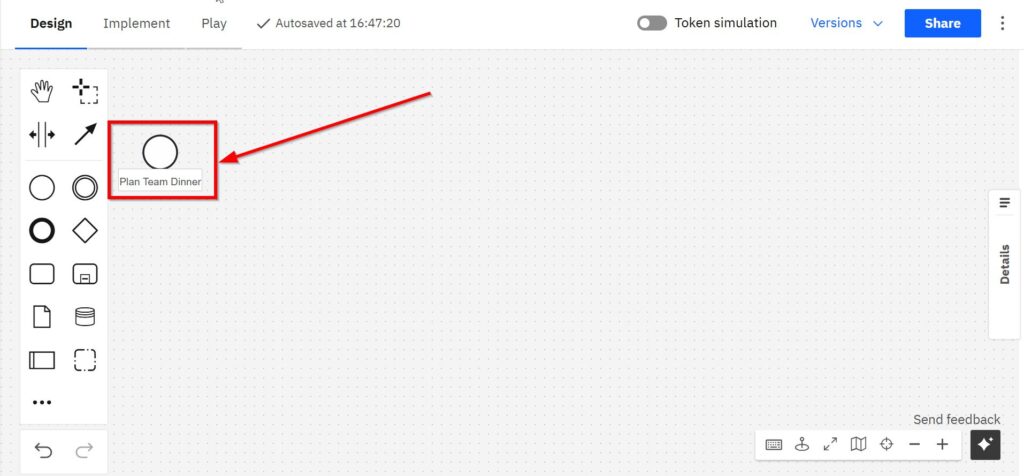
The process starts with the “Plan Team Dinner” start event.
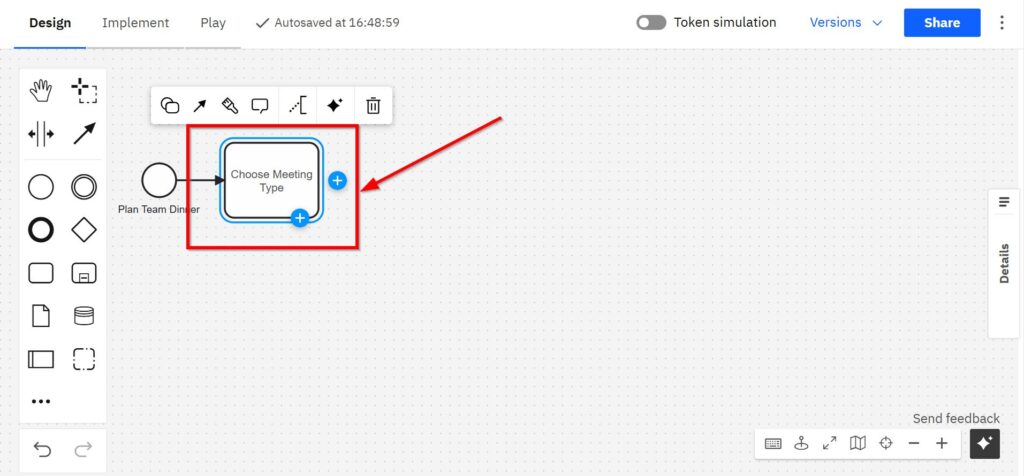
Then, I choose the meeting type. I model this with a User Task called “Choose Meeting Type”.
Next, I use an Exclusive Gateway.
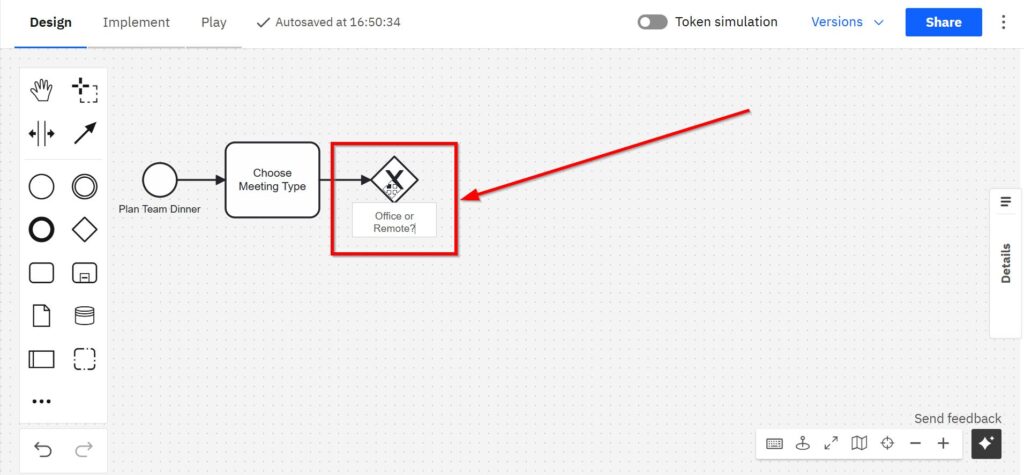
It lets me branch the process:
- If the choice is office, the process goes to “Order Catering”.
- If the choice is remote, the process continues to “Send Delivery Vouchers”.
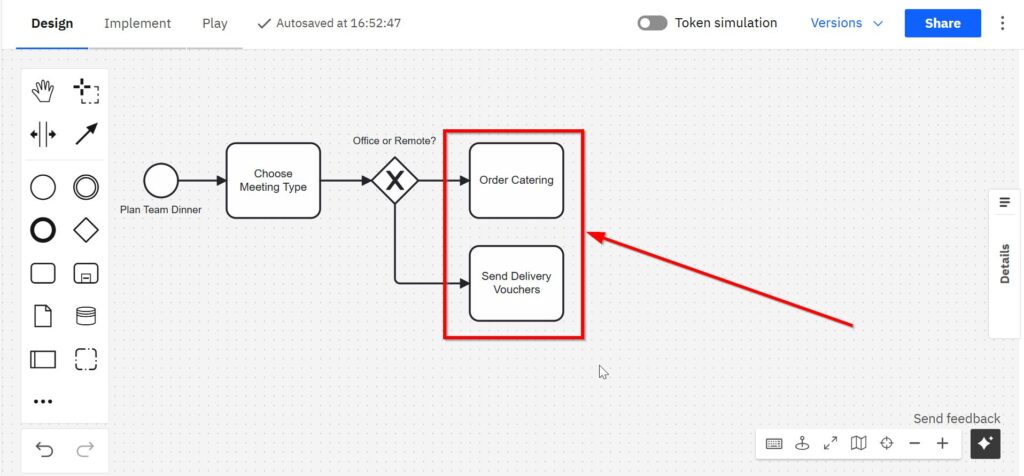
Step 2: Attach Compensation Events
Each of these service tasks represents an action I may need to reverse. So, I attach a Compensation boundary event to each one.
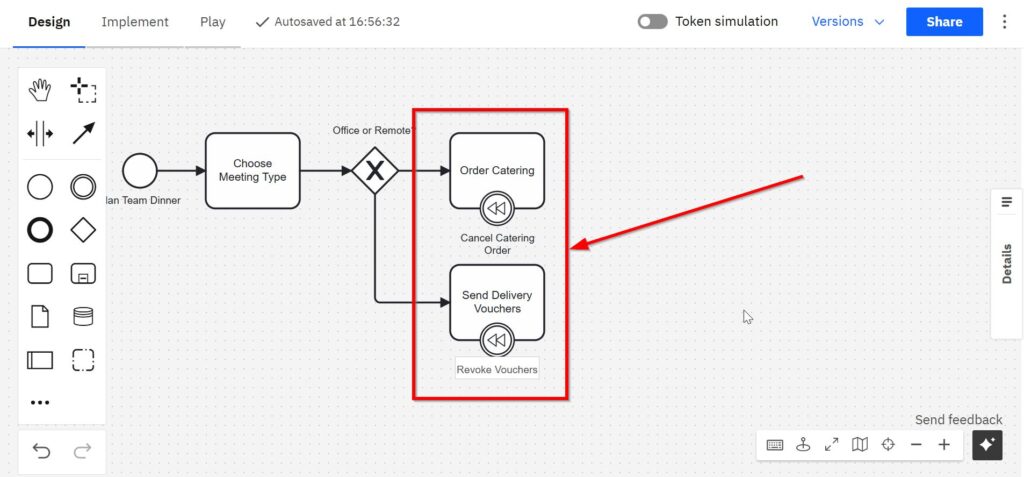
- Order Catering has a boundary event called “Cancel Catering Order”.
- Send Delivery Vouchers gets one called “Revoke Vouchers”.
The tasks link back to another exclusive gateway.
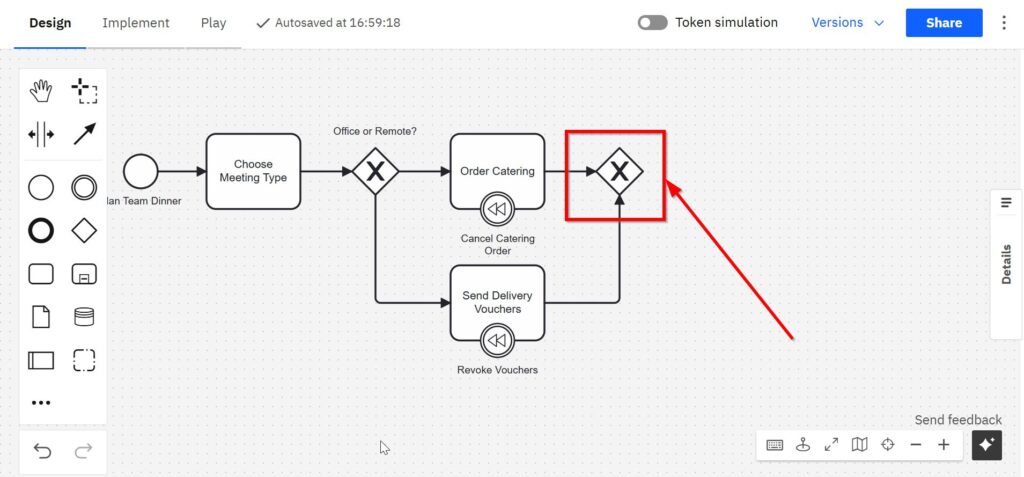
These events are linked to special compensation tasks. These tasks don’t connect via sequence flows. Instead, they use associations.
Step 3: compensation throw event
Now the process continues with a Compensation throw event. It is labeled “Meeting Confirmed”. Like it says, it confirms the meeting.
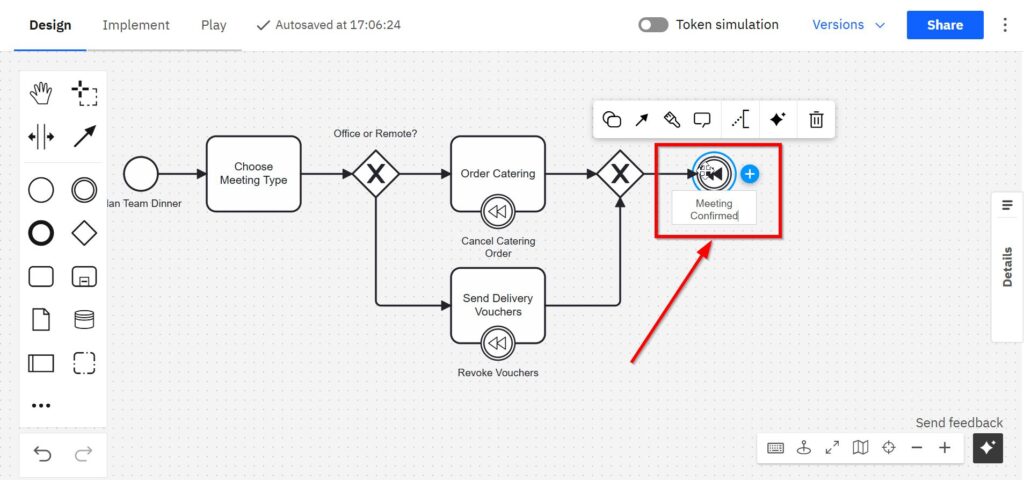
Step 4: End the Process
Finally, the process ends with a standard End Event.
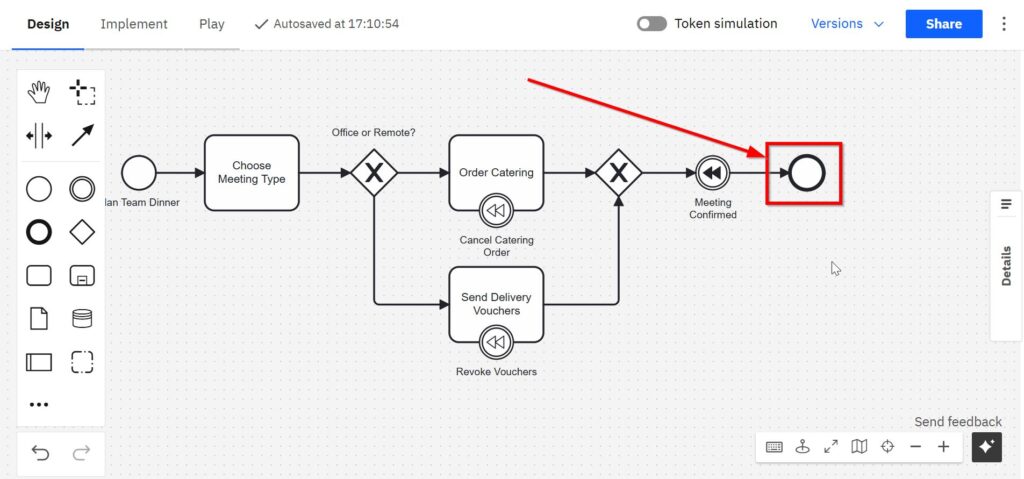
Whether I follow the normal flow or the compensation flow, I always finish cleanly.
Key Rules for Compensation in BPMN
There are some special things to keep in mind:
- Compensation only works if the original task was completed. No completion, no compensation.
- Compensation events only apply within the same process (pool).
- Use associations, not sequence flows, to link compensation handlers.
- The compensation task is clearly marked to show it is not part of the regular flow.
Why Use the Compensation Event?
In daily process modeling, I don’t always need compensation. But when reversals are part of the business logic, it becomes essential.
Think about canceling subscriptions. Reversing payments. Backtracking onboarding steps. Without compensation events, the diagram gets messy. With them, I keep control and stay clear.
The compensation event in BPMN helps me show what to undo, when, and how. I avoid confusion. I make the process logic visible.
Final Thoughts
I use the compensation event in BPMN when I want clarity in complex processes. It brings structure to reversals. It handles changes elegantly. And it helps others understand my process models at a glance.
Try it in your next BPMN diagram. You’ll see how effective it is—especially when real life gets messy.
What’s Next?
Now that I understand how one process path can be selected, I can move one step further. Some processes do not follow only one path. Instead, several tasks may need to happen at the same time. That is where parallel gateways become important.
In the next article, Parallel Gateways in BPMN 2.0: Understanding and Using Them Effectively, I show how parallel work starts, how it joins again, and why synchronization matters. After that, I can continue with How to Use the Compensation Event in BPMN 2.0 to understand how BPMN models reversal logic when completed work must be corrected, canceled, or undone. Click through to learn how parallel gateways and compensation events help me model coordination, recovery, and realistic business behavior more clearly.
Processes and Modeling in Requirements Engineering
When I analyze requirements, I also need to understand the work behind them. A single activity rarely tells the full story. I need to see triggers, responsibilities, decisions, handovers, and results. That is why my main article on Processes is a helpful next step. It shows how Process Management brings order to workflows, how BPMN turns them into readable diagrams, and how Camunda supports practical modeling work. This helps me move from scattered process knowledge to clearer workflow design.
This process view also connects strongly with Requirements Modeling. In my main article on Requirements Modeling, I bring together Modeling Concepts, BPMN-based Process Modeling, and UML. This helps me understand when I need a process view, when I need a structural view, and when a broader modeling concept gives me the best answer.
Credits: The diagrams were created with Camunda.
| Read more on Business Process Modeling and Notation (BPMN) |
|---|
| Syntax and Semantics of BPMN BPMN Project Roles for Effective BPM The Participant Perspective in BPMN BPMN Core Elements |