
Communication drives every successful process. That’s why I rely on message events in BPMN when different participants need to exchange information. In this article, I’ll show you how message events work and how you can model them correctly using BPMN 2.0. Let’s explore each event type through a practical example. I’ll walk you through it step by step.
What Is BPMN 2.0?
BPMN 2.0 stands for Business Process Model and Notation. It’s the global standard for visualizing business processes. I use it because it creates clarity. Everyone involved—whether technical or not—can understand the diagram.
BPMN 2.0 uses defined symbols for tasks, events, gateways, and flows. Each element has a specific meaning. This consistency helps me avoid confusion and ensures smooth collaboration across teams.
Learn more in Exclusive Gateways in BPMN 2.0: Clear and Simple and The Participant Perspective in BPMN (open in new tabs).
Events in BPMN 2.0
An event in BPMN shows that something happens. It can trigger a process, interrupt it, or mark its end. There are different types of events. Today, I’ll focus on message events, which model communication between people or systems.
I use message events whenever a process needs to send or receive information. This makes the communication in my diagrams crystal clear.
Modeling Message Events in BPMN
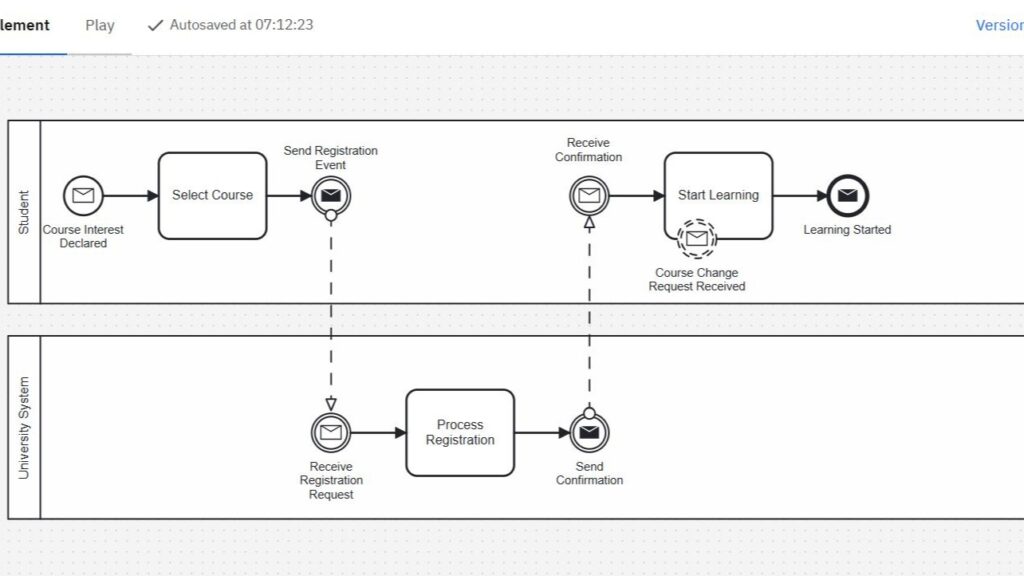
Let me show you how I apply message events using a course registration process as an example.
Scenario
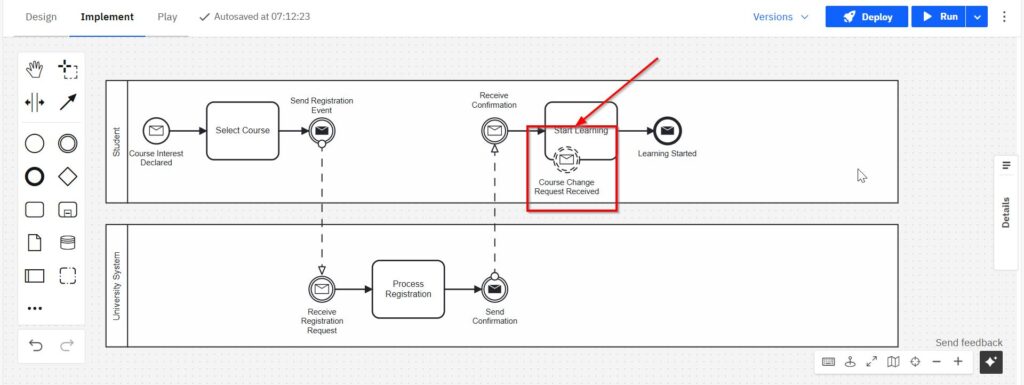
A student wants to register for an online course. The university responds with a confirmation. Once the student receives it, they begin learning.
Message Start Event
Next, the student sends a registration request to the university. I use this to show that an external message triggers the process.
BPMN Symbol: Message Start Event
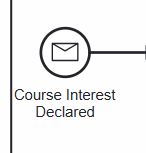
Purpose: Process initiation based on an incoming message
Throwing Intermediate Message Event
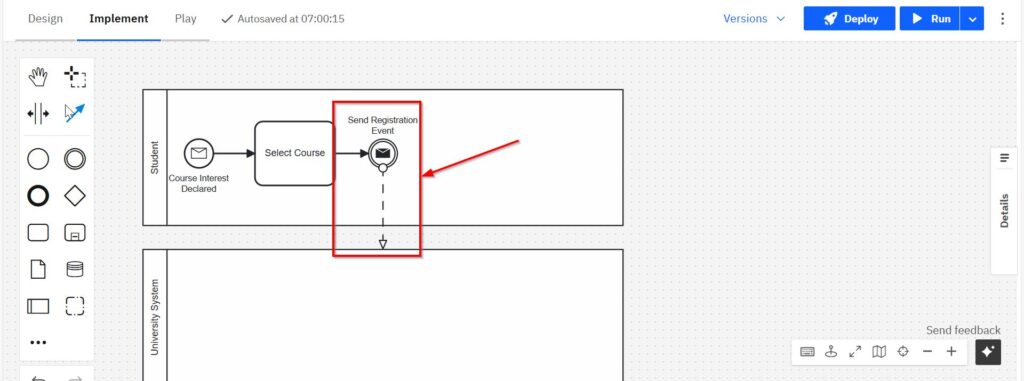
Next, the student sends a registration request to the university. For this, I use a throwing intermediate message event. It marks the exact point in the process where a message is sent out.
BPMN Symbol: Throwing Intermediate Message Event
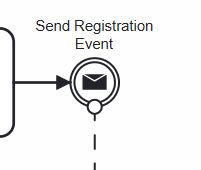
Purpose: Actively send a message to another participant
Catching Intermediate Message Event
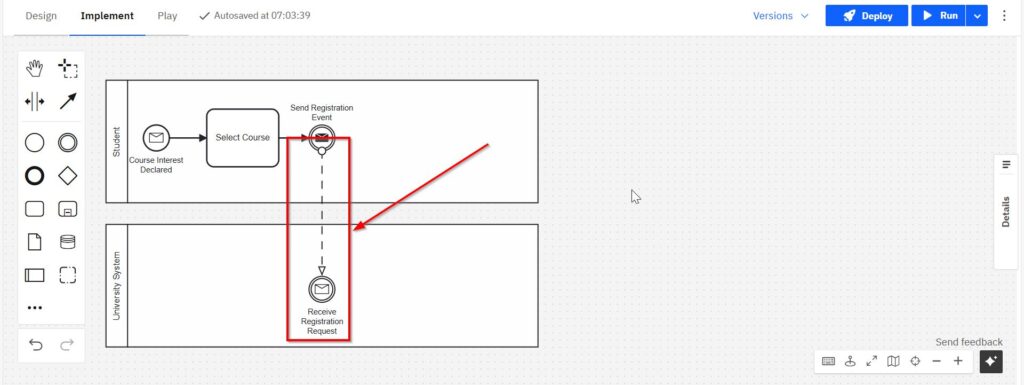
Now the student waits. The process pauses until a catching intermediate message event receives the confirmation. I use this to reflect real-life waiting situations within a flow.
BPMN Symbol: Catching Intermediate Message Event
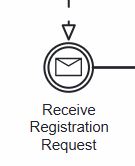
Purpose: Pause until a message is received
Message End Event
Once the learning phase starts, the process ends with a message end event. This event sends out a final communication confirming that learning has begun. I use it to close the process cleanly.
BPMN Symbol: Message End Event
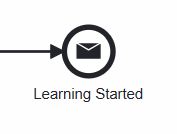
Purpose: Final message before process completion
Optional: Attached Non-Interrupting Intermediate Message Event
Sometimes, a student might want to switch courses later. During the “Start Learning” task, I can attach a non-interrupting intermediate message event. It allows the task to continue while also reacting to new incoming messages.
BPMN Symbol: Attached Non-Interrupting Intermediate Message Event
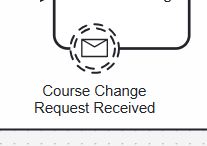
Purpose: React to parallel messages without stopping the current task
Optional: Attached Interrupting Intermediate Message Event
Although not in this example, I often use interrupting intermediate message events too. If the course is suddenly full, the student might get a message during the course selection. This cancels the current task. I use this to model disruptive messages that change the course of action.
BPMN Symbol: Attached Interrupting Intermediate Message Event
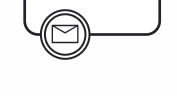
Purpose: Interrupt and cancel the current activity
Step-by-Step Modeling Guide
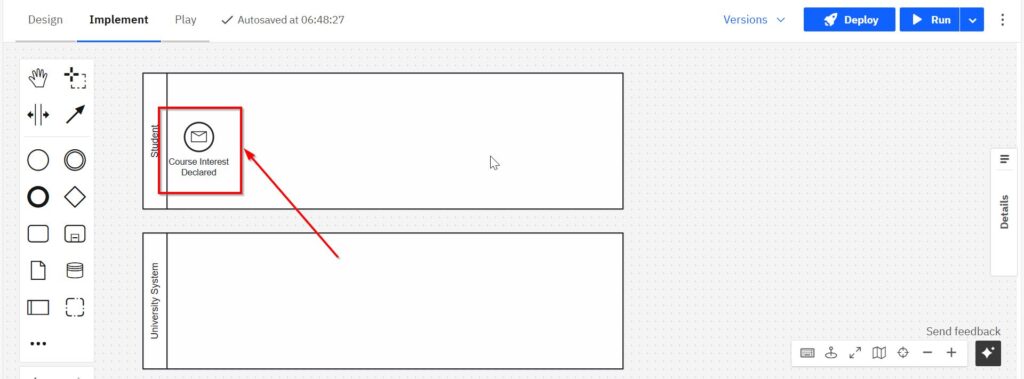
Even though I won’t go into tool-specific instructions here, the modeling steps follow a clear structure: Create a pool for the student and another for the university system. This separates roles and responsibilities visually.
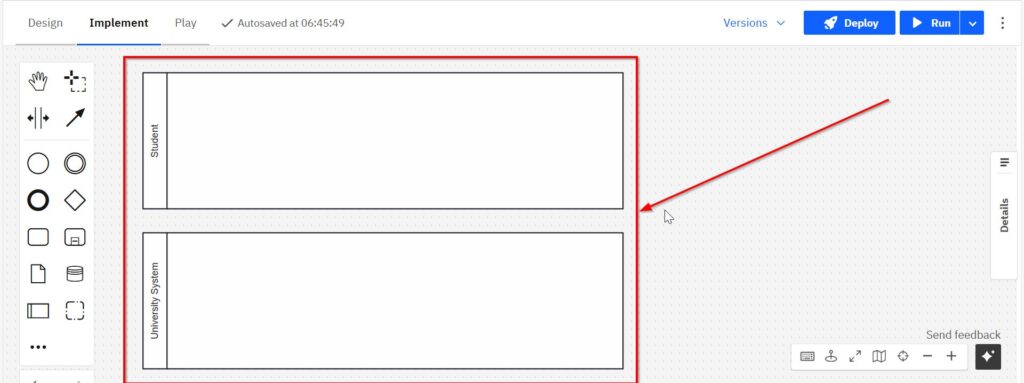
Start with a message start event labeled “Course Interest Declared.”
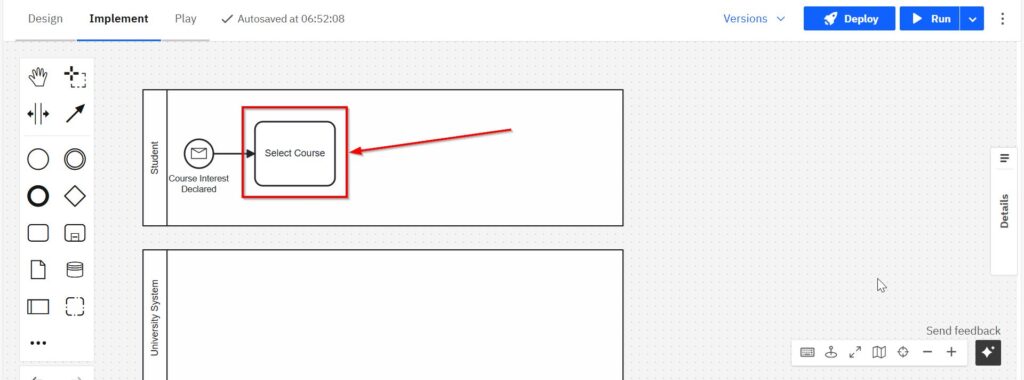
Add a task: “Select Course.”
Insert a throwing intermediate message event labeled “Send Registration Request.” Draw a message flow to the university pool.
In the university pool, insert a catching intermediate message event: “Receive Registration Request.”
Follow this with a task: “Process Registration.”
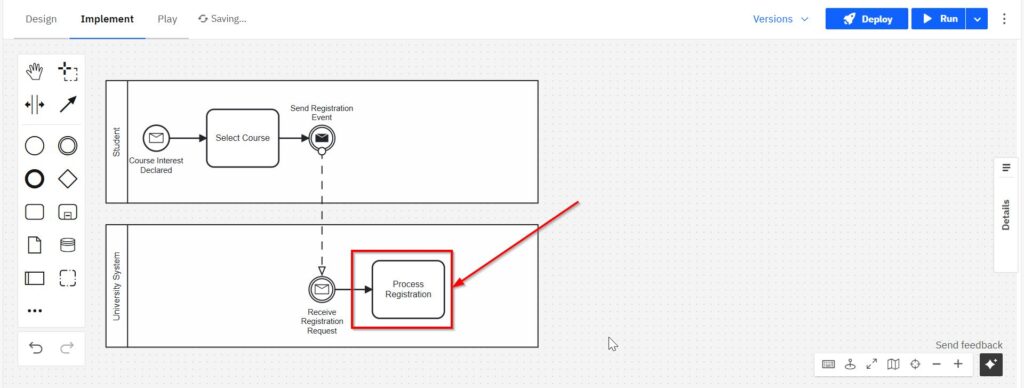
Add a throwing message event labeled “Send Confirmation.”
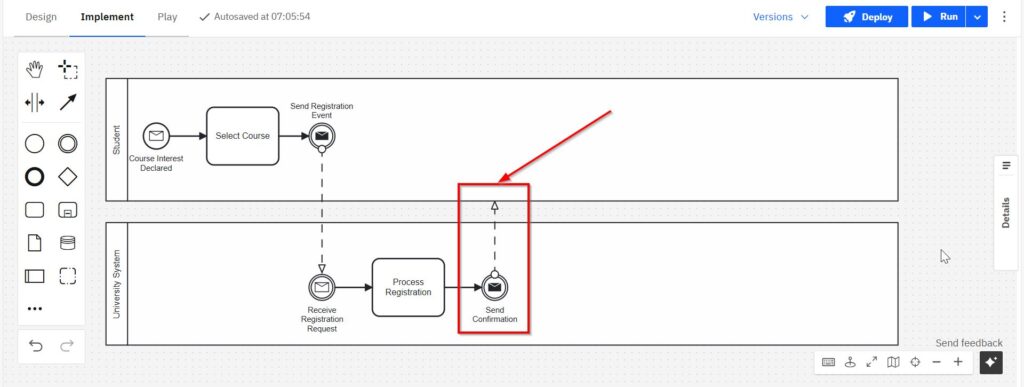
Back in the student lane, insert a catching intermediate message event called “Receive Confirmation.”
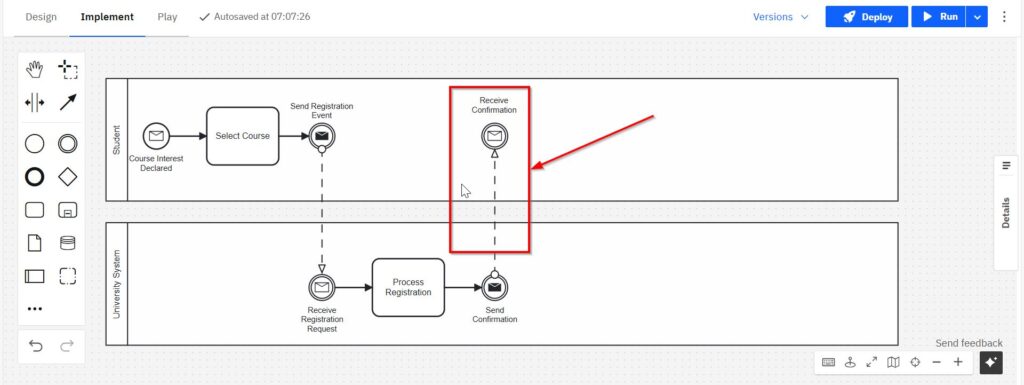
Add a task: “Start Learning.” Close the process with a message end event named “Learning Started.”
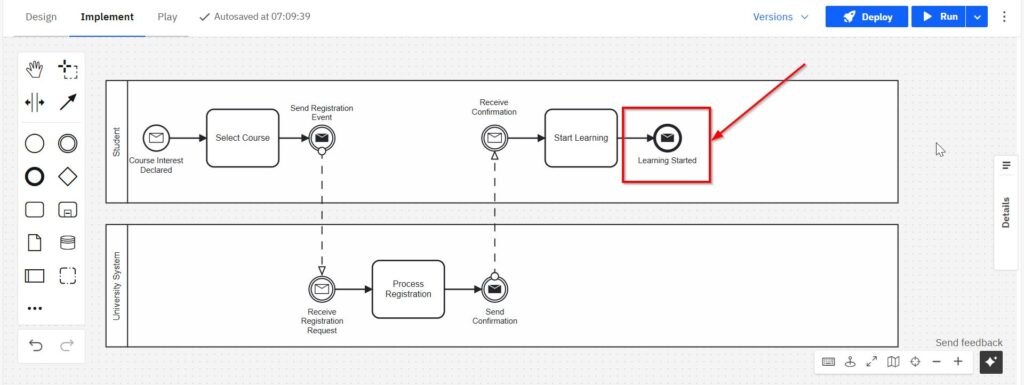
(Optional) Attach a non-interrupting intermediate message event to “Start Learning” for parallel messages like course change requests.
Final Thoughts
Message events in BPMN help me design realistic and dynamic process flows. Whether it’s sending or receiving information, I use them to make communication visible and structured.
Because BPMN is a standardized language, I always stick to the official terms. This keeps my diagrams clean, consistent, and easy for others to read. It also helps future users or developers implement the process exactly as modeled. In short, when you model a message event in BPMN, you’re showing that communication matters—and you’re making it part of the process flow itself.
What’s Next?
Now that I understand how BPMN roles support better process modeling, I can move one step deeper into responsibility inside the diagram itself. In the next article, Participants in BPMN: How Pools Define Process Responsibility, I show how pools represent the main actors in a process. This helps me separate responsibilities, clarify collaboration, and make process boundaries easier to read. After that, I can also explore The Power of the Signal Event in BPMN 2.0 to understand how BPMN models broad communication without one fixed receiver. Signal events help me show when something is announced once and every listening process may react. Therefore, these next guides are the right step if I want to model who owns which part of a BPMN process and how processes communicate across boundaries.
Process and Modeling for Requirements Engeineering
When I want to understand a workflow, I need more than isolated process steps. I need to see how work starts, how it moves, and how it creates a result. That is why my main article on Processes is a useful next step. There, I show how Process Management helps me organize and improve workflows. I also explain how BPMN makes these workflows visible as clear diagrams. In addition, I show how Camunda can support practical BPMN modeling. Therefore, this guide helps me move from process understanding to better process design.
Process modeling also belongs to a broader modeling context. For that reason, I also recommend my main article on Requirements Modeling. In that guide, I connect Modeling Concepts, BPMN-based Process Modeling, and UML. As a result, I can compare different modeling approaches and choose the model that fits the situation best.
Credits: The diagrams were created with Camunda.
| Read more on Business Process Modeling and Notation (BPMN) |
|---|
| Syntax and Semantics of BPMN BPMN Project Roles for Effective BPM The Participant Perspective in BPMN BPMN Core Elements |