
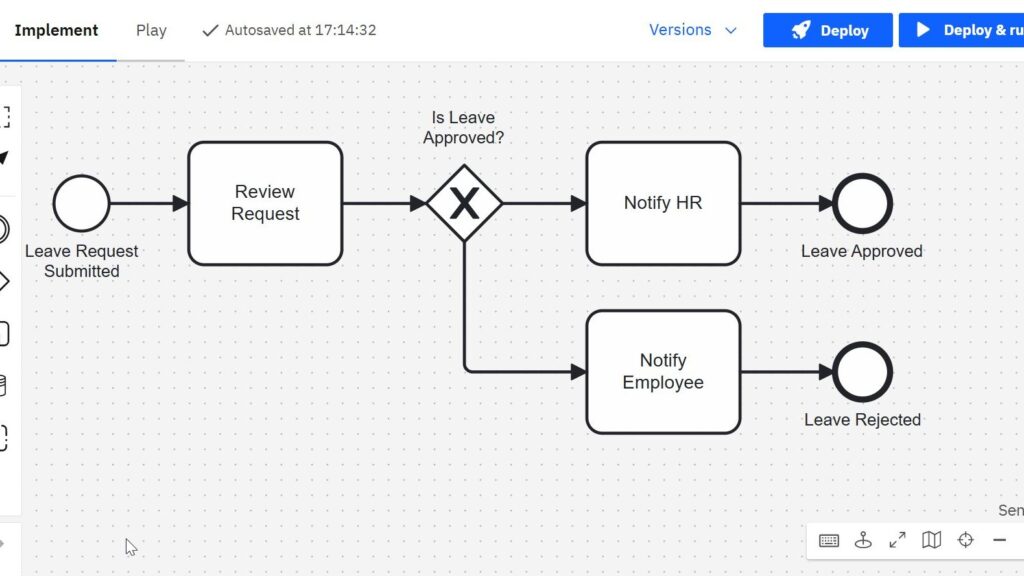
What is BPMN and why does it matter in daily business work? I use BPMN to understand, describe, and improve processes in a clear way. It helps me see how work flows from one step to the next and where problems may appear. As a result, BPMN supports better process management, clearer communication, and more efficient workflows. This overview gives an easy introduction to the topic.
What Is BPMN?
BPMN stands for Business Process Model and Notation. It provides a standardized graphical language for business process modeling.
I use BPMN when I want to show how work moves through an organization. For example, I can model what starts a process, which tasks people perform, where decisions occur, and when the process ends.
However, BPMN does more than provide shapes for diagrams. Each element has a defined meaning. In addition, BPMN defines rules for how I can combine these elements.
BPMN gives me a common visual language for describing the structure and behavior of a business process.
This standardization matters because process models often serve several audiences. Business specialists need to understand what happens. Process analysts need to examine the workflow. Meanwhile, developers may need enough detail to implement or automate parts of the process.
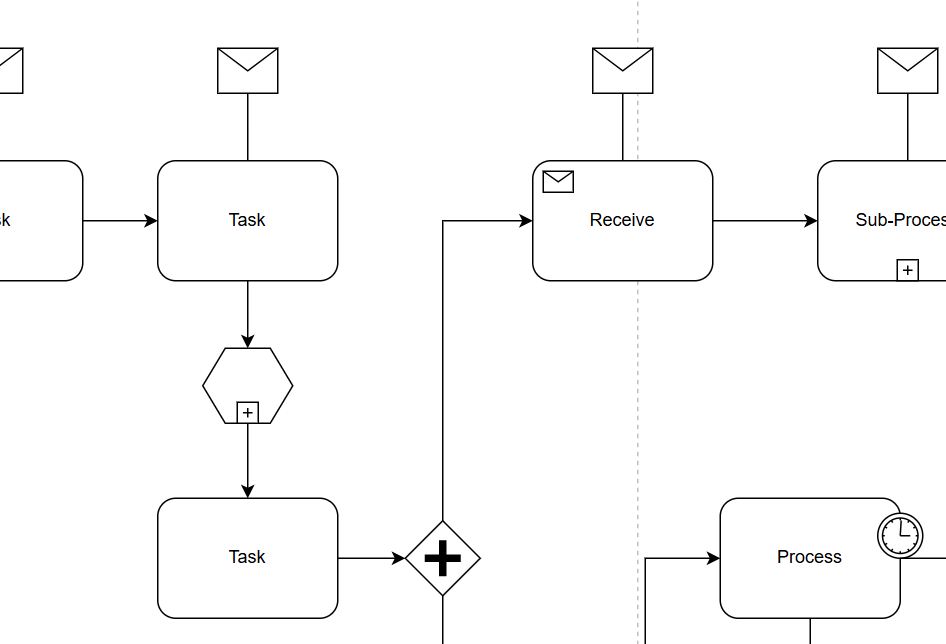
Why I Use BPMN
A written process description can quickly become difficult to follow. Therefore, I often prefer a visual model.
For example, consider a leave request. An employee submits the request. A manager reviews it. The manager then approves or rejects it.
I can describe this process in several paragraphs. Alternatively, I can model the same logic with a small number of BPMN elements.
As a result, I can see the complete workflow more easily. I can also identify unnecessary steps, unclear responsibilities, missing decisions, and possible automation opportunities.
A good BPMN diagram does not simply document a process. It makes the logic of that process visible.
The Main BPMN Elements
I can create useful BPMN diagrams with a relatively small set of basic elements. The most important ones are events, activities, gateways, connecting elements, pools, lanes, and data elements.

Events
Events represent something that happens during a process.
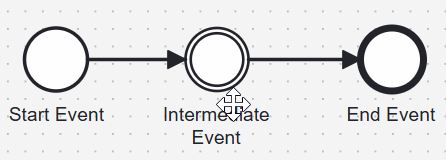
I distinguish three basic positions:
- A start event shows what starts the process.
- An intermediate event represents something that happens while the process runs.
- An end event shows where a process path finishes.
For example, receiving an order can start an order process. Receiving a payment may occur during the process. Finally, delivering the order can contribute to completing it.
Events describe occurrences in a process rather than work that someone performs.
Activities and Tasks
Activities represent work.
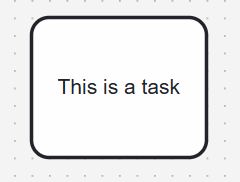
A task is the simplest activity in BPMN. I use it for a unit of work that I do not need to break down further at the current modeling level.
Examples include:
BPMN represents a task with a rounded rectangle.
However, the right level of detail depends on my purpose. A management model may contain a task called “Process Order.” A more detailed operational model may divide the same work into several individual tasks.
I choose the level of detail according to the question that my BPMN model should answer.
Gateways
Gateways control how the process flow splits or joins.
For example, I may need to choose between different paths. Alternatively, I may need to start several paths at the same time.
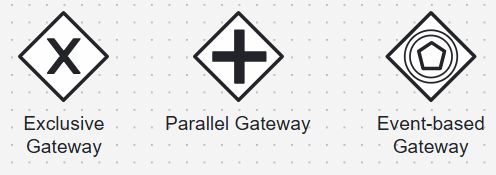
Some important gateway types are:
- Exclusive gateway: I use it when the process selects one path from several alternatives.
- Parallel gateway: I use it when several process paths can continue in parallel.
- Event-based gateway: I use it when the next path depends on which event occurs.
Therefore, gateways do not represent work. Instead, they control the routing of the process.
The gateway type determines how BPMN interprets the paths that follow or converge at that point.
This distinction becomes especially important when a model describes process automation. An exclusive decision and a parallel split may look similar in a written description, but they produce very different process behavior.
Connecting BPMN Elements
A process diagram needs more than individual symbols. I also need to show how those elements relate to each other.
One of the most important connectors is the sequence flow.
Sequence Flow
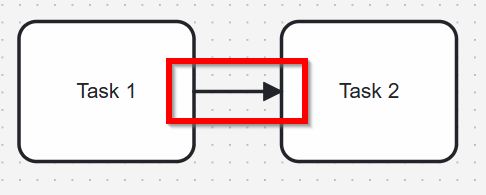
A sequence flow shows the order in which activities, events, and gateways occur within a process.
For example:
Receive Order → Check Order → Prepare Order → Ship Order
The arrow therefore has a specific meaning. It does not simply show that two shapes have some relationship. Instead, it describes the progression of the process.
A sequence flow tells me which process element can follow another process element.
This distinction forms an important part of BPMN syntax and semantics.
Pools and Lanes
Processes often involve several people, departments, organizations, or systems. Therefore, BPMN provides pools and lanes to make responsibilities visible.
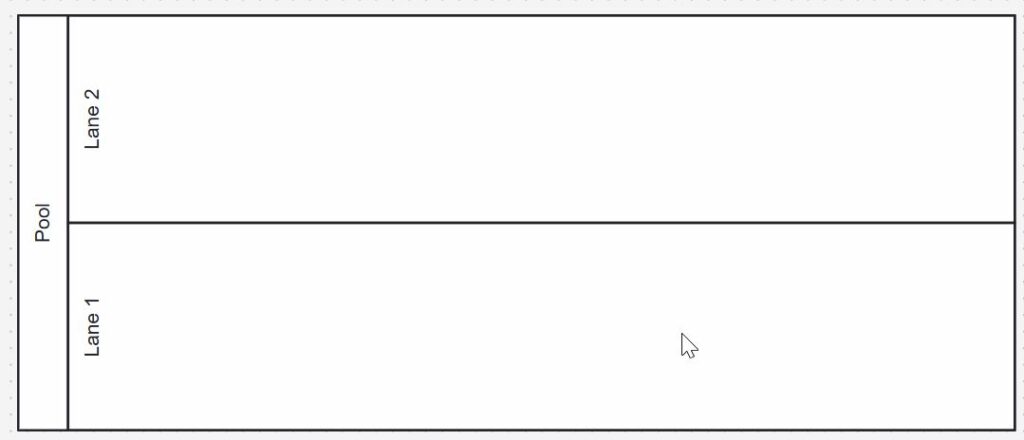
A pool represents a participant in a process or collaboration. For example, I can use separate pools for a customer and a company.
A lane divides the work inside a pool. For instance, I might create lanes for Sales, Finance, and Logistics.
As a result, I can see not only what happens but also who takes responsibility for each part of the workflow.
Pools and lanes help me separate process behavior from organizational responsibility.
They also make handovers easier to recognize. If work frequently moves from one lane to another, I can examine whether those handovers create delays or misunderstandings.
Data and Supporting Information
Processes also use and produce information.
For example, a task may read an application, create an invoice, update customer information, or produce a report. BPMN allows me to make such information visible through data elements and related connections.
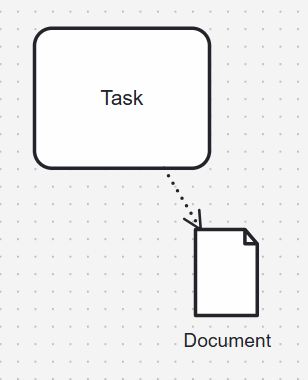
A document-shaped data object can represent information that a task uses or produces. A data association can show the relationship between the task and that information.
Therefore, I can distinguish the process flow from the data that supports the process.
Data elements help me show which information a process activity requires or creates without confusing that information with the sequence of work.
BPMN Syntax: The Rules of the Language
Understanding the symbols alone is not enough. I also need to understand BPMN syntax.
Syntax describes the structure of the modeling language. In practice, it tells me which elements exist and how I may connect them.
I can compare this with written language. Knowing individual words does not mean that I can arrange them in any order. Grammar defines how I combine them into meaningful sentences.
BPMN works in a similar way.
For example, a sequence flow connects elements within a process. I should not use it as a general-purpose line simply because two elements seem related.
Therefore, syntax protects the consistency of the model.
BPMN syntax defines how I can combine modeling elements into a valid process structure.
Without these rules, different modelers could use the same symbols in completely different ways. The value of a standard notation would then disappear.
BPMN Semantics: The Meaning Behind the Symbols
Semantics addresses another question: What does the model actually mean?
An exclusive gateway, for example, does not merely display a diamond with an X. Its meaning tells me that the process selects an alternative path according to the modeled conditions.
Likewise, a parallel gateway does not simply look different. It represents different process behavior.
Therefore, syntax and semantics work together.
Syntax tells me how I construct the model. Semantics tells me what the resulting model means.
A BPMN diagram becomes reliable only when I use the correct symbols, connect them correctly, and respect their defined meaning.
This becomes particularly important when software systems use the model as the basis for implementation or process automation.

BPMN Between Business and IT
One reason I value BPMN is its ability to support communication between business and technical specialists.
However, one diagram cannot always serve every audience equally well.
Senior management may need a simple overview with ten activities. A process analyst may need additional decisions and exceptions. Meanwhile, a technical implementation may require much more detailed process logic.
Therefore, I first ask why I am creating the model and who needs to understand it.
I may model the same process at different levels of detail. However, those models should remain logically consistent.
I adapt the detail of a BPMN model to its audience, but I do not change the meaning of the process.
This principle helps me avoid two common problems. A model can become so simple that it loses important information. Conversely, it can become so detailed that nobody outside the implementation team can understand it.
BPMN provides the language. I still need to choose the right level of expression.
How I Keep BPMN Models Clear
BPMN gives me many modeling elements. However, I do not need to use all of them in every diagram.
Instead, I focus on the purpose of the model.
I use clear activity names. I normally name tasks with a verb and an object, such as “Review Application” or “Send Invoice.” In addition, I keep the process direction consistent where possible.
I also avoid adding detail simply because BPMN supports it. Every additional element should improve the model.
Furthermore, I make decisions explicit. If two paths mean different things, I show the reason for that difference.
Finally, I check whether another person can understand the process without a long verbal explanation.
A good BPMN model contains enough detail to communicate the process correctly, but no more detail than its purpose requires.
What BPMN Can and Cannot Do
BPMN gives me a strong foundation for process modeling. However, it does not solve every communication problem automatically.
A correct diagram can still become difficult to understand if I add too much detail. Likewise, a visually simple diagram can become misleading if I remove important process logic.
BPMN also cannot decide which process design is good. It helps me represent a process. I still need process knowledge, analysis, and stakeholder input to evaluate that process.
Therefore, I see BPMN as a modeling language rather than a process-improvement method by itself.
BPMN helps me describe process logic consistently, but the quality of the process still depends on the decisions behind the model.
Final Thoughts
So, what is BPMN? I see it as a standardized language for making business processes visible and understandable.
Events tell me when something happens. Activities show the work. Gateways control alternative or parallel paths. Sequence flows show progression. Pools and lanes clarify responsibilities. Data elements add information about the inputs and outputs of the work.
At the same time, syntax defines how I construct the model, while semantics defines what those structures mean.
Therefore, BPMN works best when I use both aspects together.
When I use BPMN consistently and choose the right level of detail, I can create process models that support analysis, communication, documentation, and technical implementation.
That is the main reason I use BPMN: it turns process knowledge into a structured visual model that other people can inspect, discuss, and improve.
What’s Next?
If I want to build a stronger BPMN foundation, the next step is to understand how BPMN elements work and what they really mean. That is why I continue with Syntax and Semantics of BPMN. In that article, I explain how BPMN symbols are structured and how their meaning shapes correct process models. As a result, I can read diagrams with more confidence, avoid modeling mistakes, and create process models that communicate requirements more clearly.
Discover How Requirements Modeling Makes Systems Easier to Understand
If I want to move beyond isolated requirement statements, I need models that make complexity visible and easier to discuss. In the main article on Requirements Modeling, I explore essential Modeling Concepts, Process Modeling with BPMN, and the structural perspective of UML. Together, these topics help me understand workflows, relationships, and system structure in a clearer way. Click through to see how Requirements Modeling helps me turn abstract requirements into practical, visual, and more useful system understanding.
With these insights, I can take the next step and explore the main article on Processes. There, I connect Process Management, BPMN, and Camunda as a practical tool for BPMN modeling. Therefore, I can see how processes move from business understanding to clear visual models. Click through to learn how Processes help me structure work, improve workflows, and make process knowledge easier to use.
Credits: The diagrams were created with Camunda.
| Read more on Business Process Modeling and Notation (BPMN) |
|---|
| Syntax and Semantics of BPMN BPMN Project Roles for Effective BPM The Participant Perspective in BPMN BPMN Core Elements |