Massimo

Requirements Determination from Existing Systems: A Key to Successful Software Development

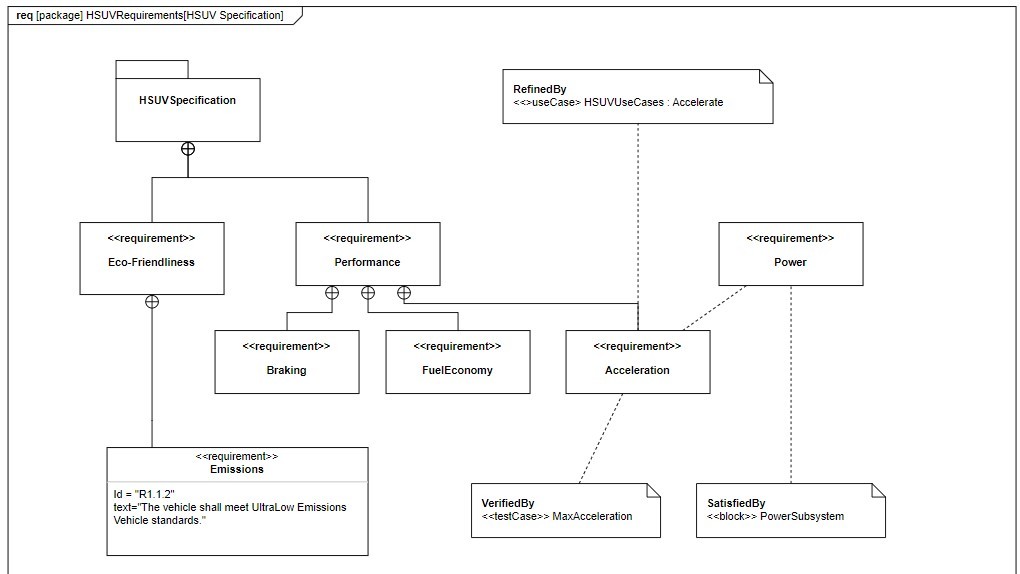
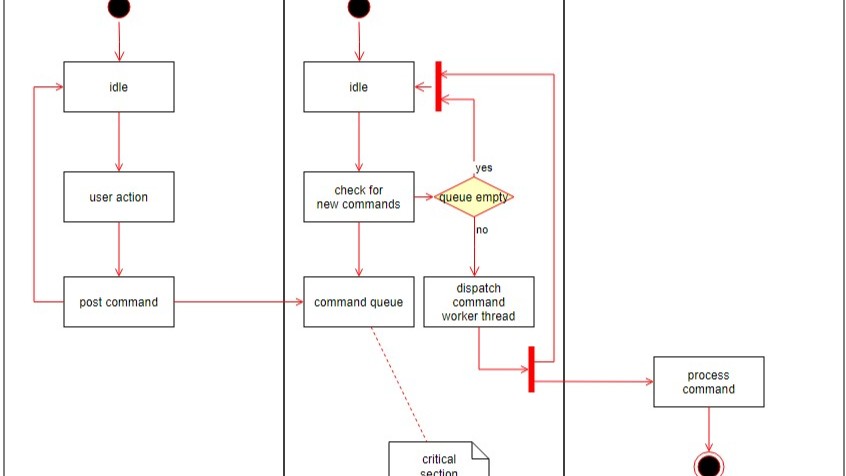
In today’s software world, clear documentation of what people need is crucial. Yet, we often overlook old systems and past solutions that still hold valuable insights. These legacy systems can reveal what works well and what causes trouble. By studying them, we gain ideas that improve new projects. In this article, you’ll learn more about requirements determination from existing systems and how it leads to smarter software development.

Requirements Determination from Existing Systems: A Key to Successful Software Development Read More »

How to Use Shortcuts in Confluence

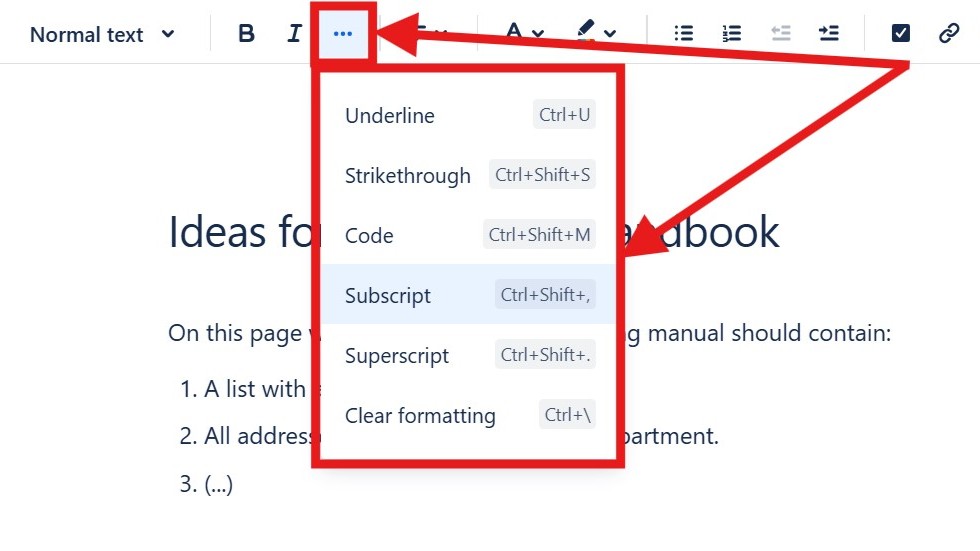
In the fast-paced world of digital teamwork, efficiency matters. Confluence shortcuts make your daily work faster and easier. They help you navigate pages, edit content, and manage tasks with minimal effort. By mastering Confluence shortcuts, you can streamline your workflow and save valuable time. In this guide, I’ll show you how to access the complete list of shortcuts directly within Confluence and boost your productivity like never before.

How to Use Shortcuts in Confluence Read More »

The Power of Confluence

The power of Confluence lies in its ability to connect people, projects, and knowledge in one central place. It serves as a unified hub for documentation, collaboration, and task management. This integration removes the need for separate tools, making teamwork more efficient. On the-requirements-engineer.com, I explore the power of Confluence in detail, showing how it streamlines workflows and enhances productivity across teams.

The Power of Confluence Read More »

How to Create a Space in Confluence

Learning how to create a Space in Confluence is an essential step for organizing your team’s work efficiently. A space functions as a container for pages, allowing you to group related content and collaborate with clarity. Whether it’s for a project, department, or topic, spaces help structure information and keep communication streamlined. Follow this step-by-step guide to easily set up your own space and start building a productive collaborative environment.

How to Create a Space in Confluence Read More »

The Confluence Dashboard

The introduction to the Confluence Dashboard begins with understanding it as your central workspace. It’s the main hub where you find updates, general information, and navigation to all other areas. The dashboard helps teams collaborate efficiently and stay aligned. For new members, it’s the first point of contact — a space that sets the tone for teamwork. That’s why creating a clear, well-structured, and welcoming dashboard is essential for successful collaboration.

The Confluence Dashboard Read More »

How to Access Confluence and Jira for Free

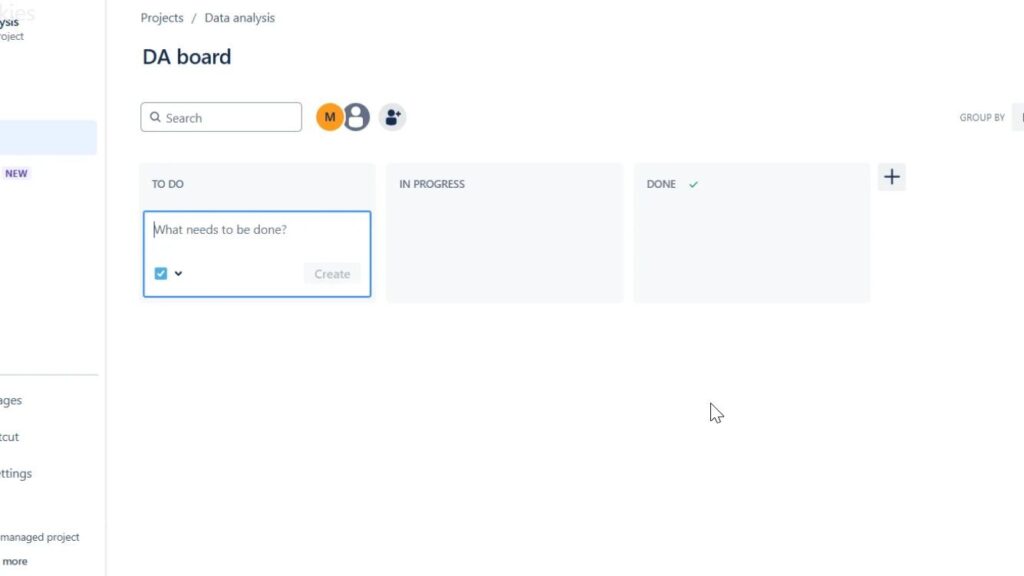
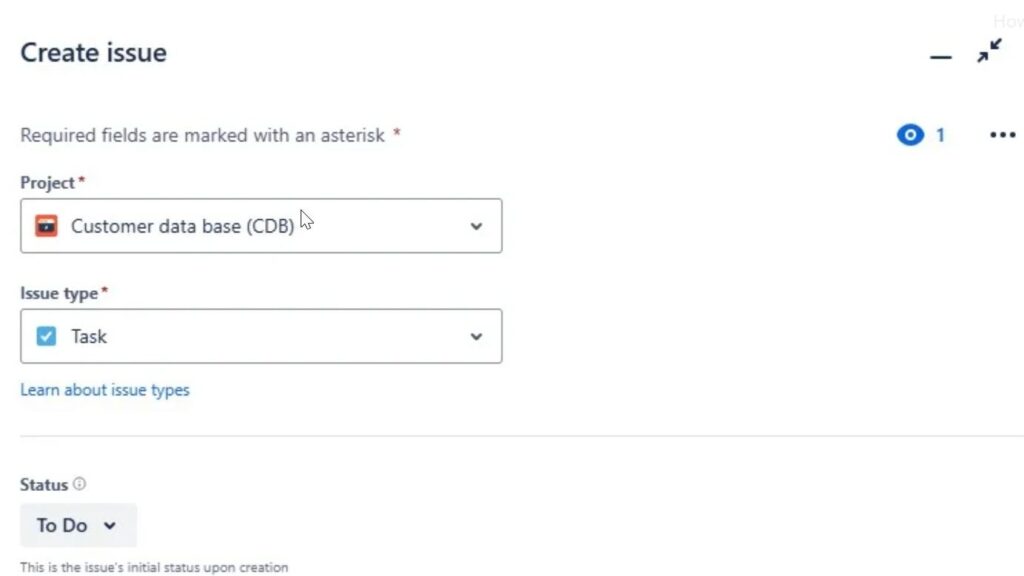
Jira and Confluence are powerful Atlassian tools that simplify project management and boost collaboration. Confluence helps teams collect, organize, and share knowledge effectively, while Jira streamlines communication through clear, trackable tickets. Together, they create harmony between documentation and teamwork. In this guide, you’ll learn how to access Confluence and Jira for free and start improving your project efficiency right away.

How to Access Confluence and Jira for Free Read More »

Stakeholder Management in Requirements Engineering: Clear Responsibilities and Effective Communication

Successful projects depend on smooth teamwork. A key element in this process is requirements engineering, which bridges what people want with how the project is executed. By applying it, we can gather needs, understand them, and turn them into clear, actionable plans. These plans act as a guide for success. In this article, you discover how stakeholder management in requirements engineering, effective communication, and clear responsibilities help achieve better outcomes.

Stakeholder Management in Requirements Engineering: Clear Responsibilities and Effective Communication Read More »

Effective Communication in Requirements Engineering for Successful Projects

In today’s fast-paced business world, projects only succeed when the right people stay connected and share information. Clear dialogue ensures that everyone involved understands goals and avoids costly misunderstandings. Stakeholders play a crucial role in shaping outcomes through their input and feedback. This article explores how their involvement drives results, with a focus on effective communication in requirements engineering as the key to project success.

Effective Communication in Requirements Engineering for Successful Projects Read More »

Conflict Resolution in the Requirements Process for Project Success

When running a project, keeping everyone aligned is essential. Stakeholders influence success and shape outcomes. To manage them well, we apply stakeholder relationship management. It builds trust, improves understanding, and reduces friction. Strong collaboration ensures smoother progress and better results. In this article, you discover how effective stakeholder relationship management supports conflict resolution in the requirements process.

Conflict Resolution in the Requirements Process for Project Success Read More »

Stakeholder Lists in the Requirements Engineering of Complex Projects

In business projects, many people are involved, and they are called stakeholders. These can be customers, suppliers, team members, or even people from the community. Each has a role that influences success. To keep track, we need clear lists of all important stakeholders. They help us avoid gaps, manage expectations, and build alignment. This article explains why stakeholder lists in requirements engineering are essential for guiding complex projects and achieving better outcomes.

Stakeholder Lists in the Requirements Engineering of Complex Projects Read More »

Understanding Users with Personas in Software Projects

In software development, success depends on knowing what people want and need. This work is part of requirements engineering, where we gather and analyze user demands. Developers and teams must deeply understand users to create the right solutions. That’s why personas matter. They represent real user goals and challenges. This article explores how Understanding Users with Personas supports complex projects and leads to better results.

Understanding Users with Personas in Software Projects Read More »

Personas in Requirements Engineering and IT business analysis

When we build computer programs, they must fit the needs of the people who use them. Yet, it is often hard to speak with every future user directly. To solve this, we use imaginary but realistic characters that represent typical users. These characters help us understand goals, behaviors, and expectations. They make requirements clearer and more user-focused. In this article, you discover more about personas in requirements engineering.

Personas in Requirements Engineering and IT business analysis Read More »

Documents and People for the Systematic Identification of Stakeholders in Requirements Engineering

In software or product development, success relies on recognizing the right people and documents. Including everyone who matters is essential, as their needs and expectations shape the outcome. To prevent misunderstandings and ensure satisfaction, we must identify them clearly. Both people and papers guide this process. This article explains the systematic identification of stakeholders, a crucial step to achieve clarity, alignment, and shared understanding in any project.

Documents and People for the Systematic Identification of Stakeholders in Requirements Engineering Read More »

The Requirements Engineer in Stakeholder Management of Projects is Critical to Success

In every project, clear understanding among all participants is crucial. Imagine building a treehouse with friends—each person has different ideas, and alignment is needed for success. The same holds true for large development projects, where collaboration ensures goals are met. The requirements engineer in stakeholder management plays a key role, bridging perspectives and guiding the project toward shared outcomes.

The Requirements Engineer in Stakeholder Management of Projects is Critical to Success Read More »

Stakeholders in Requirements Engineering and Their Role

Stakeholders are essential in every project. They guide direction, provide input, and influence success. Without them, even the best ideas can fail. Imagine planning a treehouse: friends bring ideas, parents give approval, and carpenters provide skills. The same applies to software projects. In this article, you learn why stakeholders in requirements engineering matter and how they shape outcomes from the start.

Stakeholders in Requirements Engineering and Their Role Read More »

Understanding Requirements: Who and What Matters

Understanding Requirements is the first and most critical step in developing computer programs and project plans. It ensures we know exactly what a system should do before building it. To gather this knowledge, we look at three main sources: stakeholders, existing documents, and other systems. Each plays a vital role in shaping clear, accurate requirements. In this article, you will learn how to identify who and what truly matter for Understanding Requirements.

Understanding Requirements: Who and What Matters Read More »

Prioritization Techniques for Requirements Management in Software Projects

In today’s fast-paced software development, teams must decide which features matter most. Limited time, budget, and resources make smart choices essential. That’s where requirements prioritization techniques come in. They help identify the most valuable requirements, align them with project goals, and ensure efficient use of resources. In this article, you’ll discover proven approaches to prioritize effectively.

Prioritization Techniques for Requirements Management in Software Projects Read More »

Getting What We Need for Challenging Software Development

Challenging software development requires clear goals, structured processes, and effective communication. Teams face constant pressure from changing requirements, tight deadlines, and complex technologies. Success depends on collaboration, adaptability, and the right tools. By focusing on user needs and applying proven practices, we can turn challenging software development into an opportunity for innovation and long-term value.

Getting What We Need for Challenging Software Development Read More »

Scroll to Top
WordPress Cookie Plugin by Real Cookie Banner