
If I want clearer project work, I need structure from the start. In this introduction to jira projects, I show how Jira helps me plan tasks, organize teamwork, and track progress with ease. You will learn how projects create a shared workspace for tasks, workflows, and collaboration. As a result, your team can work with more clarity, focus, and control.
What is Jira?
Jira is a comprehensive project management and issue-tracking tool built to help teams stay organized and productive. It enables users to create tasks, set priorities, and monitor progress through customizable workflows. Originally designed for software development, Jira now supports a wide range of industries and project types. Its powerful reporting, automation, and collaboration features make it an essential platform for teams seeking transparency and control over their work.
Understanding the Projects View
Jira Projects is a versatile project management tool by the Company Atlassian. It perfectly suits to the needs of various teams, from software development to marketing and beyond. With its robust set of features, projects enable teams to plan, track, and release projects efficiently.
Key Features
Project Dashboard
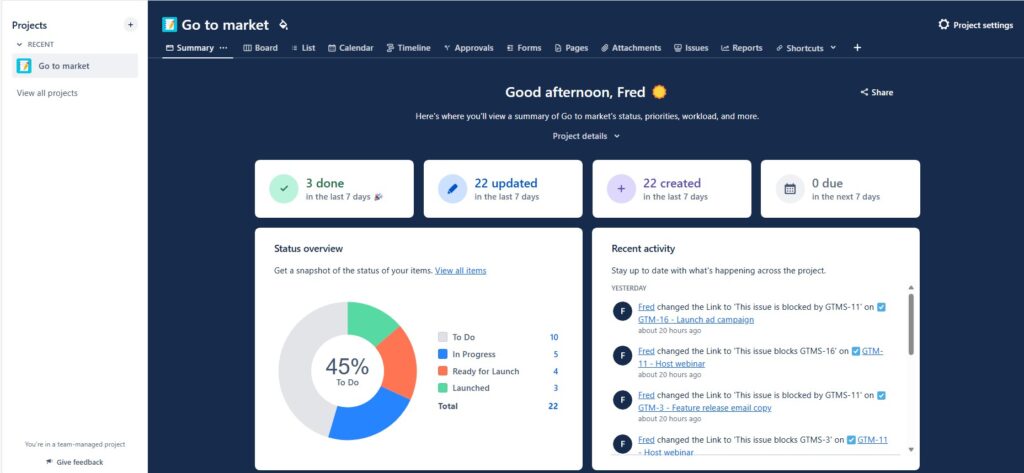
The project dashboard provides an overview of your project’s status, including active sprints, tasks, and recent activities. This centralized hub allows you to monitor progress and make informed decisions.
Issue Tracking and Management
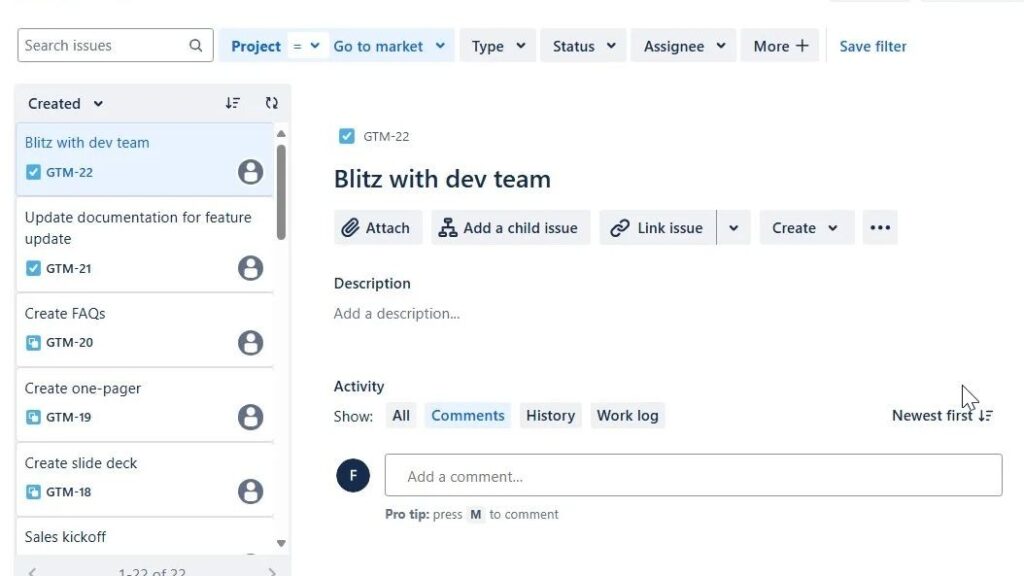
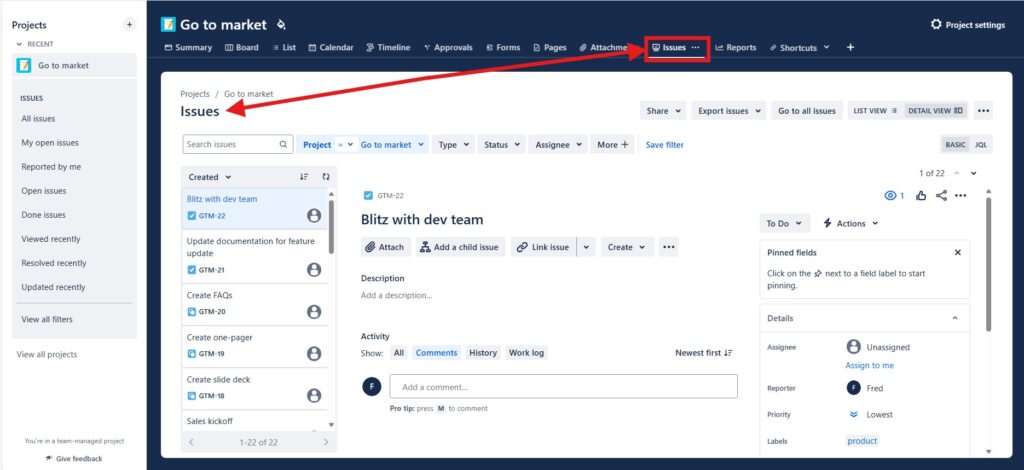
Jira Projects excels in issue tracking, allowing you to create, assign, and prioritize tasks. The detailed view of each issue includes descriptions, attachments, comments, and a history of changes. It ensures that every task is well-documented and traceable.
Agile Boards
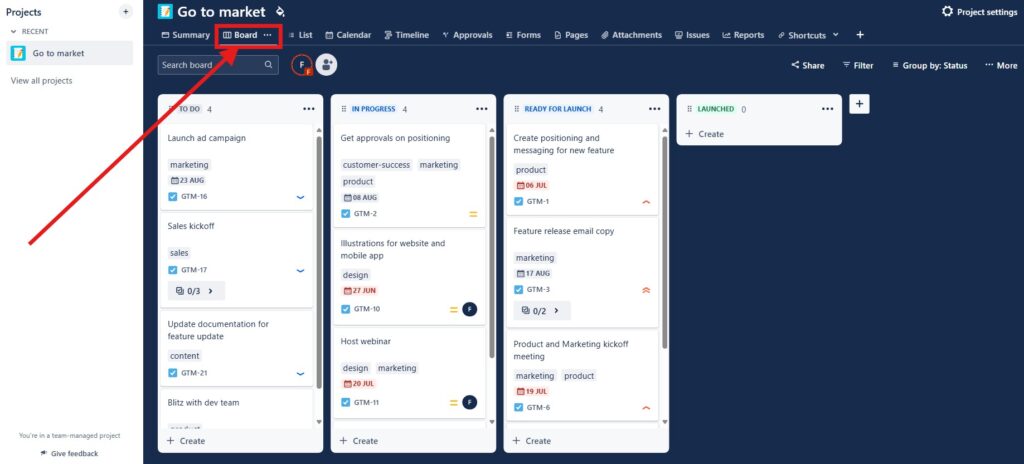
Agile boards support both Scrum and Kanban methodologies. These boards provide a visual representation of your workflow. Furhter they make it easy to move tasks through different stages and maintain a clear picture of your project’s progress.
Reporting and Analytics
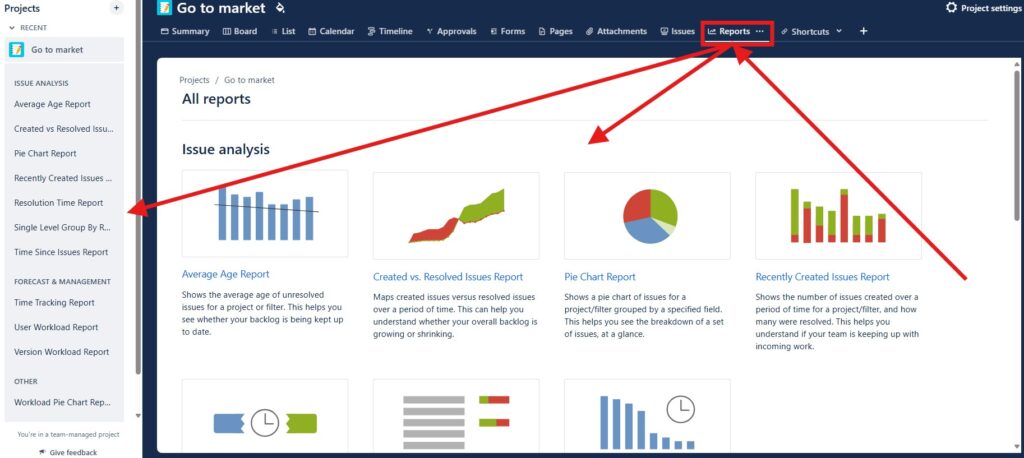
Jira Projects offers a range of reporting and analytics tools that provide insights into your project’s performance. Generate reports on issues, sprint velocity, the burndown chart, and more to keep your team on track and identify areas for improvement.
Integration Capabilities
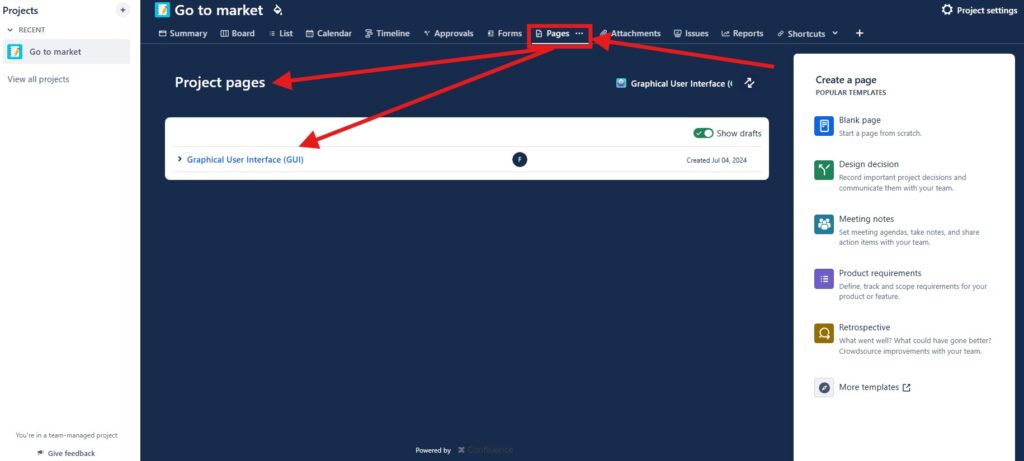
Seamlessly integrate Jira Projects with other tools your team uses, such as Confluence, Bitbucket, Slack, and more. This ensures a smooth flow of information and enhances collaboration across different platforms.
Getting Started with Jira Projects
Setting up your first project in Jira is straightforward. Start by creating a new project, choosing the appropriate template (Scrum, Kanban, or another), and customizing it to meet your team’s needs. Once your project is set up, invite team members and begin adding tasks.
Conclusion
Jira Projects is a powerful tool that can transform the way your team manages projects. From tracking issues to customizing workflows and generating insightful reports, Jira Projects provides everything you need to keep your team organized and productive. Explore the various features and see how Jira Projects can help you achieve your project management goals.
By understanding and leveraging the full potential of Jira Projects, you can enhance your team’s productivity and ensure successful project outcomes.
What’s Next?!
Now that I understand what Jira projects are, I want to create one myself. Therefore, the next step is How to Create a Project in Jira.
In that article, I walk through the project creation process step by step. You will learn how to start a new Jira project, choose the right setup, and prepare a clear workspace for your team. In addition, you will see how a well-created project supports better task management, smoother collaboration, and more focused progress.
Requirements Engineering Tools
Click the next article to learn how to create a project in Jira and build your workspace from the ground up.
Requirements engineering depends on clear thinking, structured information, visible work, and understandable processes. Therefore, I use draw.io for diagrams, Confluence for knowledge management, Jira for project work, and Camunda for process modeling. Together, these tools connect requirements with collaboration and implementation. In my main article on Requirements Engineering Tools, I explain how they improve communication, traceability, planning, and process understanding throughout the requirements engineering workflow.