
I use Confluence optimally when I want clearer documentation, smoother teamwork, and better project structure. Its spaces, pages, tasks, and collaboration features help me organize daily work in one central place. As a result, I reduce confusion and improve productivity. In this guide, I show practical ways to make Confluence work smarter for your team.
Start With a Clear Space Structure
I use spaces to separate major areas of knowledge. For example, I may create spaces for teams, projects, products, or important organizational topics.
However, I avoid creating a new space for every small subject. Too many spaces fragment knowledge and make navigation harder.
A useful Confluence space has a clear purpose, audience, and owner.
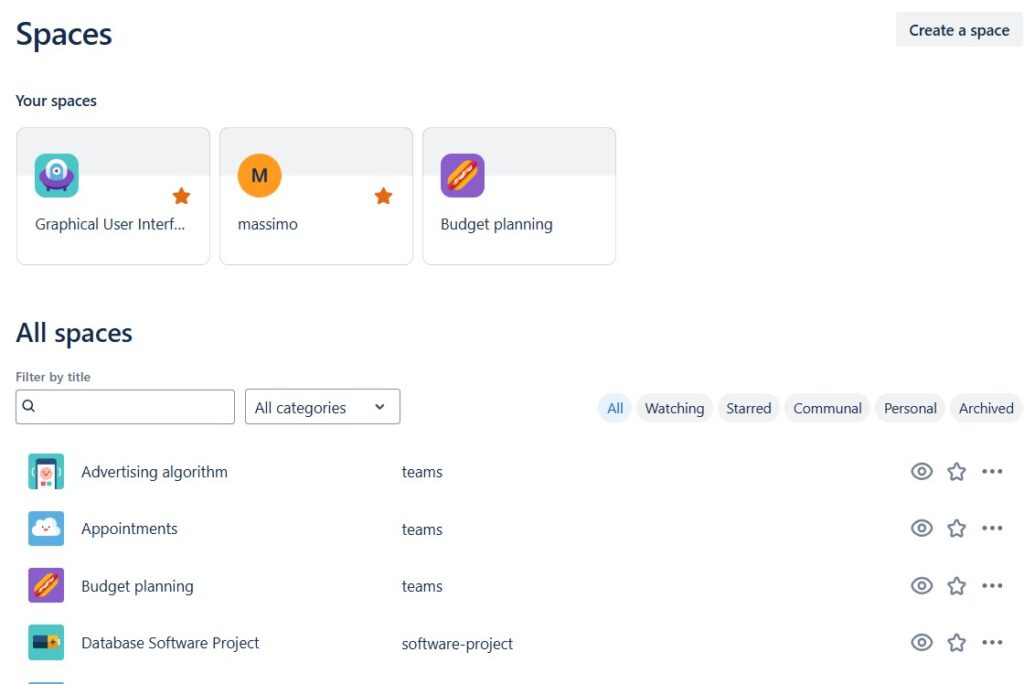
The Spaces overview helps me see existing spaces before I create another one.
Organize Knowledge With Pages
Within a space, I use pages for structured information.
For example, I can document requirements, project plans, meeting results, decisions, instructions, or reference knowledge.
Pages can also form a hierarchy. Therefore, I place related pages beneath broader topics instead of creating an unstructured collection.
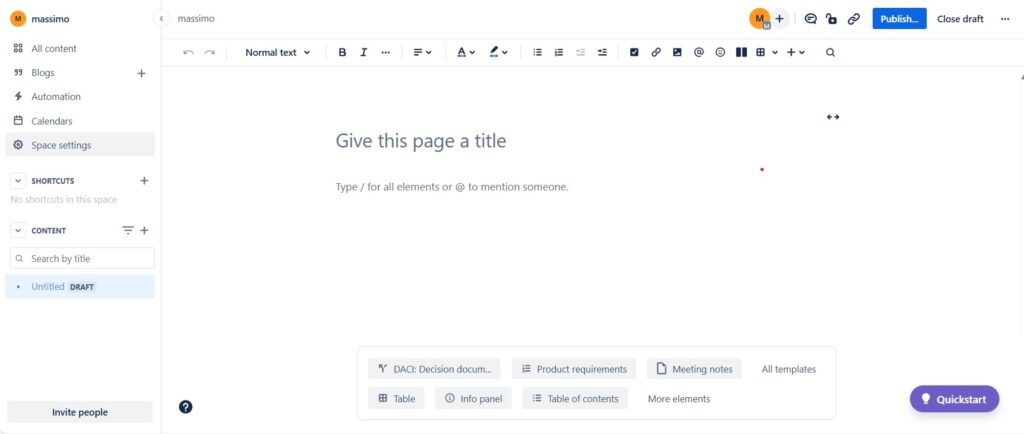
A clear page hierarchy helps readers understand where information belongs and how different topics relate.
Use Mentions for Focused Collaboration
I use mentions when I need another person to notice or contribute to specific content.
By typing @ and selecting a person, I connect the request directly with the relevant page content. This keeps the context visible.

However, I do not mention people unnecessarily. Too many notifications reduce their value.
I use mentions when someone needs context, input, or responsibility for a specific point.
Use Space Templates as Starting Points
I do not need to build every space from scratch.
Confluence provides templates for different purposes, such as software projects, documentation, teams, project management, and other work areas.
I select the template that best matches the intended purpose. Then I adapt it instead of accepting every predefined element unchanged.
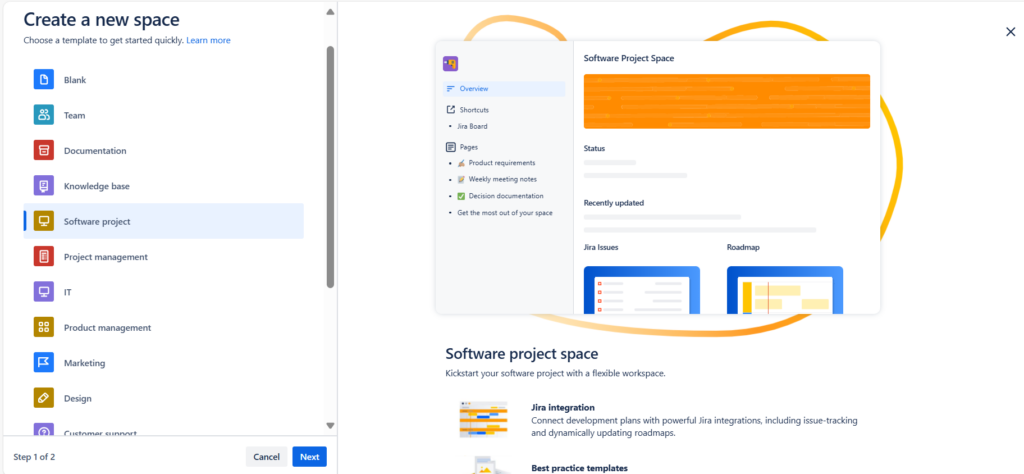
A template should accelerate structure, not dictate how the team must work.
Therefore, I remove sections that add no value and add information that the actual project requires.
Use Page Templates for Repeated Content
Templates also help me create individual pages consistently.
For example, I can start from a product requirements, meeting notes, project plan, or roadmap template. This saves time and creates familiar structures for readers.

However, consistency matters more than the number of templates I use. Therefore, I prefer a small set of useful templates for recurring work.
Insert Elements When They Add Meaning
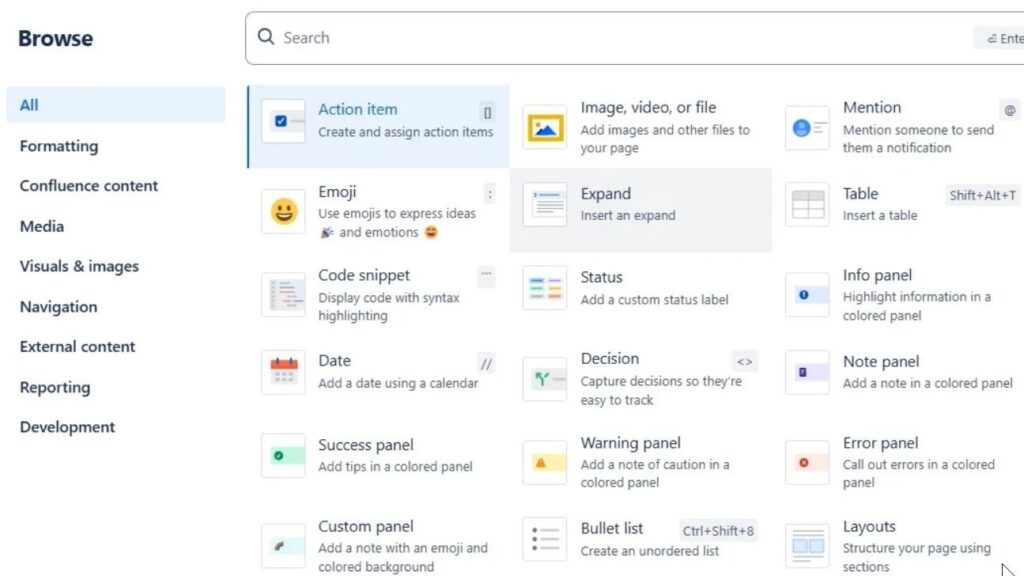
Confluence pages can contain much more than paragraphs. I can add action items, tables, files, mentions, status information, panels, dates, decisions, layouts, and connected content.
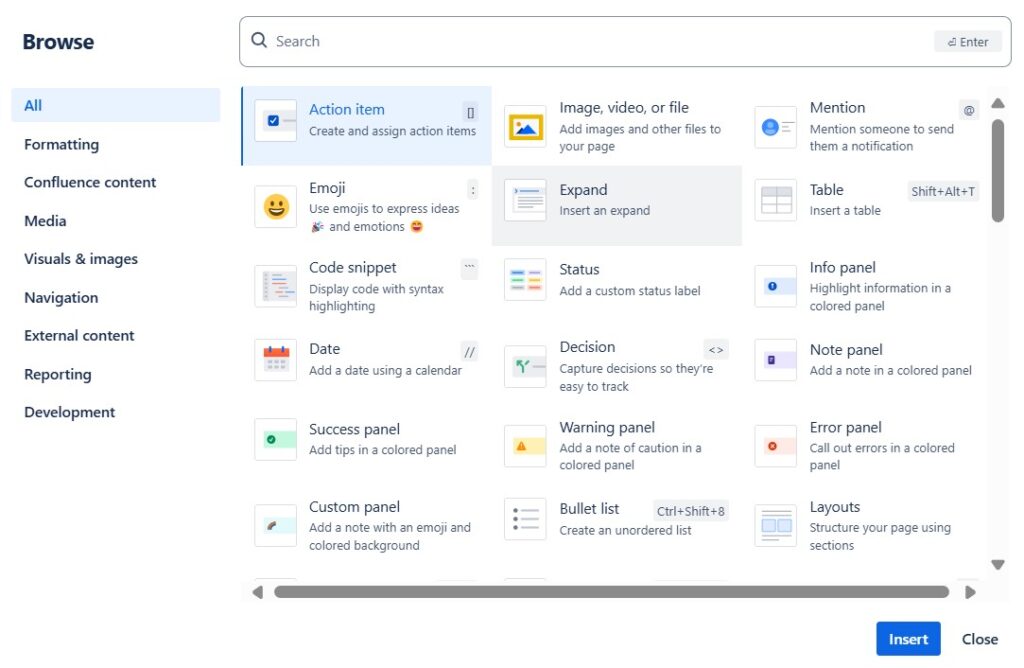
I use these elements when they make information easier to understand or act upon.
For example, a decision element can make an important outcome visible. A table can structure comparable information. An action item can connect discussion with responsibility.
I add functionality to a page only when it improves understanding, action, or navigation.
Keep Responsibilities Visible
Confluence becomes more useful when documentation connects with people.
For example, I can mention responsible team members directly beside actions and dates. As a result, readers can understand both what needs to happen and who should act.
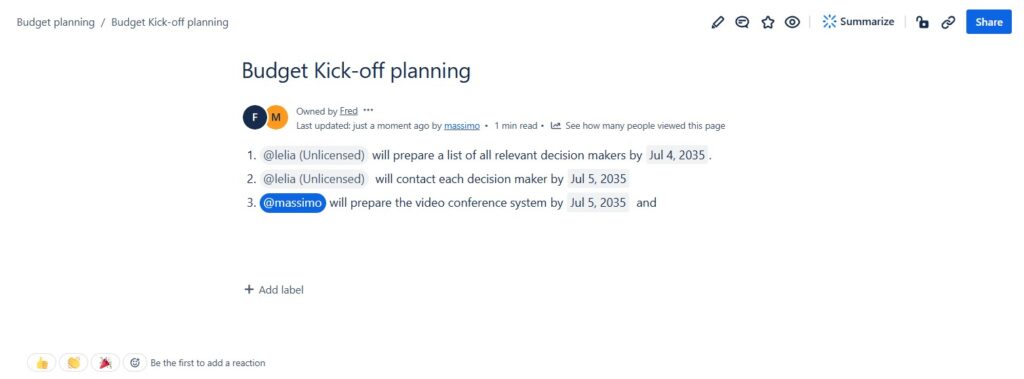
This does not replace dedicated work management when a project needs complex tracking. However, it works well for contextual responsibilities inside documentation.
Use Labels to Improve Organization
I use labels when several pages belong to a common topic but do not sit in the same page hierarchy. Labels can make related content easier to group and retrieve.
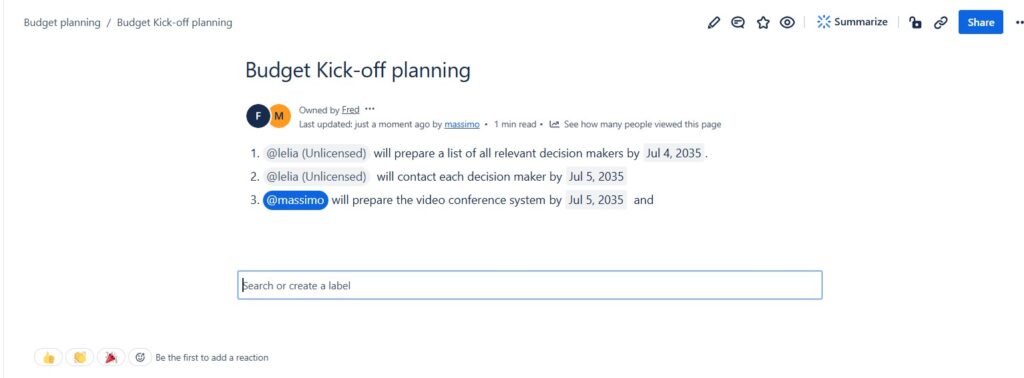
However, uncontrolled labels quickly become inconsistent. Therefore, I use clear naming conventions and avoid creating several labels for the same concept.
Labels work best as a secondary classification system, not as a substitute for good page structure.
Use Search Instead of Browsing Everything
As Confluence grows, navigation alone is not enough. I use search when I know a keyword, page title, topic, or part of the content. Search results help me identify relevant pages without manually opening several spaces.
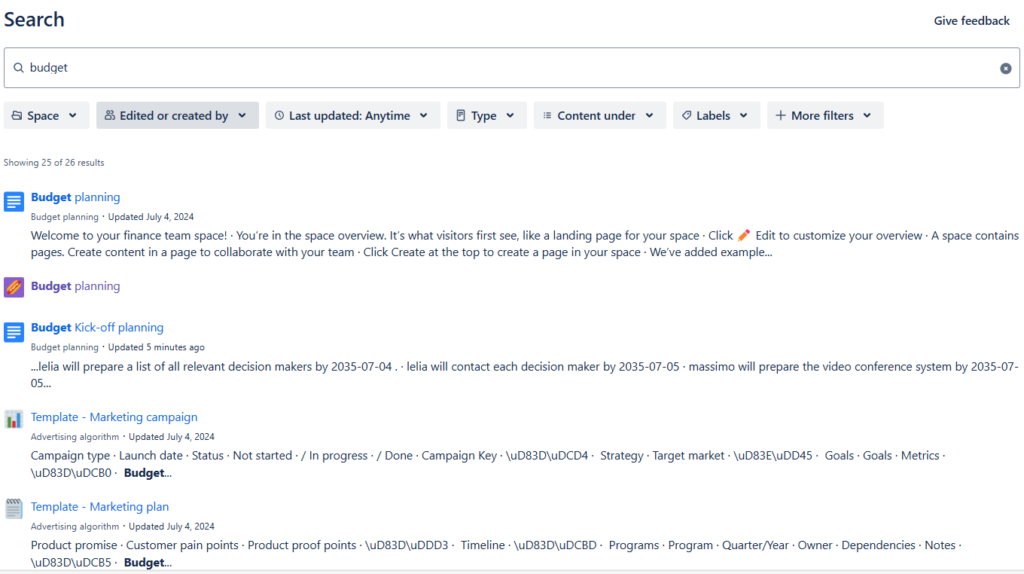
Good naming, structure, and labels improve search because users can describe what they are looking for more precisely.
Keep Confluence Maintainable
The biggest challenge is not creating content. It is keeping useful content trustworthy over time.
Therefore, I regularly review important pages. I update outdated information, remove unnecessary duplication, and archive content that no longer belongs in active knowledge.
I also make ownership clear for critical documentation.
If nobody knows who maintains a page, outdated information can remain visible long after it has lost its value.
A smaller amount of reliable knowledge is more useful than a large amount of outdated documentation.
Connect the Features Instead of Using Them in Isolation
For me, effective Confluence use comes from combining the features logically.
A space provides context. Pages provide structured knowledge. Templates create consistency. Mentions support collaboration. Inserted elements add useful functionality. Labels add classification. Search helps people retrieve information.
Therefore, I do not optimize each feature separately.
I use Confluence effectively when structure, collaboration, and retrieval work together as one knowledge system.
Conclusion
I use Confluence optimally by keeping the system simple.
I create spaces for clear areas of responsibility. Then I organize knowledge through pages and templates. I use mentions for focused collaboration, elements for useful context, labels for classification, and search for retrieval.
At the same time, I maintain important content instead of allowing documentation to accumulate without ownership.Effective Confluence use means making knowledge easy to create, find, understand, maintain, and use together.
What’s Next?!
Now that you know how I use Confluence optimally, you can build a clearer and more productive workspace. Spaces, pages, tasks, and good structure help teams work with less confusion. However, Confluence becomes even more valuable when I connect it with real requirements work.
In the next article, I’ll explain How I Use Confluence in Requirements Engineering. You’ll learn how Confluence helps me document requirements, structure decisions, support reviews, and improve collaboration with stakeholders. Click the next article to see how Confluence supports practical requirements engineering from idea to validation.
Use Better Tools for Better Requirements Engineering
Requirements engineering becomes more effective when I connect analysis, documentation, task tracking, and process modeling. In my main article on Requirements Engineering Tools, I show how draw.io, Confluence, Jira, and Camunda support this work in practice. Draw.io helps me visualize ideas. Confluence helps me organize knowledge. Jira helps me manage tasks and issues. Camunda helps me model and understand processes. Click through to the full article and discover how these tools help you create clearer requirements and stronger project outcomes.
| Read more about Confluence and How to |
|---|
| Use shortcuts in Confluence Assign a task in Confluence Create a Confluence space from a template Delete a Page in Confluence Create a Confluence page |