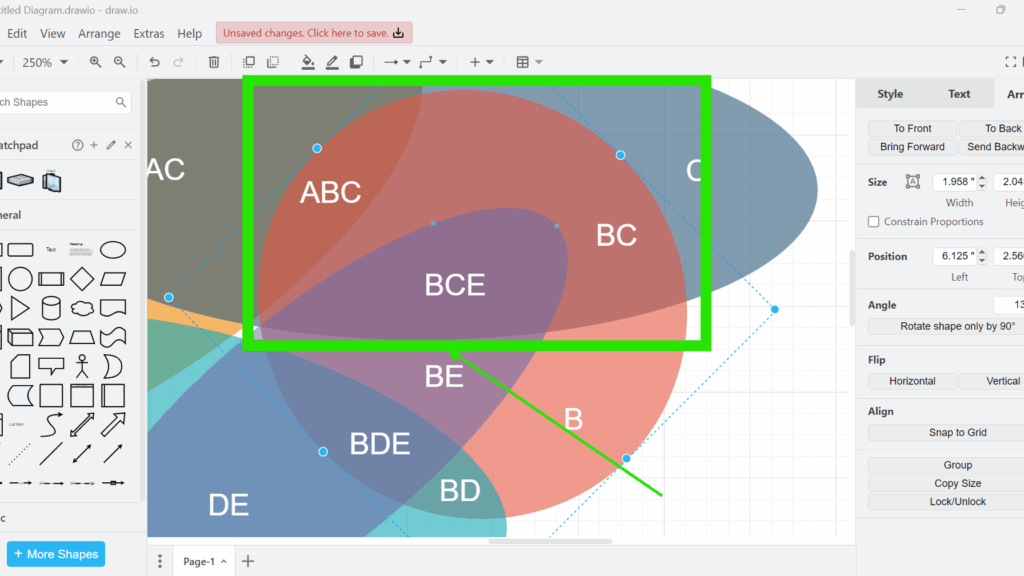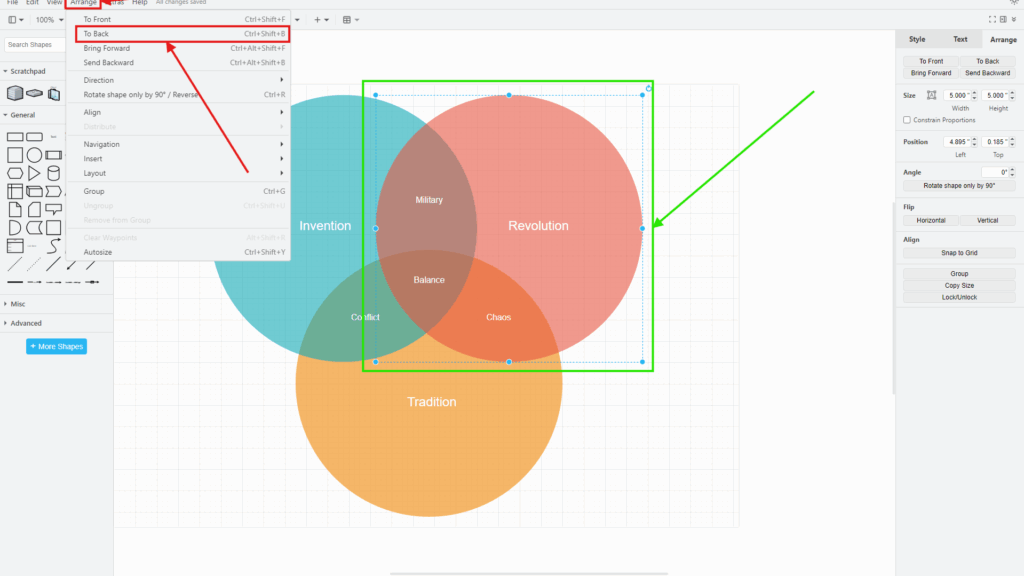
Overlapping translucent shapes with text labels (e.g., ABC, BC, BCE) highlighted by a green rectangle and arrow in draw.io.

How to Move Elements Forward or Backward One Layer in draw.io

When working with diagrams, you often need to adjust the layering of shapes or connectors. In draw.io, the ability to bring elements forward or send them backward is crucial for creating clean, organized designs. Whether you’re working with a Venn diagram, flowchart, or network diagram, controlling the layer order helps ensure everything is visible and well-structured.

How to Move Elements Forward or Backward One Layer in draw.io Read More »

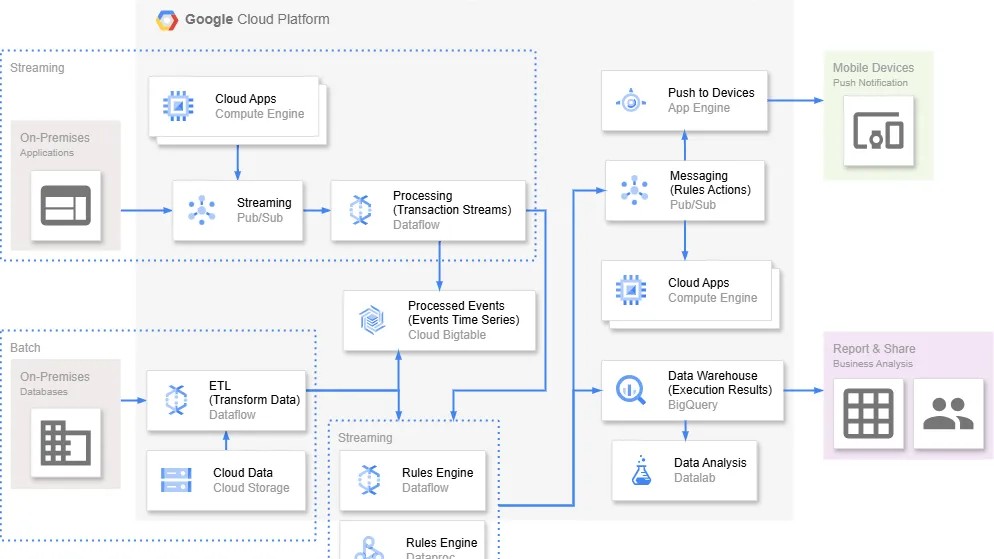
“Google Cloud Platform” architecture diagram with boxes for streaming, processing, messaging, data warehouse, and analytics.

How to Choose the Right Modeling Language for Requirements Engineering

When I work with complex systems, I need clarity and structure. Therefore, I use requirements modeling to express information in a clear way. I want to understand what the system must deliver and communicate this to all stakeholders. Because of this, I always choose the right modeling language with care. Although many diagram types exist, I begin with one guiding question: what is my purpose?

How to Choose the Right Modeling Language for Requirements Engineering Read More »

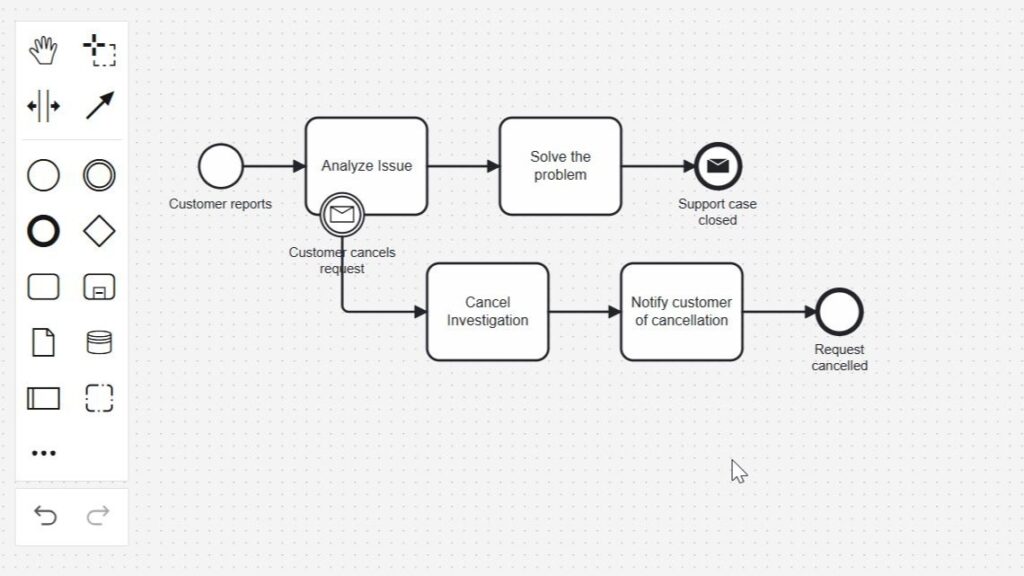
Diagram editor showing “Analyze Issue” with an attached envelope marker labeled “Customer cancels request” leading to “Cancel Investigation.”

BPMN Message Boundary Events Explained: Behavior and Use Cases

When a customer message changes a process, I need a clear BPMN response. That is when I use an attached message event in BPMN. It can interrupt a task or react without stopping the current work. This helps me model feedback, urgent updates, and alternative paths in a clean way. In this article, I explain the concept with a simple BPMN 2.0 example step by step.

BPMN Message Boundary Events Explained: Behavior and Use Cases Read More »

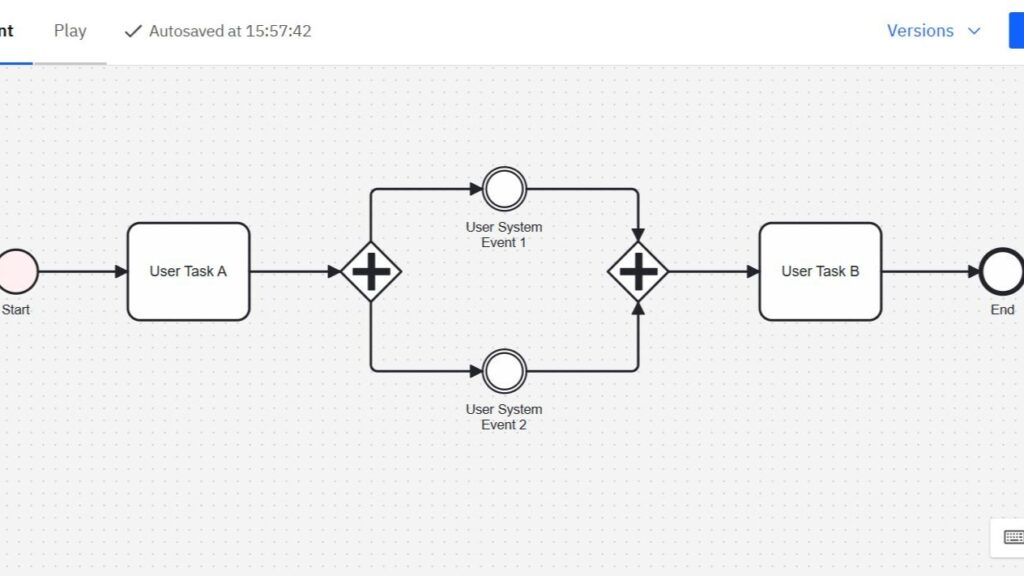
Diagram editor interface showing a timed start (“Start the task every Monday at 9:00 am.”) leading to reminder and logging steps.

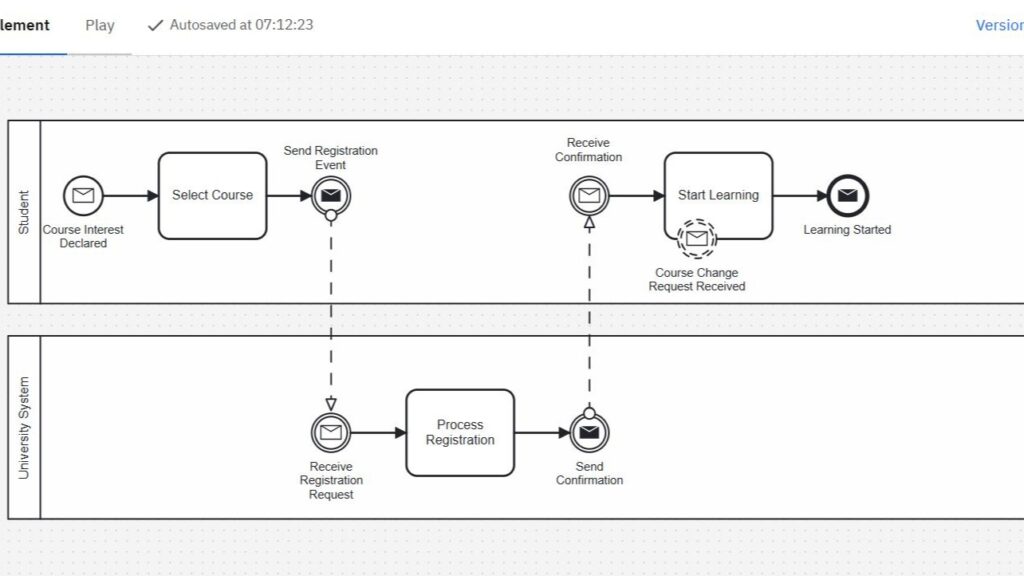
BPMN 2.0 Message Events Explained: Types, Triggers, and Behavior

Communication drives every successful process. That’s why I rely on message events in BPMN when different participants need to exchange information. In this article, I’ll show you how message events work and how you can model them correctly using BPMN 2.0. Let’s explore each event type through a practical example. I’ll walk you through it step by step.

BPMN 2.0 Message Events Explained: Types, Triggers, and Behavior Read More »

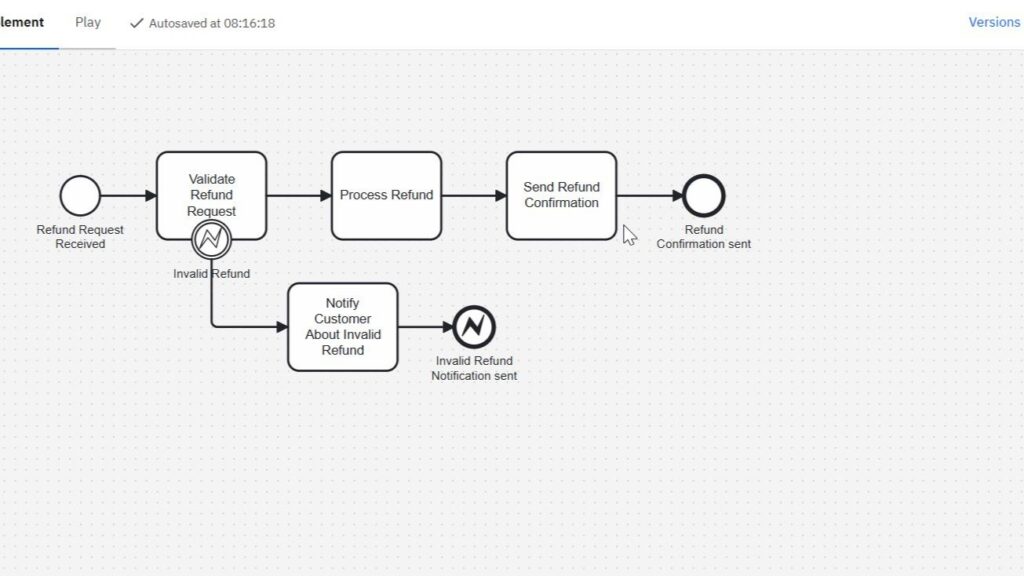
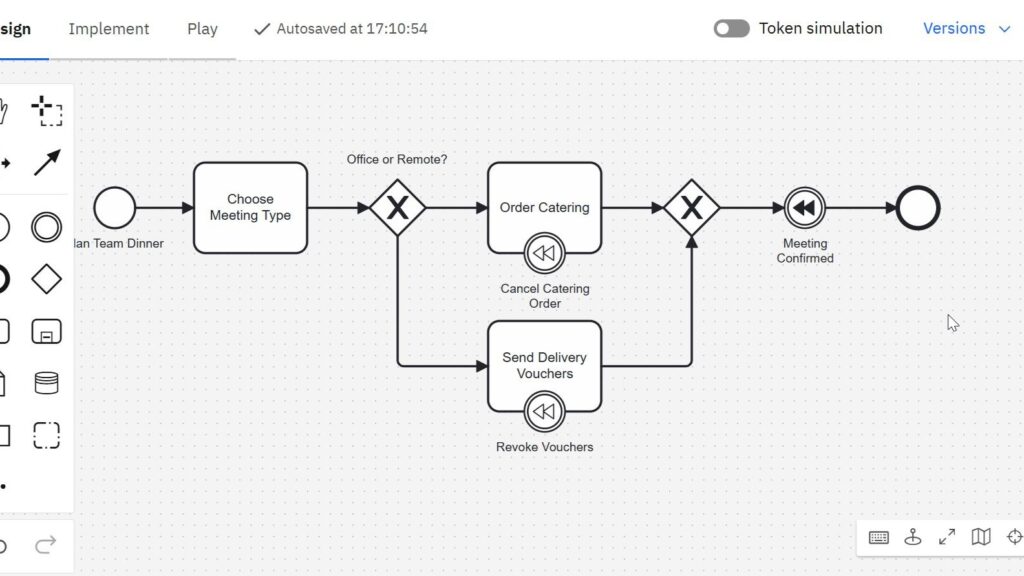
Partial screenshot of a diagram editor showing tasks, gateways, and labeled compensation-style icons under two tasks.

BPMN Compensation Events Explained: Purpose, Behavior, and Use Cases

Sometimes, a business process must undo a completed action. A payment may be refunded, or a service may be canceled. In BPMN 2.0, I model this with the compensation event in BPMN. It helps me show how a process reacts when earlier work needs to be reversed. In this article, I explain what compensation events are, when I use them, and how they work with a simple example.

BPMN Compensation Events Explained: Purpose, Behavior, and Use Cases Read More »

Leadership Values: How I Lead with Appreciation, Responsibility, and Trust

Leadership starts with daily behavior. It shows in how I speak, listen, and decide. Therefore, I see leadership as a visible attitude, not only as a title. Leadership values help me create orientation when pressure rises. They also guide me in complex situations. In this article, I focus on appreciation, communication, responsibility, judgment, equal opportunities, and motivation. As a result, leadership becomes clearer and easier to follow.

Leadership Values: How I Lead with Appreciation, Responsibility, and Trust Read More »

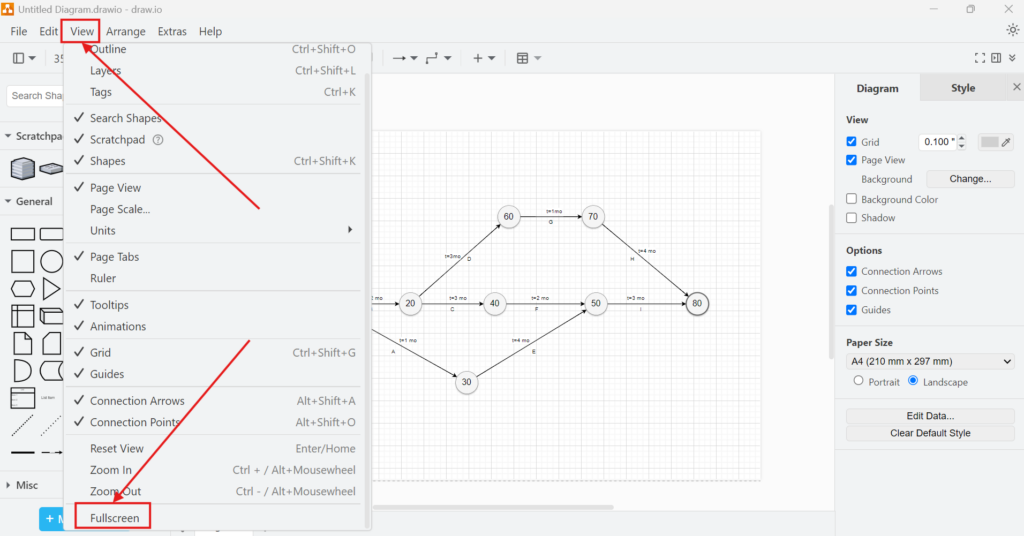
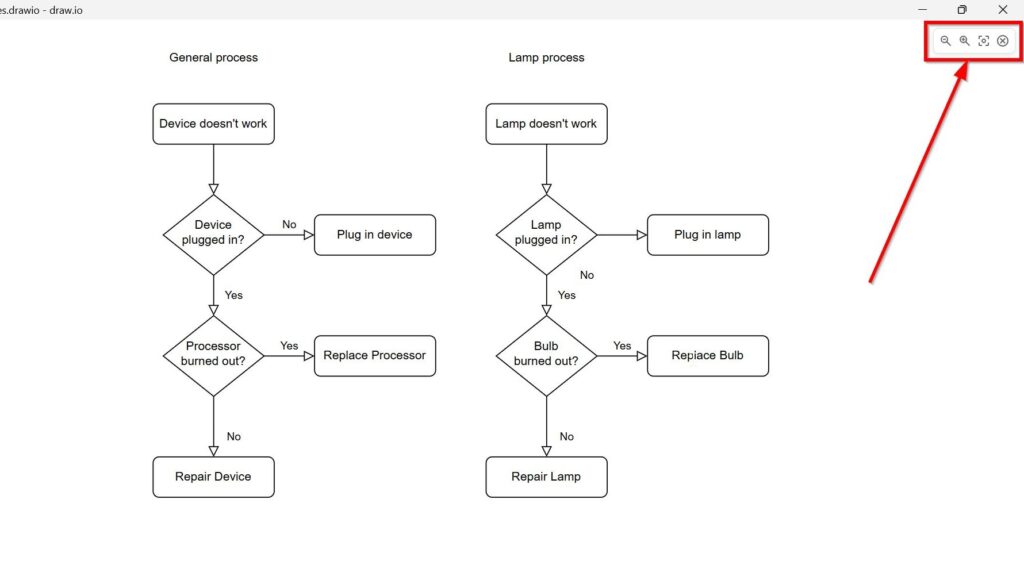
Cropped draw.io presentation view with the upper-right presentation controls highlighted.

How to Activate the Presentation Mode in draw.io

I use draw.io to turn ideas into clear diagrams. However, the editor view can distract during a presentation. Menus, panels, and toolbars help me while I work. But they can also pull attention away from the final diagram. Therefore, I use presentation mode in draw.io. It gives me a cleaner view. As a result, I can present my diagram clearly and guide my audience through each part step by step.

How to Activate the Presentation Mode in draw.io Read More »

Cropped TARGET Services diagram showing the T2 Service CLM area with Main Cash Accounts (MCA), central bank operations, liquidity management, and liquidity transfer arrows.

Defining the System Boundary of T2

The system boundary of T2 defines which responsibilities belong to T2 and which belong to its environment. I use this boundary to separate the T2 core from connected TARGET Services and shared infrastructure. T2 combines Central Liquidity Management (CLM) and Real-Time Gross Settlement (RTGS). Other services exchange liquidity, data, or settlement instructions with T2, but that does not make them part of T2. A clear boundary therefore keeps requirements, interfaces, ownership, and testing precise.

Defining the System Boundary of T2 Read More »

TARGET Services T2 in the TARGET Landscape

When I analyse T2 in TARGET Services, I do not treat it as an isolated payment system. I place it inside the wider Eurosystem infrastructure for payments, securities, instant payments, and collateral. This context matters because many important T2 requirements arise at service boundaries. Liquidity moves between systems. Collateral affects credit. Settlement depends on connected services. Therefore, I first define the landscape, responsibilities, and interfaces before I analyse individual T2 functions.

TARGET Services T2 in the TARGET Landscape Read More »

Scroll to Top
WordPress Cookie Plugin by Real Cookie Banner