
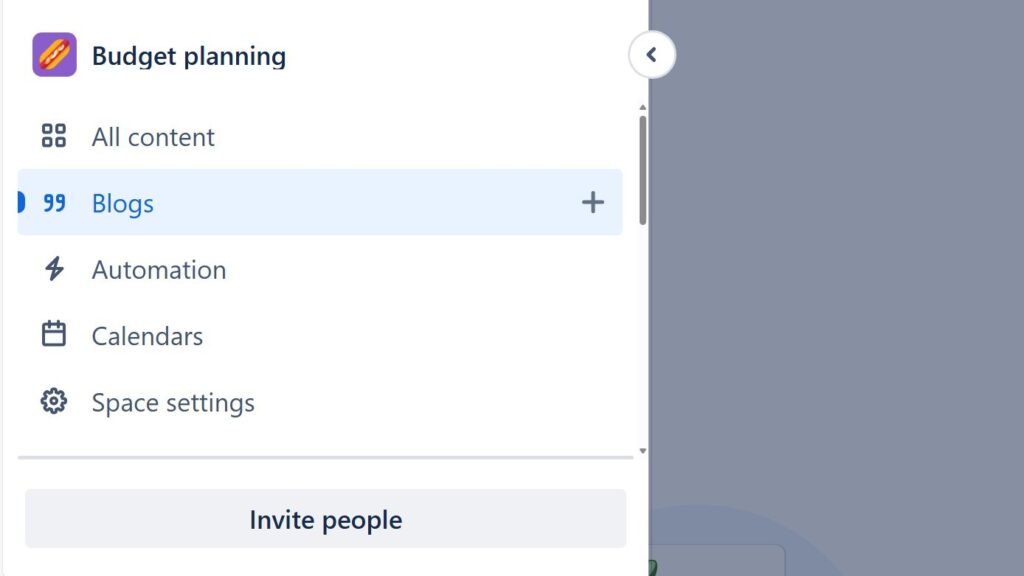
Learning to create a blog post in Confluence helps me share updates, insights, and progress directly in my team workspace. Blog posts keep communication clear and content easy to find. In this step-by-step guide, I show you how to draft, edit, and publish posts efficiently, so you can improve collaboration and build a smoother content workflow.
When I Use a Confluence Blog Post
I use blog posts for information that develops over time or has a clear publication date. For example, I can share project updates, announcements, lessons learned, or important team news.
In contrast, I use normal Confluence pages for information that should remain part of a stable knowledge structure.
A blog post works best when I want to communicate a timely update rather than maintain permanent reference documentation.
Step 1: Open the Blog Area
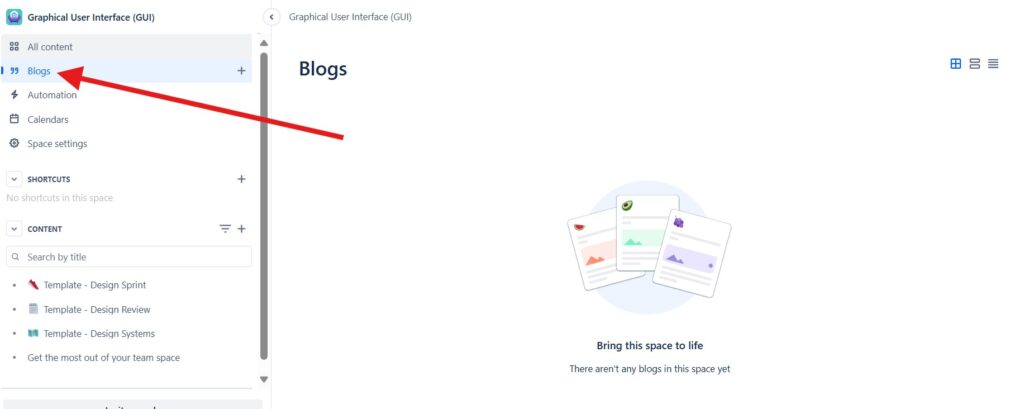
First, I open the relevant Confluence space. Then I select Blogs in the space navigation.
This area contains the blog posts that belong to the space.
Step 2: Create a Blog Post
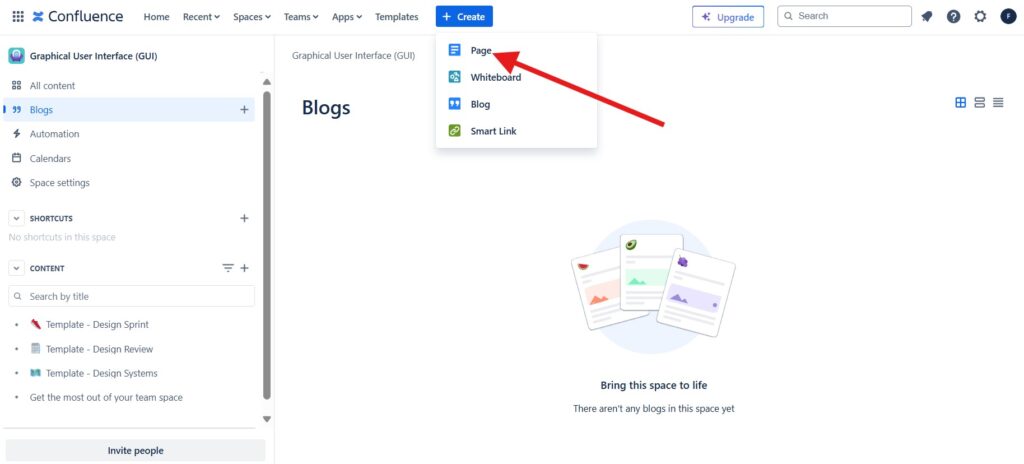
Next, I select Create at the top of Confluence. Then I choose Blog from the available content types.
Confluence opens a new blog draft.
Creating the post inside the correct space keeps the update connected to the relevant team or subject.
Step 3: Add a Title and Start Writing
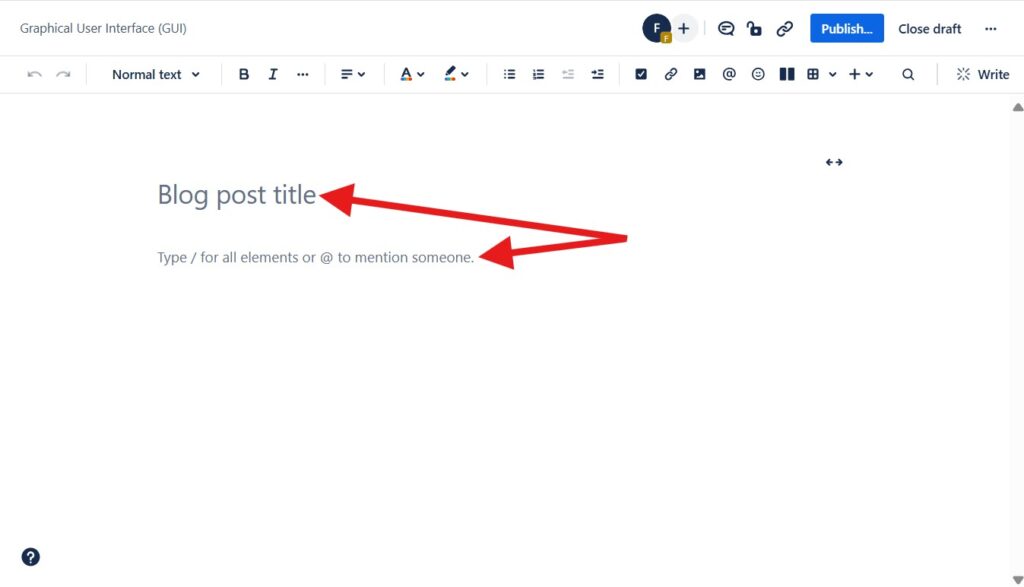
The editor now gives me a field for the blog post title and an area for the content.
I first add a clear title. Then I begin writing the post.
Step 4: Structure the Blog Post
Next, I complete the content.
I use headings, lists, links, images, or other elements when they improve readability. However, I keep the structure simple and focused on the purpose of the update.
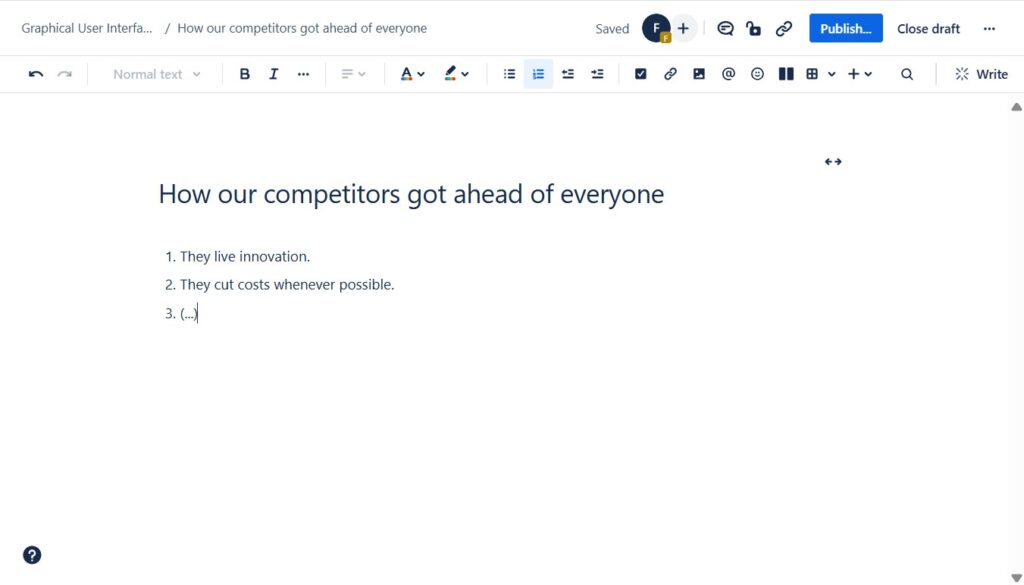
A useful blog post communicates one clear message and makes the important information easy to scan.
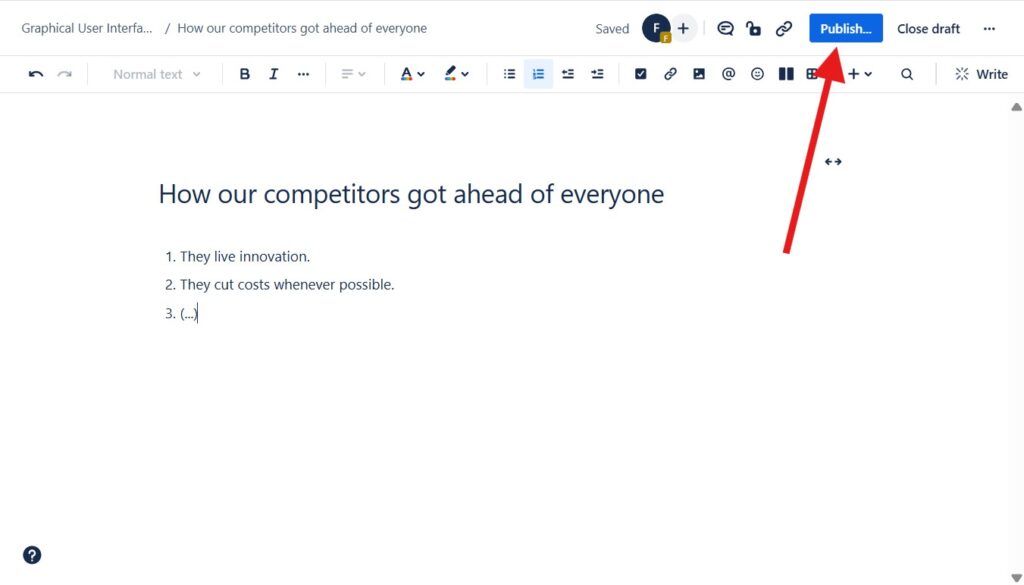
Step 5: Select Publish
When the post is ready, I select Publish at the top of the editor.
Confluence then prepares the post for publication.
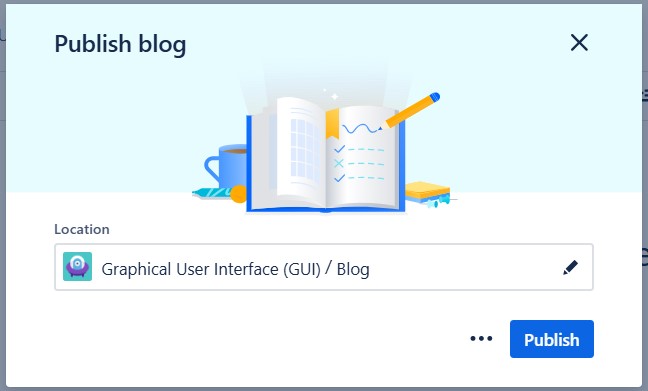
Step 6: Confirm the Location
Before publishing, I check the location.
The blog post should belong to the intended Confluence space. If necessary, I change the location before I continue.
Then I select Publish.
Step 7: Check the Published Blog Post
Finally, I return to the Blogs area.
The new post now appears in the blog overview. I check the title and preview to make sure the result looks correct.
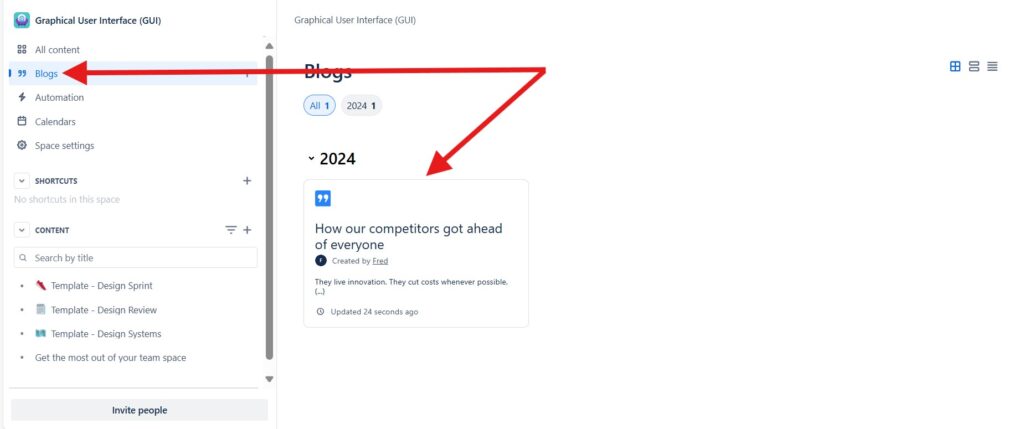
The blog overview gives readers a chronological view of updates published within the space.
Conclusion
To create a blog post in Confluence, I open the relevant space, choose Blog, add a title and content, publish the post, and confirm its location.
I use this format when information has a timely or update-oriented character.
Confluence blog posts give me a simple way to publish structured updates while keeping them connected to the knowledge and collaboration within a space.
What’s Next?!
Now that you know how to create a blog post in Confluence, you can share updates, insights, and progress more clearly. Blog posts help teams communicate news in a visible way. However, communication becomes even more useful when it leads to clear action.
In the next article, I’ll show you How to Assign and Manage Tasks in Confluence (Step-by-Step Guide). You’ll learn how tasks help you assign responsibilities, track follow-up work, and keep collaboration organized. Click the next article to turn Confluence content into practical team action.
Improve Requirements Engineering with the Right Tools
Requirements engineering becomes clearer when I use tools that support thinking, documentation, tracking, and process work. In my main article on Requirements Engineering Tools, I show how draw.io, Confluence, Jira, and Camunda work together in a practical workflow. Draw.io helps me visualize ideas. Confluence helps me organize knowledge. Jira helps me manage tasks and issues. Camunda helps me model processes. Click through to the full article and learn how these tools help you create better requirements.
| Read more about Confluence and How to |
|---|
| Format Text in Confluence Make Lists in Confluence Change the Headings in Confluence Create a Blog Post in Confluence Align Text in Confluence |