
I use modeling when text alone no longer gives me enough clarity. Requirements often connect goals, people, processes, objects, rules, and constraints. Therefore, I turn these connections into visual models. As a result, I can explain complex systems faster and validate ideas earlier.
This Modeling introduction and overview gives you a structured entry point into requirements modeling. First, I cover the fundamentals of modeling. After that, I move into UML and object-oriented modeling. Finally, I introduce BPMN for process modeling and business process understanding. To begin, dive into the world of modeling by getting started with Motivations for Requirements Modeling: From Text to Diagram.
1. Modeling Concepts
Modeling helps me turn complex requirements into visible structures. I use it when text alone creates too much room for misunderstanding. Therefore, I connect requirements with diagrams, views, language concepts, context, and validation. Modeling gives me a clearer way to explain, question, and improve requirements before design starts.
Modeling Purpose
Before I choose a notation, I need to understand why I model requirements. A model should never exist only for decoration. Instead, it should create insight, support discussion, and reveal missing information. I use requirements models to make complex ideas easier to see, explain, and validate.
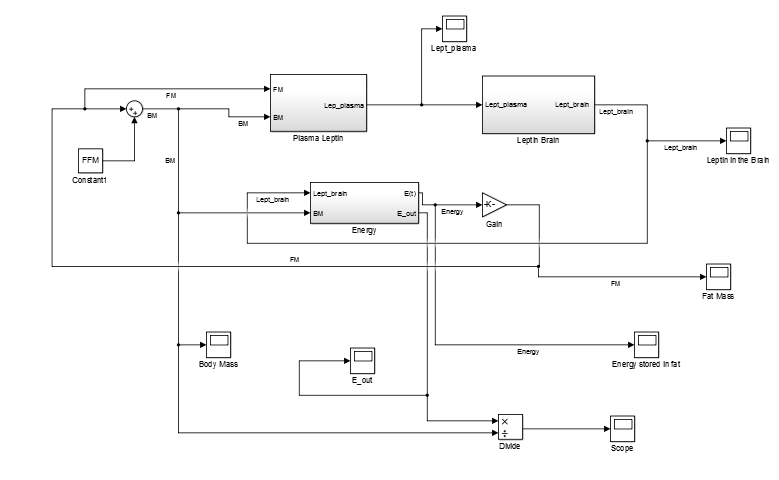
I start with Why Model Requirements? because it gives me the basic reason for modeling. Modeling also supports many practical situations. Therefore, I use Leveraging Applications in Requirements Modeling to explore where models create value. I can use models in workshops, reviews, analysis, validation, and stakeholder discussions. A good model helps me turn unclear requirements into shared understanding.
Modeling Foundations
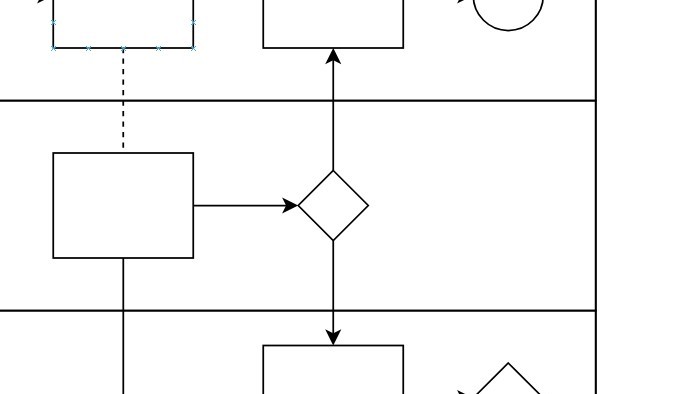
After I understand the purpose, I need the basic concepts. Requirements modeling uses terms, languages, views, and rules. Therefore, I build a strong foundation before I create larger models. Clear modeling concepts help me avoid diagrams that look correct but explain too little.
I use Modeling Languages for Requirements Modeling to compare how different modeling languages support requirements work. Then I use Terms and Concepts in Requirements Modeling to define the basic vocabulary. This helps me explain elements, relationships, views, and abstraction. As a result, I can discuss models with more precision.
Modeling Quality
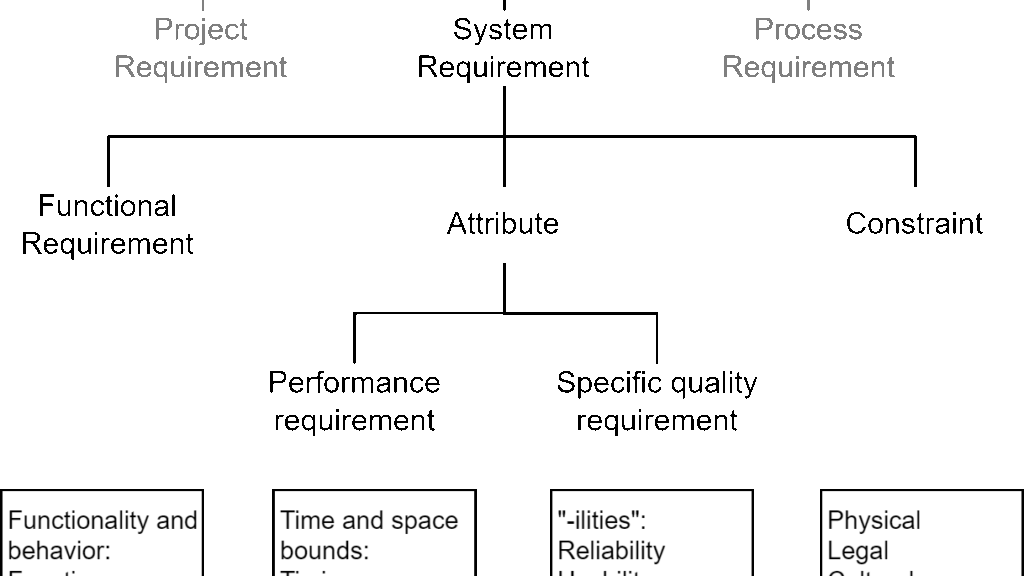
A model only helps when people can understand and trust it. Therefore, I care about quality before I care about visual detail. A confusing model can create the same problems as unclear text. A high-quality requirements model must support clarity, correctness, completeness, and communication.
I use Understanding the Quality Criteria of Requirements Models to explain what makes a model useful. This topic helps me check whether a model supports the requirements task. It also helps me avoid overloaded diagrams. As a result, I can improve the model before it misleads stakeholders.
I use Understanding the Quality Criteria of Requirements Models to explain what makes a model useful. This topic helps me check whether a model supports the requirements task. It also helps me avoid overloaded diagrams. As a result, I can improve the model before it misleads stakeholders.
Quality also connects directly with validation. Therefore, I use Model Based Requirements Validation: Ensuring Software Quality with Precision in this section. It shows how models can support earlier checks and stronger discussions. In addition, models help me detect contradictions, gaps, and unclear assumptions.
Context Modeling
Requirements always belong to an environment. A system interacts with people, systems, organizations, devices, and external constraints. Therefore, I need context modeling before I describe internal details. Context modeling helps me define the system boundary and the world around it.
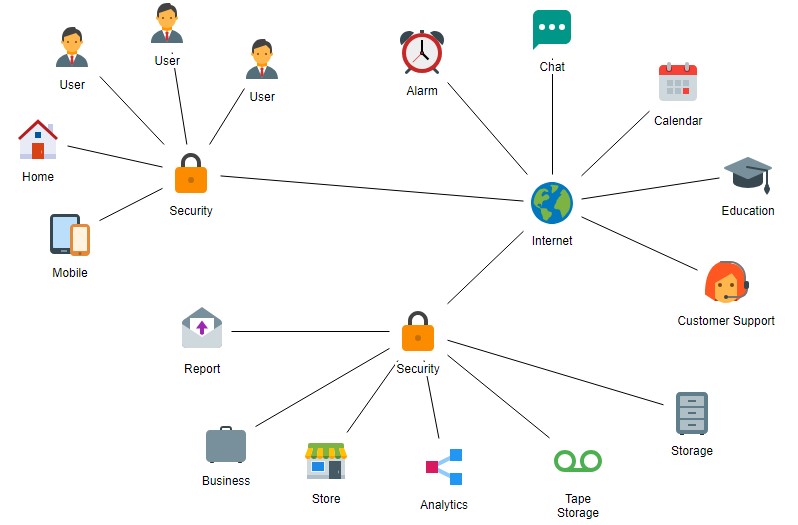
Context Modeling in Requirements Engineering it gives this topic a requirements-focused foundation. As a result, I can separate the system from external actors. Context models also improve stakeholder discussions. They show who or what interacts with the system. In addition, they help me find missing interfaces and forgotten dependencies. A clear context model protects requirements work from an unclear system scope.
Modeling Views
One model cannot explain everything. Therefore, I use different views for different questions. Some views show structure, while others show behavior, quality, or constraints. Different modeling views help me analyze requirements from several useful angles.
I use Information Structure, Dynamics, Quality, and Constraints Views in Requirements Modeling as a central overview. It helps me distinguish important perspectives in requirements modeling.
Dynamic views deserve extra attention. Therefore, I also use Requirements Modeling with Dynamic Views. It helps me explain how behavior-oriented models support requirements analysis. As a result, I can discuss not only what exists, but also what happens.
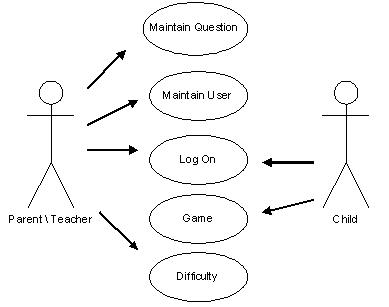
SysML and Model Extension
Some requirements need stronger structure than plain diagrams provide. Therefore, I use modeling languages and extensions when they add value. SysML and stereotypes can help me express special meaning in a model. Modeling extensions help me adapt models to requirements work without losing structure.
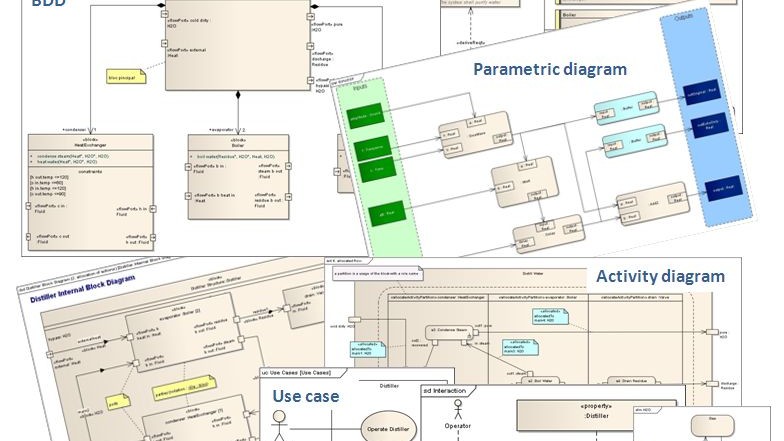
I start with What is SysML? because it introduces a modeling language for systems thinking. Then I use Integrating Textual Requirements in SysML: A Personal Take to connect text and models. This helps me show how textual requirements can relate to visual elements. As a result, requirements can become easier to trace and discuss.
I also use Enhancing Requirements Modeling: Adapting UML and SysML with Stereotypes. This article explains how stereotypes add meaning to modeling elements. They help me classify elements more clearly. However, I only use them when they improve understanding.
Object-Oriented Concepts
Object-oriented thinking can support requirements modeling when systems contain meaningful objects. I use it to understand names, states, behavior, and responsibilities. Therefore, it can help me structure complex domains. Object-oriented thinking helps me identify important concepts inside a problem domain.
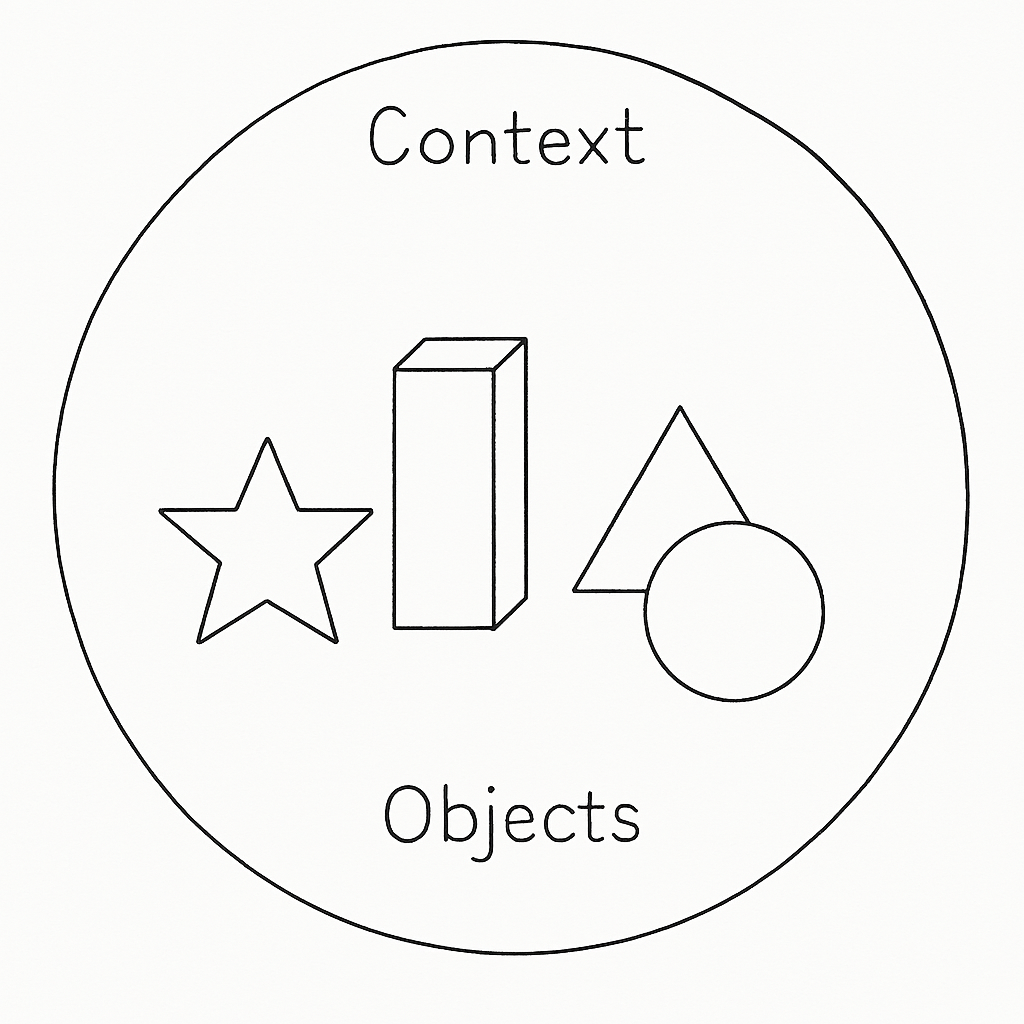
I start with Object-Oriented Thinking: What Are Objects? because objects form the basic idea. Then I use Object Name, State, and Behavior in Object-Oriented Programming to explain object characteristics. This helps me describe what an object is, what it knows, and what it does. As a result, I can connect requirements with concrete domain concepts.
Next, I use Understanding the Function Principle of Object-Orientation. This article helps me explain how object-oriented systems work in principle. In addition, Object-Oriented Elicitation: Requirements in Complex Systems shows how this thinking supports discovery. Object-oriented elicitation helps me ask better questions about complex systems.
Discovering Hidden Knowledge
Many requirements do not appear in the first conversation. They hide in existing systems, old workflows, workarounds, and daily routines. Therefore, I need modeling to uncover what people may not mention directly. Models help me discover hidden knowledge that plain interviews can easily miss.
I use Requirements Determination from Existing Systems: A Key to Successful Software Development to support this discovery work. Existing systems often contain decisions, constraints, business rules, and exceptions. In addition, they reveal how people really work today. As a result, I can compare stated needs with current reality.
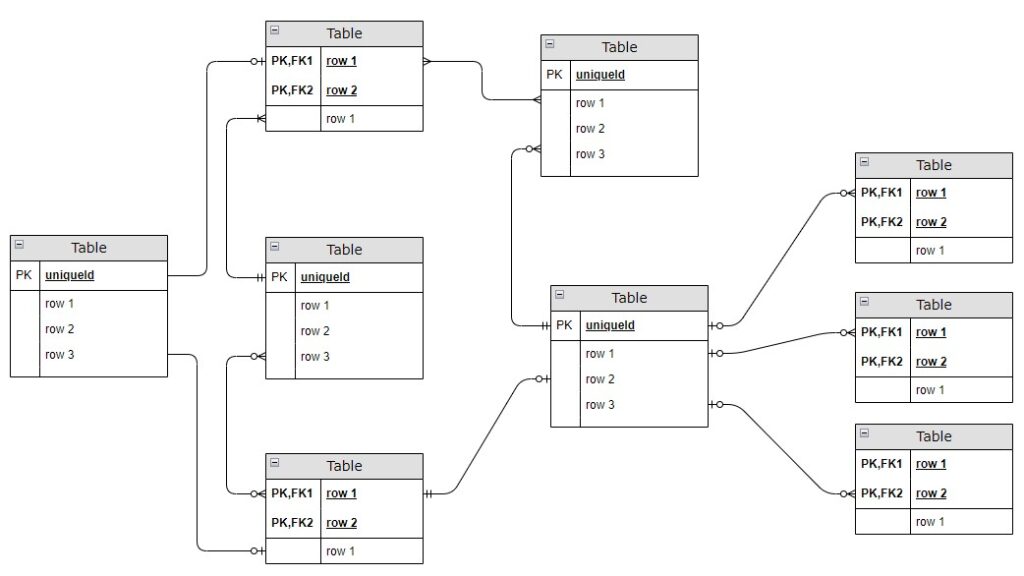
This topic connects all modeling concepts. I do not model only to create diagrams. Instead, I model to learn, question, validate, and improve requirements. Requirements modeling becomes powerful when it reveals what stakeholders cannot easily explain in words.
2. Unified Modeling Language (UML)
Unified Modeling Language helps me move from vague requirements to visible system structure. I use UML when I want to describe concepts, relationships, and behavior more clearly. Therefore, this section connects object-oriented thinking, class modeling, and practical diagram work. As a result, I can build a stronger bridge between stakeholder language and system understanding.
I do not use UML to decorate requirements work. Instead, I use it to reveal structure, reduce ambiguity, and support better discussions. In addition, UML helps me organize domain knowledge before design decisions become too narrow. Therefore, this part of the Requirements Modeling Hub gives me a clear path from modeling purpose to practical application.
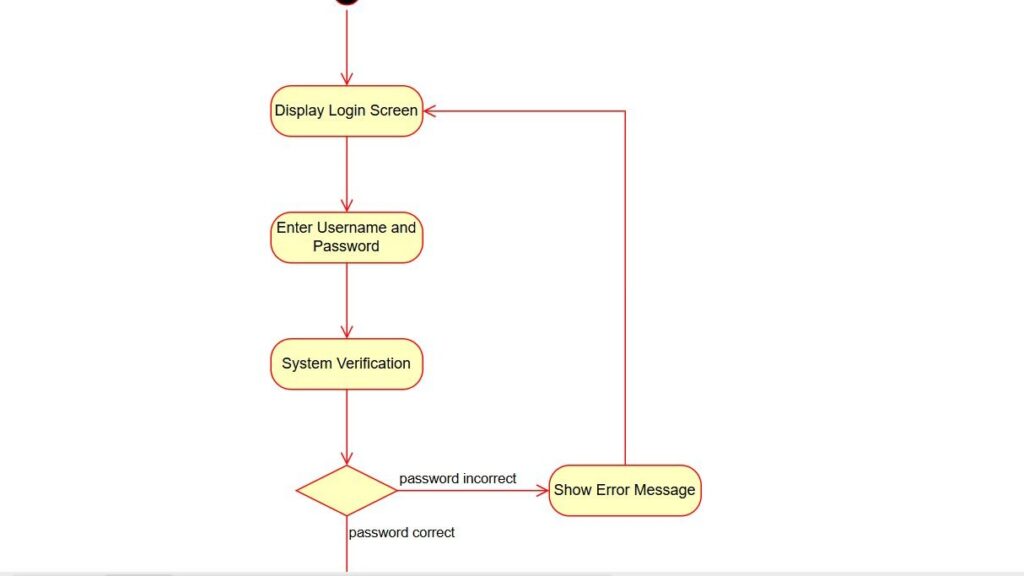
Why I Use UML in Requirements Modeling
Before I model classes or relationships, I need a clear reason to use UML. Motivations for Requirements Modeling: from Text to Diagram helps me understand why visual structure matters. It shows how I can move from scattered statements to a more stable model. As a result, I can explain requirements in a way that others understand faster.
Next, I use Tips for Requirements Modeling with UML to connect notation with real requirements work. This article helps me keep UML useful, focused, and readable. In addition, it reminds me that a good model must support communication first. Therefore, I use UML with purpose, not only with technical precision.
I also connect this topic with Unlocking the Power of Information Structure Modeling. Information structure modeling helps me see which concepts belong together. That matters early in requirements work. After all, I need a solid domain view before I describe details.
Object-Oriented Thinking as My Starting Point
I start with Discover the Power of Object-Oriented Thinking because UML often builds on object-oriented ideas. Object-oriented thinking helps me discover stable domain concepts inside a complex problem space. Therefore, I look at things, roles, responsibilities, and interactions before I draw formal diagrams. This gives me a better conceptual base.
Then I continue with Understanding UML Classes and Objects: A Practical Guide. This article helps me separate a general class from a concrete object. That difference is important in requirements modeling. Otherwise, I may confuse examples with reusable domain structure.
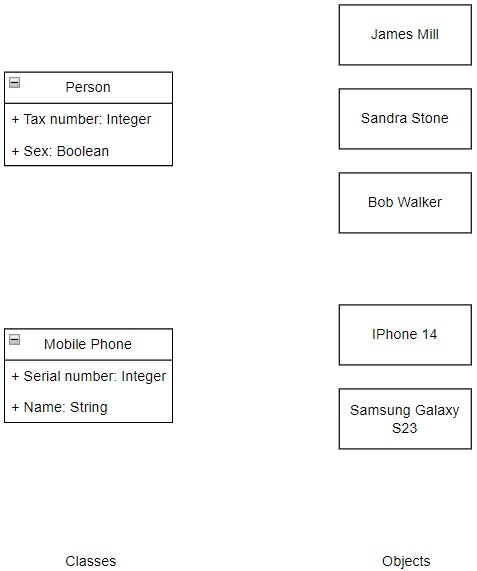
Understanding UML Classes
After that, I move to Understanding the Syntax and Semantics of UML Classes. I need both syntax and semantics if I want my UML models to say something meaningful. Syntax tells me how to draw elements correctly. Semantics tells me what those elements really mean in the domain.
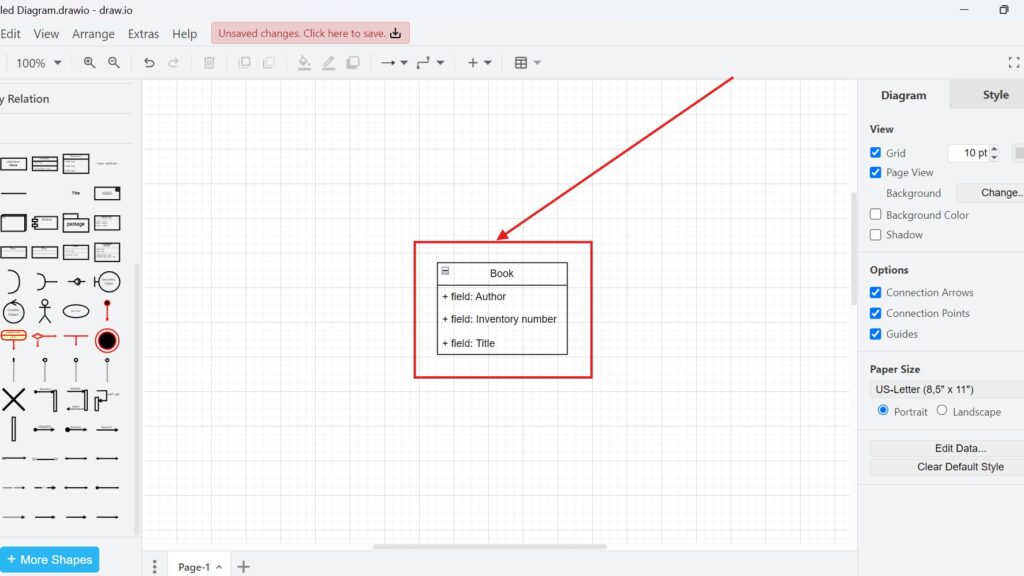
This topic works closely with Understanding UML Classes and Objects: A Practical Guide. First, I understand the basic building blocks. Then, I learn how to interpret them precisely. Together, these articles help me create class models that are not only correct, but also useful.
Finding the Right Classes
A class diagram becomes valuable only when I identify the right classes. Therefore, I use Identifying Classes (1): A Heuristical Approach as an early guide. Heuristics help me find important domain concepts without guessing blindly. This makes my first class candidates more grounded and easier to discuss.
Next, I continue with Identifying Classes (2): with Objects, Roles, and Functions. This second step helps me test class candidates from several angles. I can ask whether something acts as an object, plays a role, or fulfills a function. As a result, I refine the model instead of freezing weak assumptions too early.
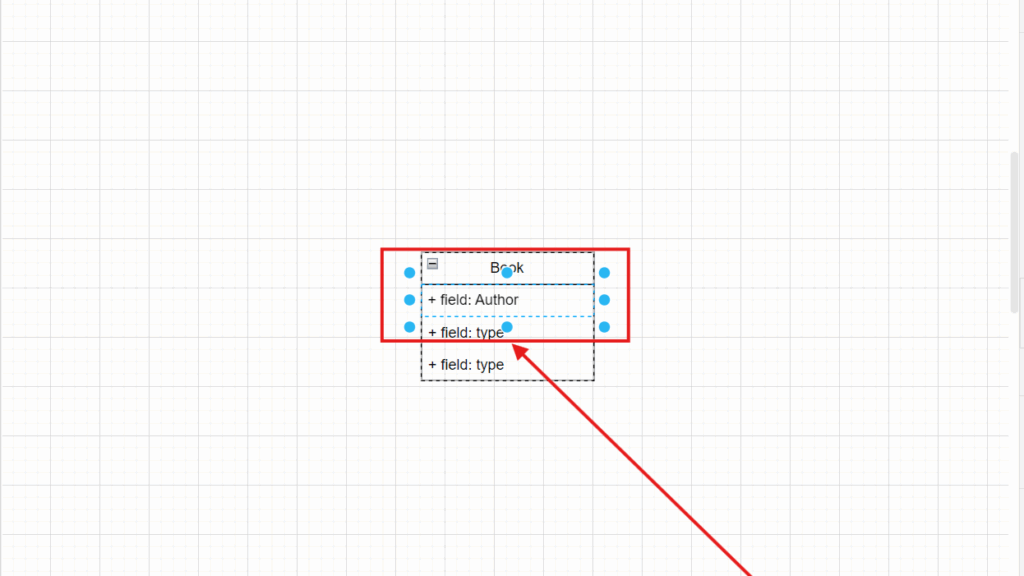
Modeling Attributes with More Precision
Once I know my classes, I need to describe them more carefully. Therefore, I use What Are UML Class Attributes? A Quick Guide to explain what an attribute should capture. Attributes help me describe relevant class properties in a structured way. They make the model more informative without turning it into long text.
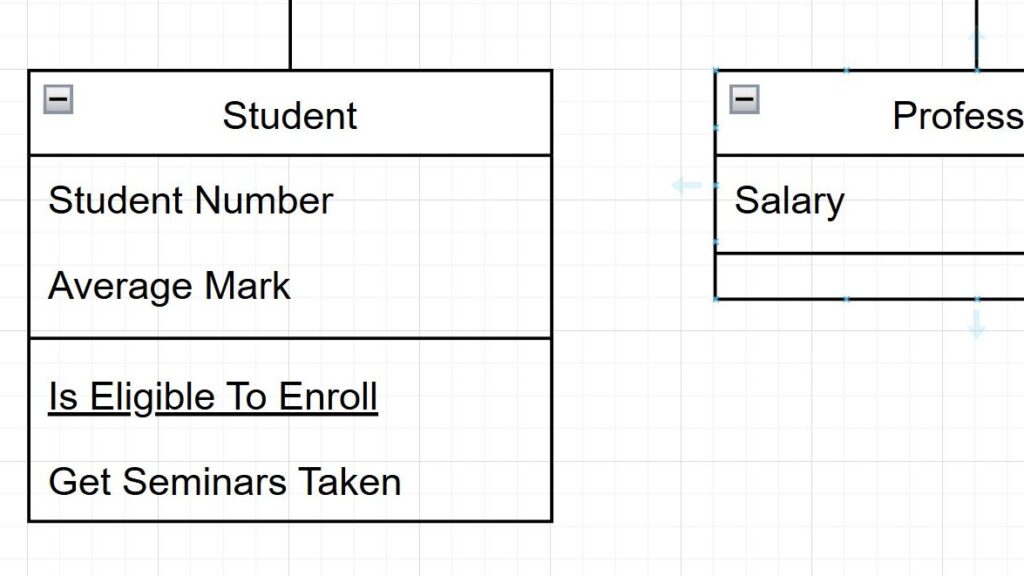
After that, I use Heuristics for Determining Attributes. This article helps me choose attributes that add meaning instead of noise. Not every detail belongs in a requirements model. Therefore, I focus on properties that support analysis, communication, and later refinement.
Choosing Suitable Data Types
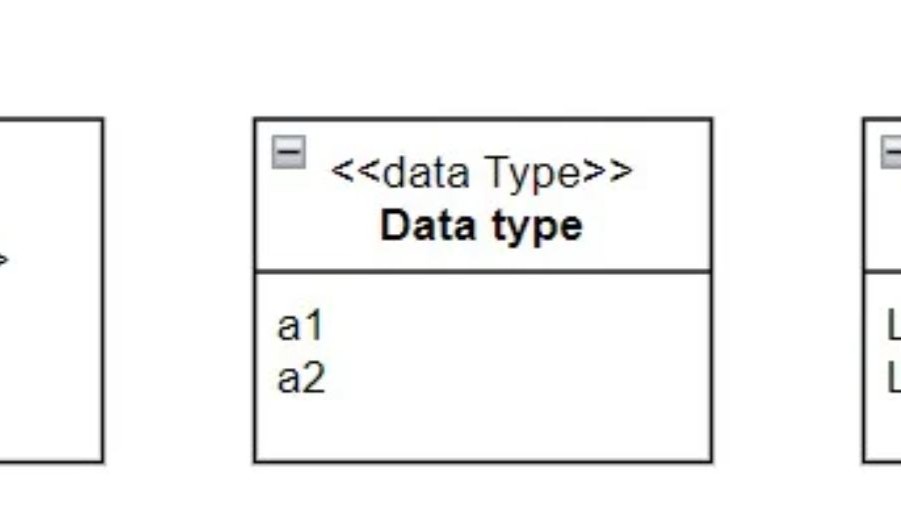
Attributes alone are not enough. I also need suitable data types. Therefore, I use UML Data Types: Simplifying Complex Concepts to make this topic easier to understand. Data types help me describe attribute values with more precision and less confusion.
Then I connect this with Heuristics for Determining Data Types. Heuristics help me choose data types that fit the domain and the modeling goal. This matters because type choices influence clarity. In addition, they shape how others read the model.
Modeling Relationships Between Classes
Classes rarely stand alone. Therefore, I continue with Modeling Simple UML Relationships. Relationships help me show how domain concepts connect and depend on each other. This is where the model starts to reveal real structure.
Next, I use How to Determine Simple UML Relationships with Heuristics. This article helps me decide which relationship makes sense in a specific case. It supports more reliable modeling choices. As a result, I avoid vague or misleading connections.
After that, I go deeper with What are UML Aggregation and Composition? Aggregation and composition help me describe whole-part structures with more nuance. This is useful when I need to show ownership, containment, or lifecycle dependence. However, I use these relations carefully because they can confuse readers when applied too loosely.
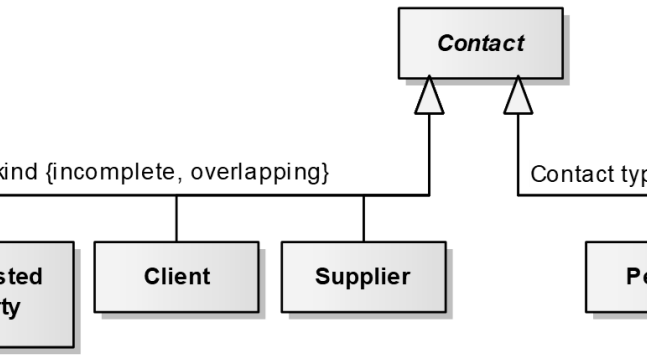
I also include Understanding UML Generalization and Specialization. Generalization and specialization help me model shared structure and meaningful variation. Therefore, I can show when several classes belong to one broader concept. This strengthens the model when inheritance reflects real domain logic.
Making UML Diagrams Easier to Read
A correct model still fails when nobody understands it. Therefore, I use 4 Practical Tips for UML Modeling – Making Your Diagrams Speak for Themselves. Good UML modeling depends on communication quality, not only on notation knowledge. Clear naming, useful structure, and visual restraint improve every diagram.
This article also supports the wider purpose of the hub. I want models that invite discussion. I do not want diagrams that block it. A readable UML diagram helps me align stakeholders faster and with less friction.
Applying UML in draw.io
After I understand the concepts, I want to model them in practice. Therefore, I use Model UML Classes in draw.io as an entry point. This article helps me turn conceptual understanding into actual class diagrams. It gives me a practical bridge from theory to action.
Next, I continue with Model UML Class Attributes in draw.io. This topic helps me add detail to classes in a tool-oriented way. As a result, I can move from simple boxes to richer domain descriptions. That makes the model more useful in workshops and reviews.
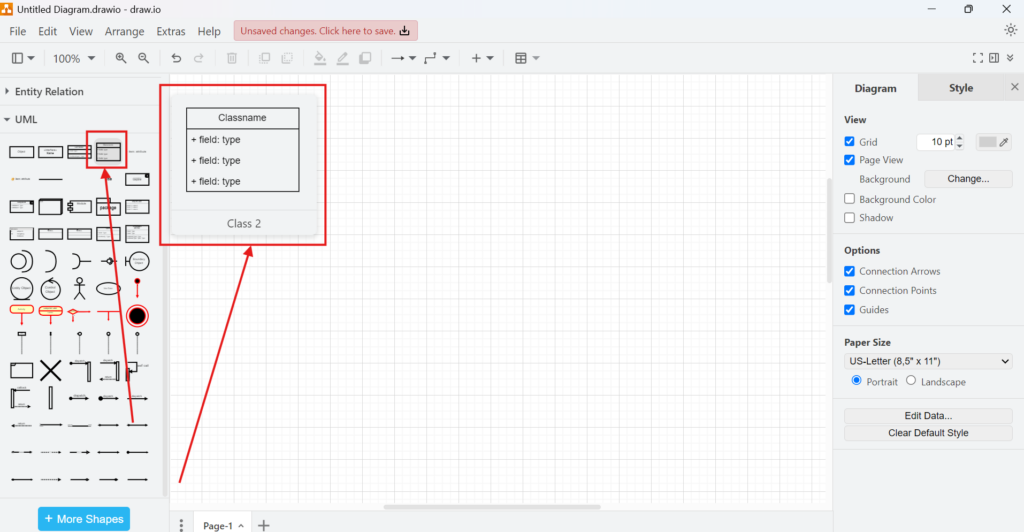
Then I use Syntax and Semantics of UML Classes in draw.io. This article connects formal meaning with hands-on tool usage. That connection is important. Otherwise, I may draw something in the tool without understanding its modeling impact.
I also include How to Build a UML Class Diagram with draw.io. This guide helps me combine classes, attributes, and relationships into one consistent model. It supports the actual construction process. Therefore, it is a strong practical step after the concept articles.
Extending UML Toward Use Cases and Requirements Context
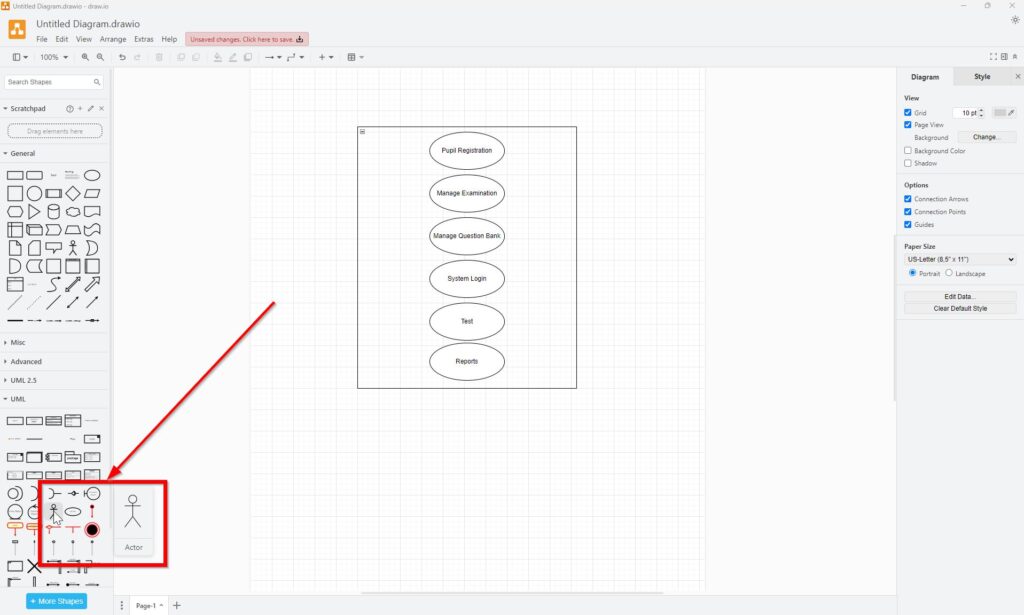
Class diagrams are important, but they do not answer every question. Therefore, I also use Draw UML Use Case Diagrams with draw.io: A Hands-on Example. Use case diagrams help me describe interactions between actors and the system boundary. This adds a behavioral and user-oriented view to the UML section.
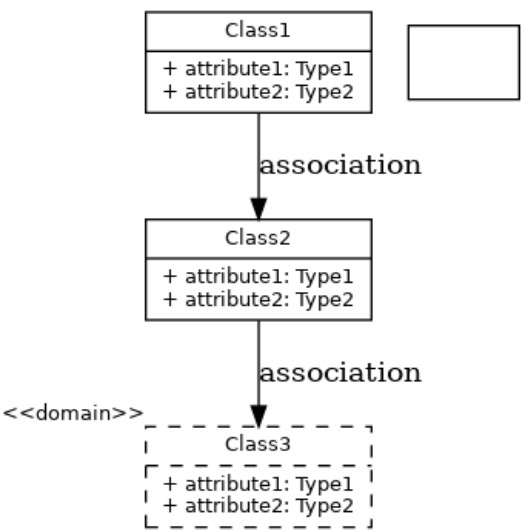
In addition, I include Enhancing Requirements Modeling: Adapting UML and SysML with Stereotypes. Stereotypes help me adapt standard modeling elements when requirements work needs more specific meaning. This can improve clarity in specialized situations. However, I use stereotypes only when they make the model easier to understand.
How This UML Section Fits the Requirements Modeling Hub
This UML section gives me a structured path through object-oriented concepts, class modeling, relationships, and practical tool usage. I move from modeling purpose to class discovery, then to detail, structure, and application. Therefore, the article flow supports both learning and internal linking. As a result, readers can enter at a simple topic and still grow toward more advanced UML understanding.
Most importantly, this section supports the larger goal of Requirements Modeling. UML helps me make requirements more visible, discussable, and testable before design goes too far. That is why UML belongs beside modeling concepts and BPMN. It adds the structural perspective that strong requirements work needs.
3. Business Process Modeling and Notation
Business Process Modeling and Notation (BPMN) helps me make process requirements visible, structured, and easier to discuss. I use BPMN when plain text hides flow, responsibility, and decision logic. Therefore, this section connects process meaning, participant views, and gateway behavior. As a result, I can explain requirements with more clarity and less ambiguity.
I do not use BPMN only to draw attractive diagrams. Instead, I use it to analyze work, clarify responsibilities, and reveal missing process logic. In addition, BPMN helps me discuss how activities, events, and decisions shape business behavior. Therefore, this part of the Requirements Modeling Journey gives me a practical process perspective.
Why I Start with BPMN
Before I model gateways or roles, I need a clear BPMN foundation. I start with What is BPMN – Business Process Management and Notation because it explains the language and its purpose. This article helps me understand why BPMN matters in process-oriented requirements work. As a result, I can place every later BPMN topic into a larger context.
Understanding the People in the Process
A process does not run without people, teams, or organizational units. Therefore, I use BPMN Project Roles for Effective BPM early in this section. Project roles help me understand who shapes, reviews, and uses BPMN models in real work. This matters because good process models need clear cooperation, not only correct symbols.
After that, I use The Participant Perspective in BPMN. The participant perspective helps me see who takes part in a process and where interaction happens. This view is important in requirements modeling. It helps me separate responsibilities and understand collaboration across boundaries.
Together, these two topics strengthen the human side of BPMN. First, I understand who supports process modeling work. Then, I understand how participants appear inside the model. As a result, I can connect process structure with real organizational behavior.
Building My BPMN Foundation with Core Elements
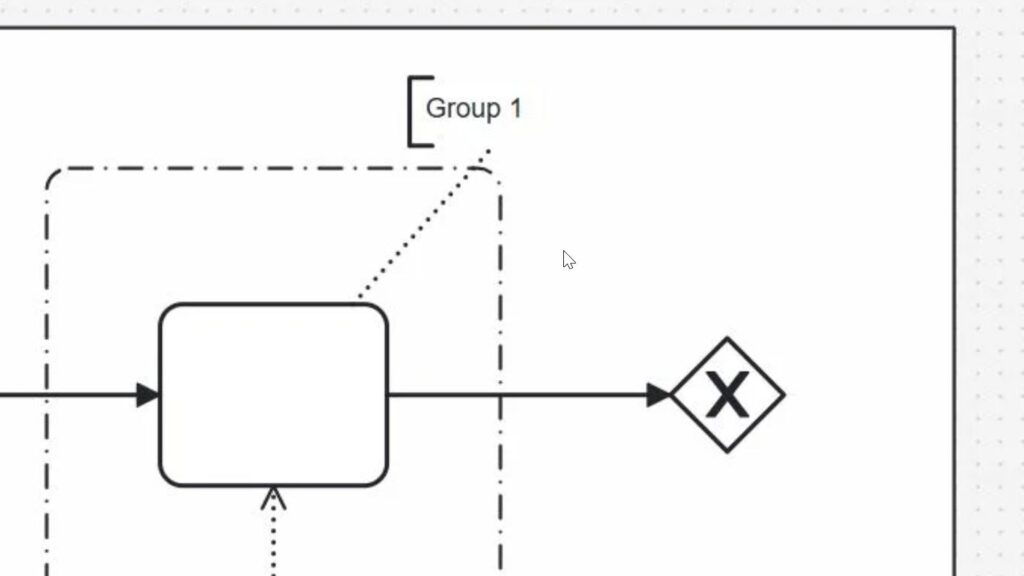
Once I understand the purpose and the people, I move to BPMN Core Elements. Core elements give me the essential building blocks for reading and creating BPMN diagrams. They help me understand events, activities, gateways, and connecting elements in one structured view. Therefore, this article works as a central foundation for the whole section.
I use this article before I go deeper into special gateway types. That order helps me stay grounded. In addition, it keeps the learning path easier to follow. A strong grasp of core elements makes every advanced BPMN topic easier to understand.
Understanding Communication with Message Events
After I understand the core elements, I can look more closely at one important event type. That is why I use Understanding Message Events in BPMN 2.0 at this point. Message events help me model communication between participants, systems, or organizations. They show when a process sends, receives, or waits for information.
This topic connects BPMN events with real process interaction. It also builds on the participant perspective because messages often cross process boundaries. Therefore, this article helps me understand how communication becomes visible in a BPMN model.
Understanding Broadcast Communication with Signal Events
After message events, I also need to understand signal events. That is why I use The Power of the Signal Event in BPMN 2.0 at this point. A signal event helps me model communication without one fixed receiver. It announces that something has happened, and every listening process may react.
This topic is important because not every process interaction works like a direct message. Sometimes, one event should inform several processes at once. Therefore, signal events expand my understanding of BPMN communication and prepare me for more flexible event behavior.
Understanding Reversal Logic with Compensation Events
After signal events, I also need to understand how BPMN models reversal logic. That is why I use How to Use the Compensation Event in BPMN 2.0 at this point. A compensation event helps me show what should happen when completed work must be undone, corrected, or balanced.
This topic is useful in requirements modeling because real business processes often need recovery paths. A payment may need a refund. A booking may need a cancellation. A previous action may need a defined follow-up correction. Therefore, compensation events expand my BPMN foundation beyond communication and show how processes handle business recovery.
Modeling Several Intermediate Events
After I understand the message events, I can look more closely at events inside a running process. That is why I use How to Model Multiple Intermediate Events in BPMN 2.0 at this point. This article helps me explain how a process can react to several possible events, messages, timers, or triggers while it is already active. Therefore, it builds a useful bridge between basic BPMN events and more advanced process behavior.
I use this topic before I move into gateway types. That order keeps the learning path clear. First, I understand events as BPMN elements. Then, I learn how several intermediate events can shape process flow. After that, I can understand gateways with more confidence, especially when process behavior depends on decisions, parallel work, or event-based reactions.
Understanding Decisions with Exclusive Gateways
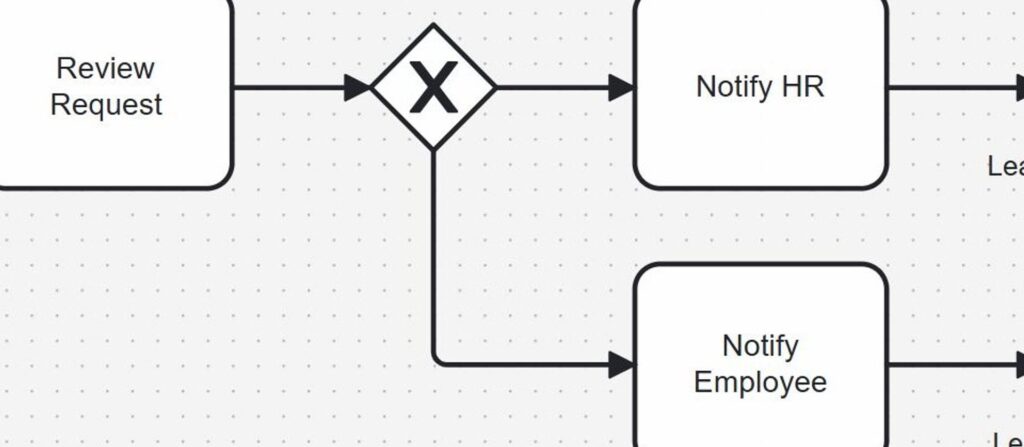
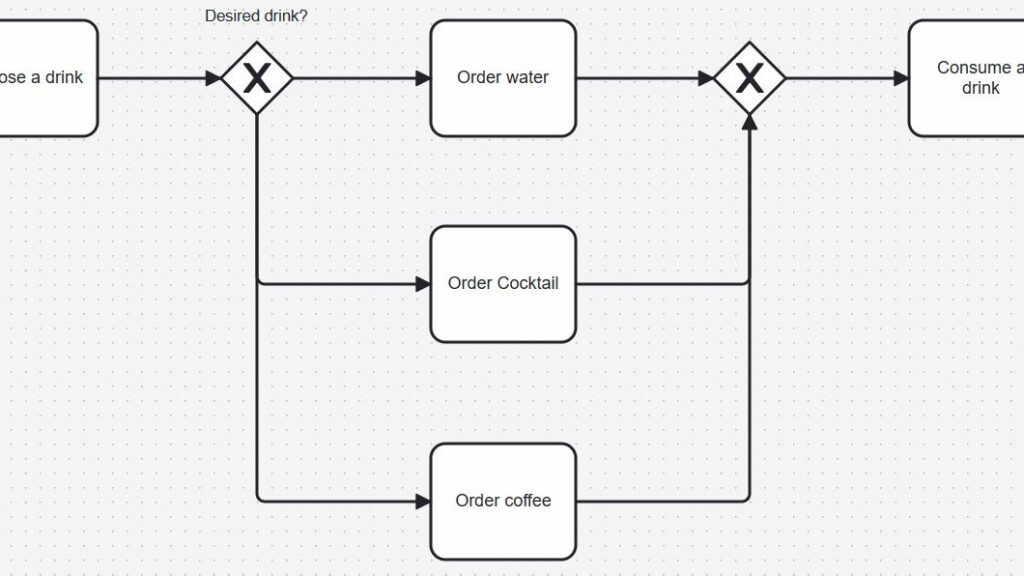
Processes often include decisions with one possible path at a time. Therefore, I continue with Exclusive Gateways in BPMN 2.0: Clear and Simple. Exclusive gateways help me model decisions where exactly one outgoing path should continue. This is one of the most common BPMN situations in requirements work.
I use this article when I want to explain rule-based branching in a clear way. It helps me model alternatives without confusion. As a result, I can show how business rules affect process flow. Exclusive gateways help me turn decision logic into visible process structure.
Understanding Parallel Work with Parallel Gateways
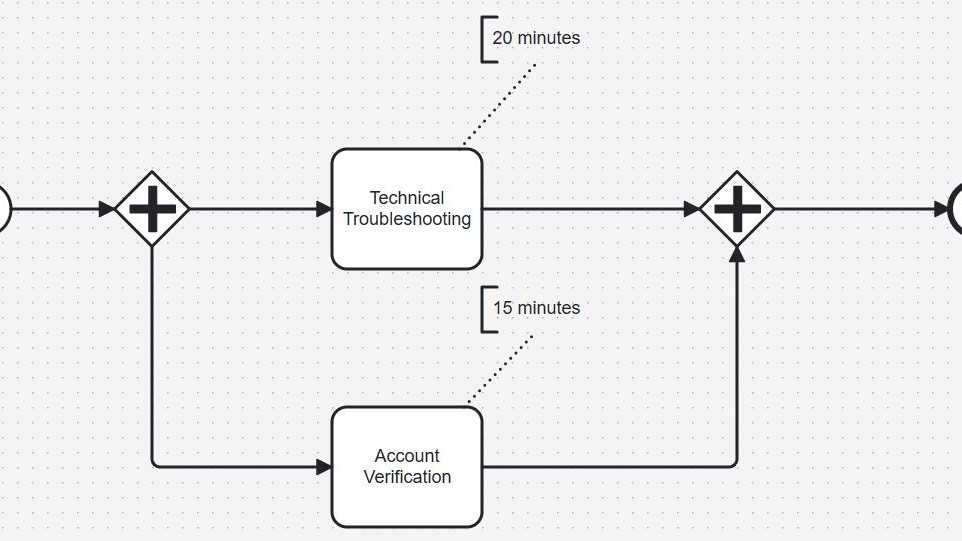
Not every process decision leads to alternatives. Sometimes, several paths must continue at the same time. Therefore, I use BPMN Parallel Gateways Explained: Rules, Behavior, and Use Cases. Parallel gateways help me model concurrent work in a simple and reliable way.
This topic matters when tasks start together or when several checks happen in parallel. It also helps me describe synchronization later in the process. Therefore, I can show where work splits and where it joins again. Parallel gateways make process coordination easier to explain and validate.
Understanding Waiting and Choice with Event-Based Gateways
Some process paths depend on what happens next, not on a rule decided immediately. Therefore, I use Event-Based Gateways in BPMN 2.0: A Practical Guide. Event-based gateways help me model situations where the next step depends on an event. This is useful when a process waits for a message, a signal, or another trigger.
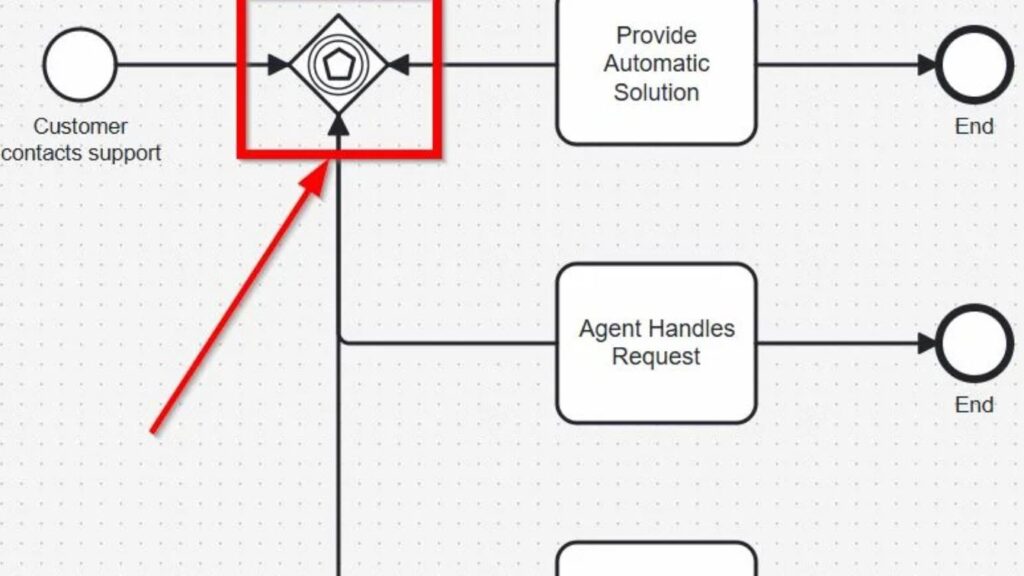
I use this article when timing and reaction matter more than direct business logic. It helps me describe uncertainty in a structured way. As a result, I can explain responsive process behavior more clearly. Event-based gateways show that some process choices depend on what the environment does next.
Understanding Difficult Logic with Complex Gateways
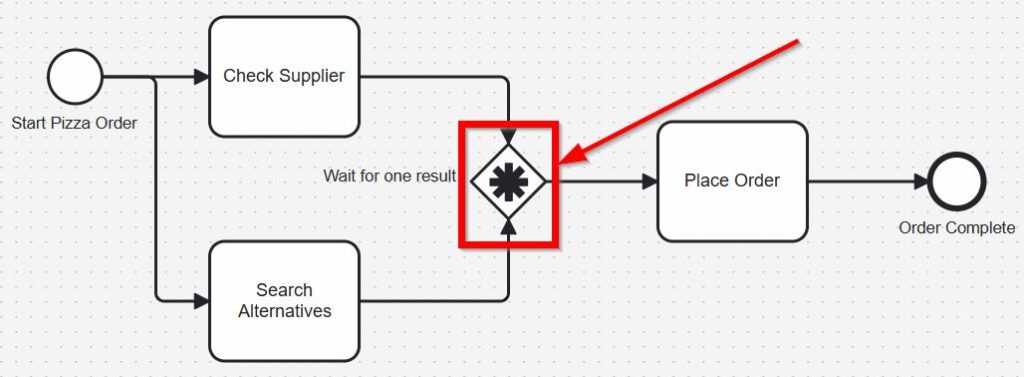
Some processes contain branching logic that does not fit simple patterns. Therefore, I include Complex Gateways in BPMN 2.0: A Simple Guide. Complex gateways help me approach advanced routing situations that need more than standard split logic. This topic is useful when process behavior becomes harder to express with simpler gateway types.
I do not start with this article, because it builds on earlier understanding. However, it belongs in the hub because some readers need it. In addition, it completes the gateway path in a logical way. Complex gateways help me handle difficult process logic without leaving BPMN behind.
How the BPMN Articles Work Together
This BPMN section follows a clear learning path. First, I understand what BPMN is and how its notation works. Then, I move into roles, participants, core elements, and gateway behavior. This structure helps me move from basic meaning to practical process analysis.
The order also supports internal linking inside the hub. A reader can start with a broad overview. After that, the reader can move into responsibilities, then into modeling elements, and finally into routing logic. As a result, the section supports both learning and navigation at the same time.
All Modeling Articles
If you simply want to browse, explore articles on the following topics: