
Fred

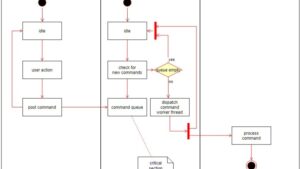
Partial workflow diagram with boxes labeled “idle,” “user action,” “post command,” “check for new commands,” and a decision diamond “queue empty.”

Why Model Requirements?

In the world of software development, clear and precise requirements build successful projects. They serve as a blueprint, guiding developers and stakeholders toward a common goal. Traditionally, texts document requirements, but an increasingly popular method is to model these requirements. This article dives into the reasons why modeling requirements can be advantageous, comparing textual and modeled requirements, and discussing the pros and cons of each approach. Learn why to model requirements.

Why Model Requirements? Read More »

Cropped view of a page card titled “Requirements Meeting Protocol” under a “2024” heading, with a left navigation panel.

Using Confluence for Requirements Documentation and Collaboration

Using confluence in requirements engineering helps me manage requirements with more structure and clarity. I can document needs, organize decisions, share updates, and support collaboration in one central workspace. Spaces, pages, blogs, and comments make the process easier to follow. In this guide, I show how Confluence supports better requirements work from idea to review.

Using Confluence for Requirements Documentation and Collaboration Read More »

“Browse” panel showing a grid of insert options such as “Action item,” “Image, video, or file,” “Mention,” “Table,” and “Code snippet.”

How to Use Confluence Effectively: Best Practices for Everyday Work

I use Confluence optimally when I want clearer documentation, smoother teamwork, and better project structure. Its spaces, pages, tasks, and collaboration features help me organize daily work in one central place. As a result, I reduce confusion and improve productivity. In this guide, I show practical ways to make Confluence work smarter for your team.

How to Use Confluence Effectively: Best Practices for Everyday Work Read More »

Requirements Identification with Process Documents: A Step-by-Step Guide to System Integration

In our world of fast-growing technology, it’s super important to make new systems work smoothly with the way businesses already do things. A great way to do this is by figuring out what these new systems need from the documents that explain how things work now. This article will show you how to do that step by step, using smart ideas from science. In this article you read about requirements identification with process documents.

Requirements Identification with Process Documents: A Step-by-Step Guide to System Integration Read More »

Page titled “Ideas for Onboarding Handbook” with a red arrow pointing to a circled pencil/edit icon in the top toolbar.

Introducing the Confluence Editor Mode: A Seamless Experience for Teams

The confluence editor mode helps me create, edit, and share content with less friction. It supports clear teamwork because everyone can work on pages in one shared space. As a result, teams improve communication, reduce scattered information, and build better documentation. In this article, I show how the editor supports smoother content creation and daily collaboration.

Introducing the Confluence Editor Mode: A Seamless Experience for Teams Read More »

Editor toolbar with a color/highlight dropdown open, showing a row of colored squares; red arrows point to the color tool and palette.

How to Color Text in Confluence: A Quick Guide to Text Color and Highlight Color

Confluence helps me create clear and useful project pages. In this guide, I show you How to Color Text in Confluence with text colors and highlight colors. Color helps me emphasize key details, improve readability, and guide readers through important content. As a result, my pages look cleaner, more structured, and easier to understand.

How to Color Text in Confluence: A Quick Guide to Text Color and Highlight Color Read More »

Editor toolbar with alignment dropdown open, showing multiple alignment icons; red arrows point to the alignment control.

How to Align Text in Confluence

Learning to align text in Confluence helps me create cleaner and more professional pages. I can place content on the left, center, or right to improve layout and readability. As a result, information looks more structured and easier to follow. In this guide, I show you simple methods and shortcuts for better text alignment.

How to Align Text in Confluence Read More »

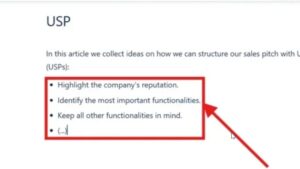
Zoomed-in bullet list inside a red rectangle with an arrow pointing at the list items.

How to Make Lists in Confluence

Confluence helps me organize team information in a clear way. When I make lists in Confluence, I can structure steps, ideas, tasks, and key points so readers understand them faster. Bullet lists and numbered lists make pages easier to scan. In this guide, I show you how to create lists and use simple shortcuts for cleaner documentation.

How to Make Lists in Confluence Read More »

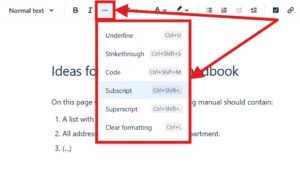
Editor “more options” menu open showing “Underline,” “Strikethrough,” “Code,” “Subscript,” “Superscript,” and “Clear formatting.”

How to Format Text in Confluence

Confluence helps me create clear and professional team pages. When I know how to format text in Confluence, I can structure information, highlight key points, and improve readability. Formatting also helps readers scan content faster and understand important details. In this guide, I show you the essential options and shortcuts for cleaner Confluence pages.

How to Format Text in Confluence Read More »

Blank page editor with the placeholder text “Give this page a title,” marked by red arrows.

How to Create a Confluence Page

Learning how to create a Confluence page is easy, but a few tips make the process smoother. I use Confluence to document projects, coordinate teams, and structure knowledge clearly. Therefore, a good page needs more than text. It needs purpose, order, and readability. In this guide, I show you how to create useful pages and improve collaboration.

How to Create a Confluence Page Read More »

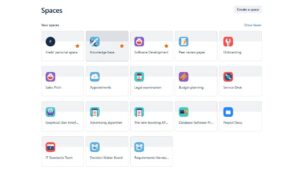
“Spaces” overview grid showing multiple space tiles such as “Freds’ personal space,” “Knowledge base,” “Software Development,” and “Onboarding.”

Spaces in Confluence

In this introduction to confluence spaces, I explain how spaces help teams organize work in Confluence. Spaces give each project, team, or topic a clear home. As a result, I can create, share, and manage content with less confusion. They support better structure, smoother collaboration, and easier access to important knowledge.

Spaces in Confluence Read More »

Requirements Determination from Existing Systems: A Key to Successful Software Development

In today’s software world, clear documentation of what people need is crucial. Yet, we often overlook old systems and past solutions that still hold valuable insights. These legacy systems can reveal what works well and what causes trouble. By studying them, we gain ideas that improve new projects. In this article, you’ll learn more about requirements determination from existing systems and how it leads to smarter software development.

Requirements Determination from Existing Systems: A Key to Successful Software Development Read More »

Scroll to Top
WordPress Cookie Plugin by Real Cookie Banner