
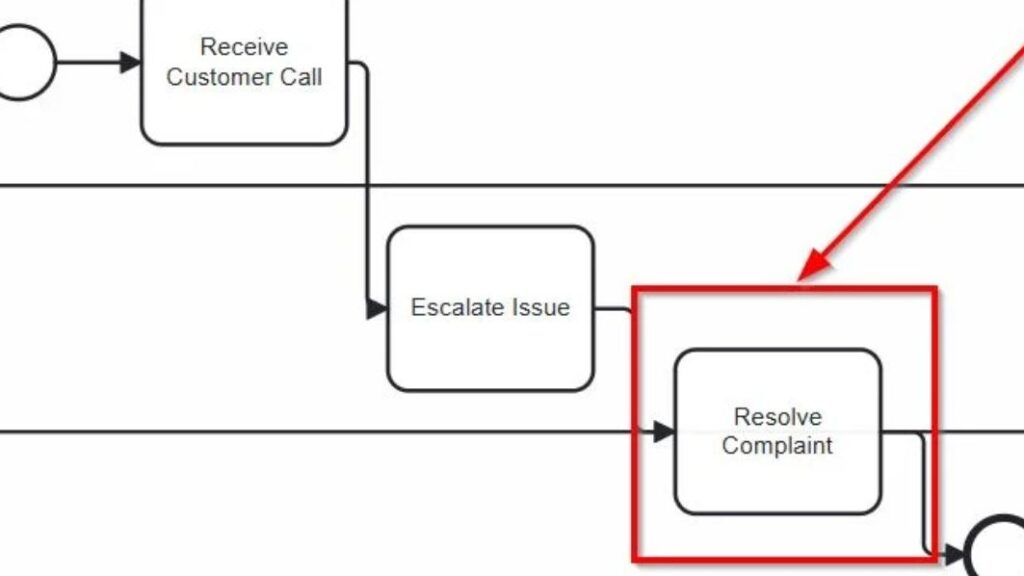
Whenever I model a business process, I want clarity. Especially when it comes to responsibilities. That’s why I use the nesting of BPMN lanes. This technique gives structure. It shows clearly who does what—without overwhelming the diagram. In fact, the nesting of BPMN lanes helps me group roles within departments, making complex processes both readable and precise.
What is BPMN 2.0?
BPMN 2.0 stands for Business Process Model and Notation. It’s the global standard for modeling business processes. I use it because it brings structure to complexity. Moreover, it makes workflows both readable and executable.
BPMN diagrams contain Tasks, Events, and Gateways—called Flow Nodes. I connect these with Sequence Flows. As a result, I get a visual path that mirrors the real process. Everything stays organized and easy to understand. Dig deeper into What is Camunda? and explore BPMN Core Elements with Camunda: My Hands-On Guide for clear insights and practical modeling tips.
Lanes in BPMN 2.0
In BPMN, a Pool represents a participant. Usually, this means a company or a system. Within the Pool, I can add Lanes. Each Lane stands for a specific role, team, or department.
Every Flow Node must belong to exactly one Lane. That way, I can assign responsibility clearly. But what if a department includes several roles? That’s when I use nesting of BPMN lanes.
Nesting of BPMN Lanes: My Step-by-Step Approach
Let me walk you through an example using the nesting of BPMN lanes.
The goal is simple: make responsibilities visible.
Step 1: Define the Pool
First, I start with a Pool labeled Service Center. This Pool is one process participant. It could be a business unit, like Customer Service.
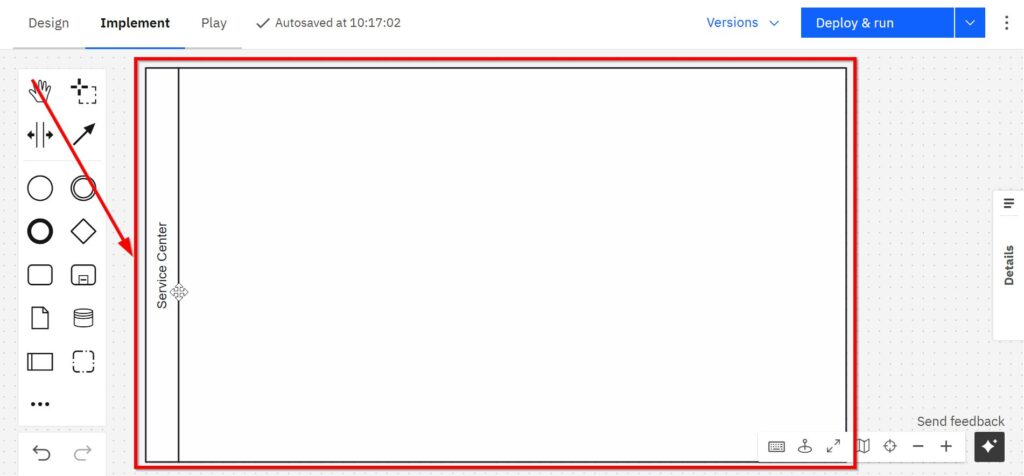
Step 2: Create Nested Lanes
Next, I divide this Pool into three nested Lanes:
- First-Level Support
- Second-Level Support
- Complaint Handling
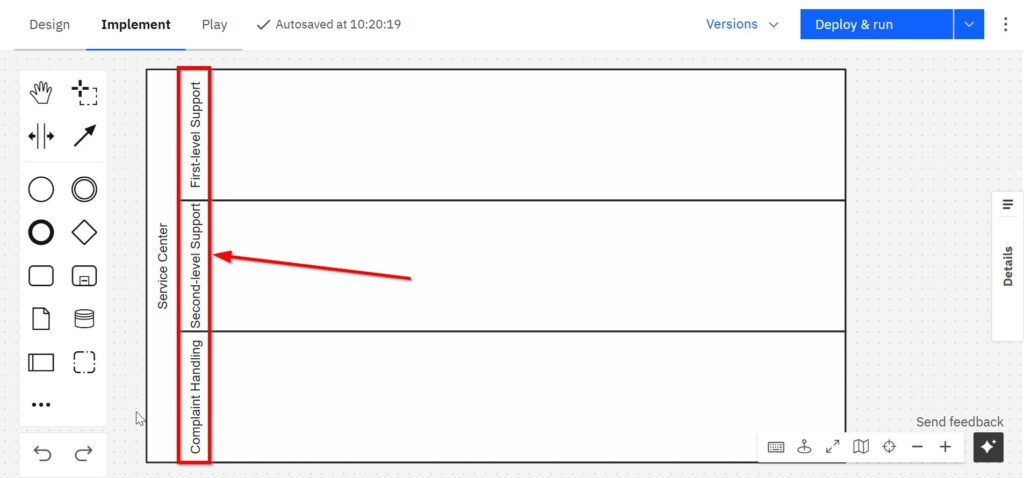
This layout reflects how work is split within the service team. As you can see, each sub-unit gets its own space. That helps me focus on their exact tasks.
Step 3: Place Flow Nodes
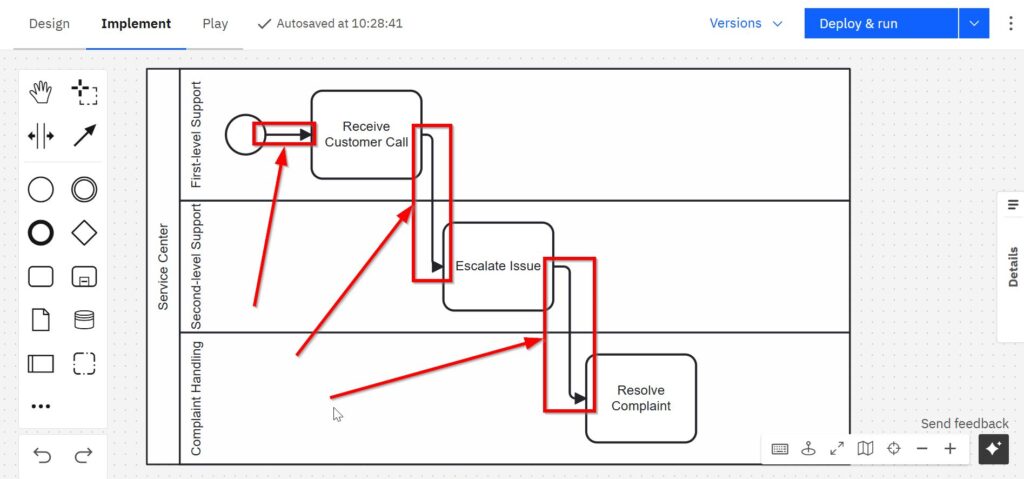
Now I create to each nested Lane:
- “Receive customer call” → First-Level Support
- “Escalate issue” → Second-Level Support
- “Resolve complaint” → Complaint Handling
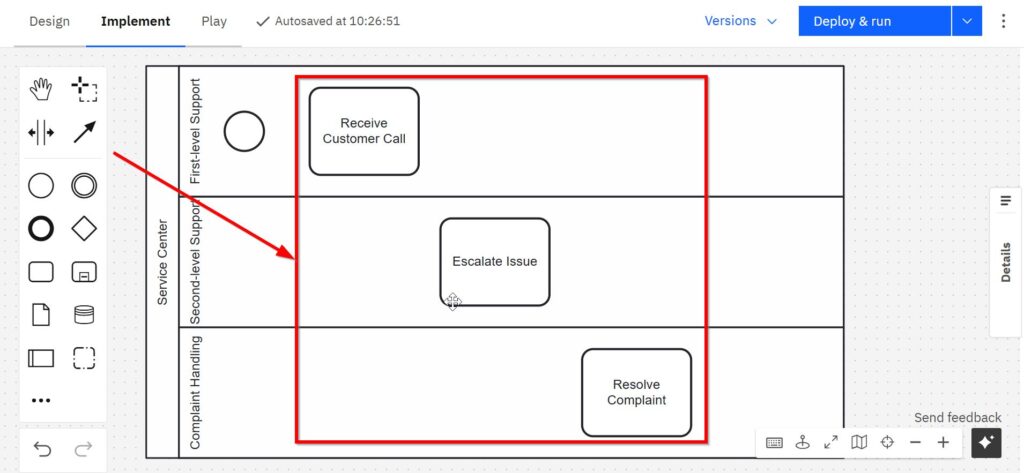
This way, each activity sits exactly where it belongs. The structure helps me trace responsibilities step by step.
I connect the tasks with sequence flows.
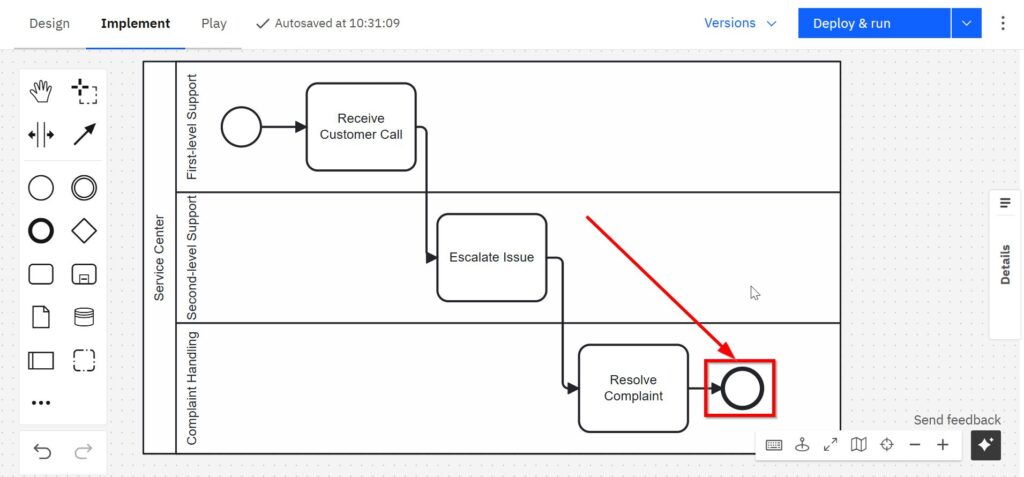
Step 4: end with an end event
Eventually I set an end event to end the process.
step 5: Apply a Consistent Layout
Although BPMN allows flexibility, I always model from top left to bottom right. This habit improves readability. Readers know what to expect. Therefore, they understand the diagram faster.
Step 6: Avoid Cross-Lane Flow Nodes
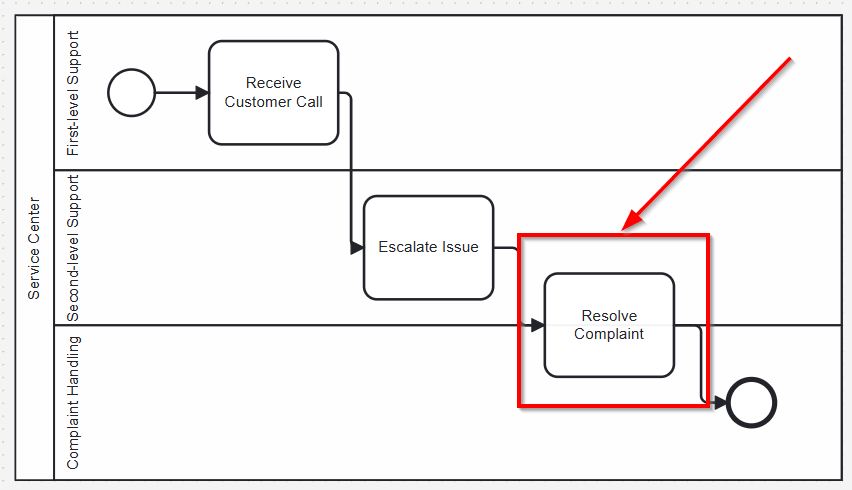
A common mistake is placing one Task across multiple Lanes. That’s invalid in BPMN. Each Flow Node belongs to exactly one Lane—even when nesting of BPMN lanes is used.
This is wrong:
If multiple roles execute the same task, I duplicate it and assign one to each responsible Lane.
Step 7: Use a Group for Collaboration
Sometimes, roles work together on a task. In those cases, I use a Group. A Group can span multiple Lanes. It shows that the activity is collaborative—but each Task still belongs to just one Lane.
This visual hint adds depth without breaking the rules.
Why I Rely on the Nesting of BPMN Lanes
Thanks to nesting of BPMN lanes, I can represent even complex structures in a clean way. I don’t need to compromise clarity. Instead, I highlight roles and their actions with precision.
This method also helps readers. They see responsibilities at a glance. They follow the logic easily. And they don’t get lost in a mess of lines and roles.
I use Pools, Lanes, and Groups correctly. As a result, my models remain valid and professional. Every time I model cross-functional work, I fall back on the nesting of BPMN lanes.
Final Thoughts
The nesting of BPMN lanes helps me bring order to complex process diagrams. It shows responsibilities clearly, without making the model harder to read. With this method, I can separate roles while keeping everything inside a single Pool.
Even when multiple teams or levels are involved, I don’t lose track. Instead, I use nested lanes to represent hierarchy. I also use Groups when roles collaborate. Because I follow BPMN rules, my models stay clean and valid.
Whenever I need to refine responsibilities in a process, I rely on the nesting of BPMN lanes. It works. Every time.
Credits: The diagrams were created with Camunda.
| Read more on Business Process Modeling and Notation (BPMN) |
|---|
| Syntax and Semantics of BPMN BPMN Project Roles for Effective BPM The Participant Perspective in BPMN BPMN Core Elements |