
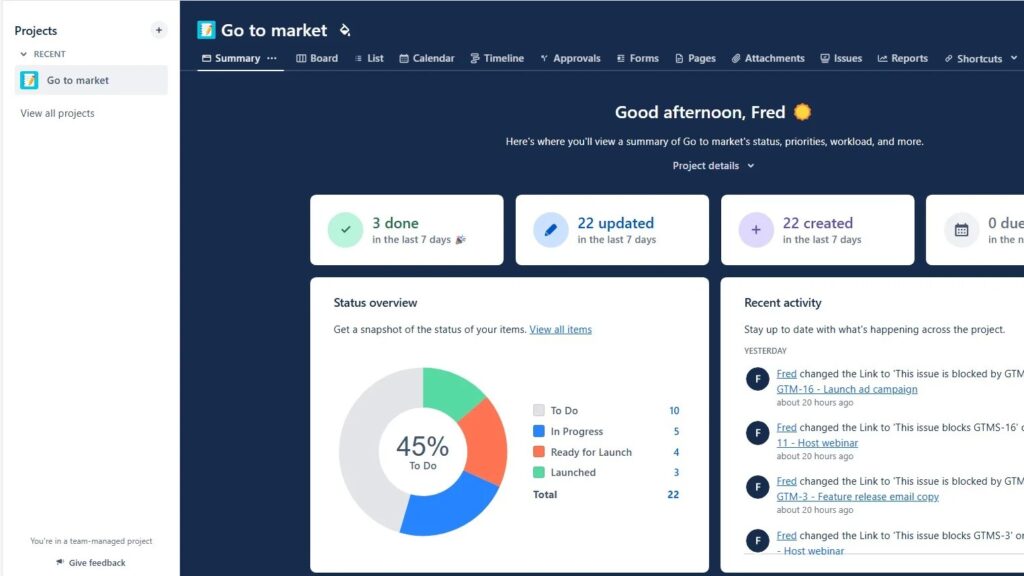
When I first explored project management tools, I asked myself: Why Should I Use Jira? The answer became clear quickly. Jira helps me plan, track, and manage work with structure. It supports agile teams, clear workflows, and better collaboration. In this article, I’ll show why Jira became my go-to tool and how it helps teams stay organized, productive, and in control.
Why Should I Use Jira?
When I first asked what is jira, I wanted a direct answer rather than a broad list of features. Jira is Atlassian’s work management platform for organizing issues, tasks, requirements, and project progress in one place. I use it to plan agile work, define workflows, assign responsibility, track status, and connect delivery with documentation. For me, Jira’s main value is simple: it turns scattered project work into visible, structured items that my team can manage together and improve over time.
What Is Jira?
Jira (opens in a new tab) gives me a structured environment for managing work throughout a project. I can create individual work items and give each item a clear status, priority, and owner. Therefore, I always know what needs attention and who takes responsibility.
Jira helps me turn project work into structured and traceable items that I can manage from creation to completion.
I can use Jira for tasks, bugs, feature requests, user stories, and other project activities. As a result, I do not need separate lists for every type of work. Instead, I can manage related activities within one system.
However, Jira offers more than basic task management. I can also organize agile work, configure workflows, monitor progress, create reports, and connect work with supporting documentation.
Why I Use Jira for Project Management
One of the main reasons I use Jira is structure. Projects quickly become difficult to manage when tasks, responsibilities, and updates spread across spreadsheets, emails, and separate documents.
Jira brings these elements together. Firstly, I can define the work. Secondly, I can assign it. Then, I can follow its progress.
I use Jira to make responsibilities, priorities, and project progress visible to everyone involved.
This transparency reduces the need to ask repeatedly for status updates. In addition, team members can see which work has started, which work remains open, and which work has finished.
Consequently, Jira gives me a shared operational view of the project.
Agile Project Management with Jira
Jira also supports agile project management. In particular, I can work with Scrum and Kanban approaches.
For Scrum-based work, I can manage a backlog, organize work into sprints, and follow sprint progress. Therefore, I can separate planned work from future work and keep the team focused on the current sprint.
For Kanban-based work, I can visualize tasks as they move through different workflow stages. This makes the current state of the work easier to understand.
Jira allows me to visualize agile work instead of managing it through disconnected lists and status updates.
Moreover, boards help me identify where work accumulates. As a result, I can recognize delays and adjust priorities more quickly.
Issue and Task Tracking
Issue tracking forms another important part of Jira.
I can create an item for a bug, task, feature request, or other piece of work. Then, I can add information such as its priority, status, and responsible person.
Therefore, each item has a defined place in the project.
I can follow an issue from its creation through each workflow stage until I complete or resolve it.
This approach becomes especially valuable in larger projects. Without a structured system, teams can easily overlook individual tasks. Jira helps me keep these items visible and manageable.
In addition, I can update an item when circumstances change. Consequently, the current status remains connected with the work itself.
Customizable Workflows
Different teams work in different ways. Therefore, I value Jira’s customizable workflows.
I can define stages that reflect the actual process of a project. For example, a simple workflow may move from open work to work in progress and finally to completed work.
More complex projects may require additional stages.
A Jira workflow allows me to represent how work actually moves through my project.
I can also use custom fields to capture information that matters to my team. In addition, automation rules can support recurring workflow actions.
As a result, I do not need to force every project into the same process. Instead, I can adapt Jira to the way the team works.
Better Collaboration and Transparency
Jira also gives me a central place for project communication around individual work items.
Team members can access project information, add comments, and share updates. Therefore, important context remains close to the relevant task or issue.
This structure improves transparency. For example, I can see who owns an item and how its status has developed.
I find collaboration more effective when discussions, responsibilities, and progress remain connected to the work they concern.
In addition, notifications can inform me when relevant changes occur. Consequently, I can stay informed without checking every item continuously.
Dashboards and Reporting
Managing work requires more than recording tasks. I also need to understand what happens across the project.
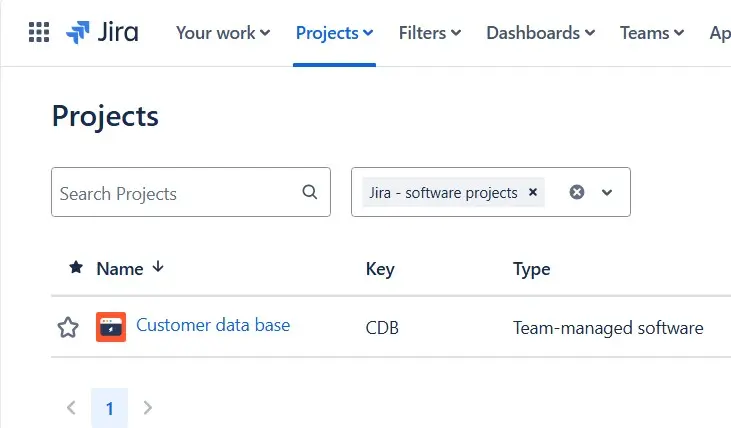
Jira dashboards help me bring important information together. I can use gadgets to create a view that supports my reporting needs.
Therefore, I can monitor relevant information without opening individual projects and issues one by one.
Jira dashboards give me a consolidated view of project information and current progress.
Jira also provides reports for agile work. These include burn-down charts, velocity charts, and sprint reports.
I can use these insights to examine progress and identify possible bottlenecks. Moreover, they help me compare planned work with actual progress.
As a result, reporting becomes part of the project workflow instead of a separate manual activity.
Jira in Requirements Engineering
For me, Jira becomes particularly useful when I connect project management with requirements engineering.
Requirements need more than documentation. I also need to organize them, prioritize them, connect them with development work, and follow changes over time.
Jira supports this structure.
For example, I can represent requirements through appropriate work items such as user stories, epics, and related tasks. Then, I can connect these items with the work required to implement them.
The main advantage of Jira in requirements engineering is traceability between requirements and the work that addresses them.
This traceability helps me understand whether the project has addressed a requirement. Furthermore, it supports impact analysis when requirements change.
If one requirement affects several development tasks, I can make these relationships visible. Therefore, I can assess changes more systematically.
Prioritization also becomes easier. I can organize requirements according to their importance and integrate them into the broader project backlog.
Consequently, requirements do not remain isolated documents. Instead, I can connect them with planning and implementation.
Connecting Jira and Confluence
I often need more documentation than I want to place directly inside a Jira item. This is where the connection between Jira and Confluence becomes useful.
I can use Confluence for detailed documentation and Jira for operational work management. Therefore, each tool serves a clear purpose.
I use Confluence to provide detailed project context and Jira to manage the work that results from that context.
This combination works especially well in requirements engineering. For example, I can maintain detailed requirement descriptions in Confluence while linking them to relevant Jira work items.
As a result, I can combine documentation with execution without putting every detail into a single Jira issue.
Jira can also connect with other tools used in software projects. The original setup, for example, includes integrations with Bitbucket and Slack. These connections can reduce unnecessary transfers between separate systems.
Using Jira Across Teams and Projects
Jira can support more than one project or team. Therefore, I can continue using the same platform as the scope of my work grows.
Different projects can use different workflows and structures. At the same time, I can maintain a common approach to tracking work.
This becomes useful when several teams contribute to related projects.
In addition, Jira’s marketplace provides extensions that can add further capabilities. However, I prefer to extend Jira only when a clear project need justifies the additional complexity.
The value of Jira comes primarily from clear work structures, not from adding as many features as possible.
Therefore, I start with the functions that support the actual workflow and expand the setup when necessary.
Why Should I Use Jira?
For me, the answer comes down to visibility, structure, and traceability.
Jira helps me organize work. It shows responsibilities and progress. It supports agile planning. It gives me configurable workflows. Moreover, it connects project activities with reporting and requirements engineering.
I use Jira because it connects planning, responsibilities, workflows, progress, and traceability within one structured project environment.
That connection matters most when a project becomes too complex for spreadsheets and disconnected task lists.
Therefore, I do not view Jira simply as an issue tracker. I use it as a central system for managing structured project work.
What’s Next?!
Now that I know why Jira can support clear project work, I want to look at its concrete benefits. Therefore, the next step is The Advantages of Using Jira: A Game Changer for Teams.
In that article, I explain how Jira helps teams organize tasks, improve collaboration, and stay focused on progress. You will see why Jira can make work more transparent and easier to manage. In addition, you will learn how its flexibility supports different teams, workflows, and project styles.
Click the next article to discover how Jira can become a real game changer for your team.
Requirements Engineering Tools: Build Better Workflows with the Right Setup
Requirements engineering becomes easier when I use the right tools for the right task. Therefore, I rely on draw.io to create clear diagrams, Confluence to document knowledge, Jira to manage work, and Camunda to model business processes. Together, these tools help me connect ideas, requirements, tasks, and workflows in one practical tool landscape. In the main article on Requirements Engineering Tools, I show how these solutions support better structure, clearer communication, and more efficient project work. Click through to discover how draw.io, Confluence, Jira, and Camunda can strengthen your requirements engineering process.