
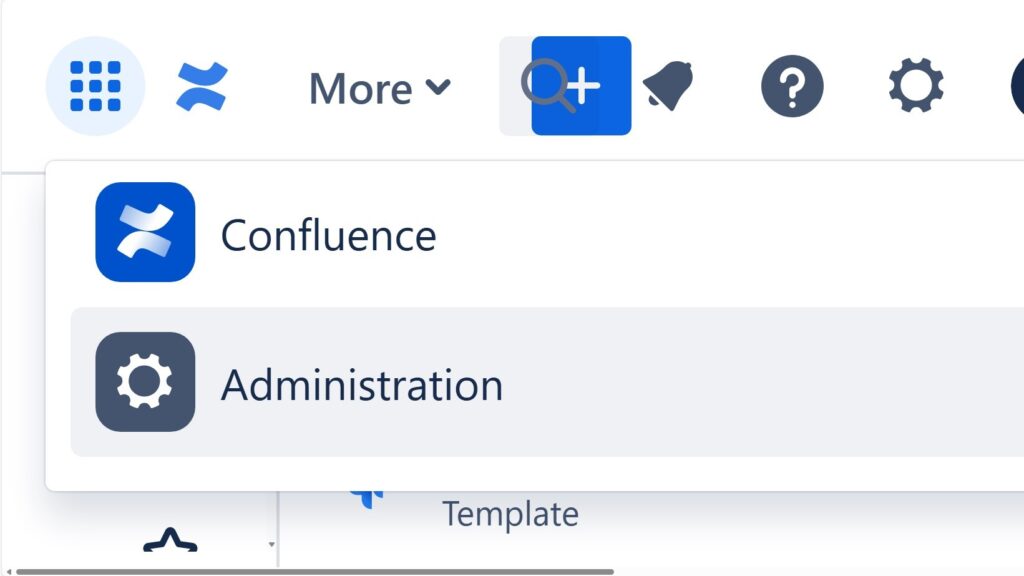
The power of confluence helps me turn scattered project knowledge into one reliable workspace. I use Confluence to document decisions, requirements, meeting notes, risks, and tasks in a clear structure. Therefore, my team finds facts faster, avoids repeated questions, and works with shared context. In this article, I show how Confluence supports collaboration, project documentation, requirements engineering, and transparent knowledge management.
What Is Confluence?
Confluence is a digital workspace from Atlassian. I use it to create, organize, share, and maintain project knowledge.
For example, I document goals, requirements, decisions, meeting results, processes, risks, product information, and open questions. I can combine text with tables, images, links, and file attachments. Therefore, I can keep different forms of project information together.
Confluence helps me turn scattered information into structured and shared knowledge.
This matters because project knowledge often spreads across emails, chats, local documents, and individual notes. As a result, people lose context. They repeat questions. They may also work with different versions of the same information.
With Confluence, I create one clear place for important project knowledge.
Why the Power of Confluence Matters
Project work depends on reliable information.
I need to know what my team decided. I also need to know why we made that decision. Furthermore, I need access to current requirements, risks, responsibilities, and open questions.
Confluence helps me connect these elements.
The real power of Confluence comes from connecting knowledge, people, decisions, and ongoing work.
Therefore, I do not treat Confluence as a simple document repository. Instead, I use it as a working knowledge environment.
Confluence does not replace communication. However, it gives communication a reliable written basis. After a discussion ends, I can document the result. Later, my team can return to that result instead of relying on memory.
How I Organize Knowledge in Confluence
I start with spaces.
A Confluence space gives me a defined area for related content. For example, I can create a space for a project, team, department, product, or topic.
Within that space, I create pages.
Then, I organize those pages into a clear hierarchy. Parent and child pages help me create a structure that works like a table of contents. In addition, I can use labels to group related information.
A good Confluence space should work like a knowledge map, not like a file dump.
Therefore, I avoid creating pages without a clear purpose. I also avoid placing information wherever it happens to fit.
Instead, I define a simple structure.
For example, a project space may contain:
- Project goals and scope
- Stakeholders
- Requirements
- Processes
- Decisions
- Risks and issues
- Meetings
- Tasks
- Open questions
- Lessons learned
As a result, readers know where to look before they start searching.
How I Create Useful Confluence Pages
A page should answer a clear question or support a clear task.
Therefore, I start with the most important information. Then, I add context. After that, I add supporting details.
I can use text, tables, images, links, and attachments when they improve understanding. However, I avoid adding elements only because Confluence supports them.
A strong Confluence page gives the reader the right information in the right structure.
For recurring content, I use consistent page structures or templates. For example, I can use the same format for meeting notes, decisions, requirements, or project status information.
This consistency makes pages easier to read. In addition, it helps my team understand what information belongs where.
Collaboration in Confluence
Confluence helps me develop knowledge together with other people.
I can create an initial page. Then, colleagues can add information, provide feedback, ask questions, or correct details.
Comments keep discussions close to the relevant content. Therefore, I do not always need a separate email or chat conversation to explain a page.
Confluence works best when shared editing comes with clear responsibility.
For that reason, I still define ownership.
Important pages need someone who keeps them useful. Otherwise, collaborative content can become outdated or unclear.
I also distinguish between a working draft and information that my team can rely on for project decisions.
Version History and Changes
Project information changes.
Therefore, I need to understand how important content develops over time.
Confluence keeps a version history for pages. This allows me to review changes and understand how content developed.
For example, I may need to understand when a requirement changed or why a section disappeared. Instead of relying on memory, I can examine the page history.
Version history gives me transparency when project knowledge changes.
However, version history does not replace proper decision documentation. A page change tells me what changed. A decision record should explain why it changed.
Search and Finding Information
A knowledge system only creates value when I can find information again.
Confluence provides search functions for content such as pages and files. In larger environments, I can also narrow results to find relevant information more efficiently.
However, I do not rely on search alone.
Clear spaces, page hierarchies, headings, labels, and meaningful page titles remain important. Therefore, good information architecture and search support each other.
I organize information so that people can both navigate to it and search for it.
This approach becomes increasingly important as the amount of project documentation grows.
Confluence in Requirements Engineering
Requirements engineering needs context and traceability.
Therefore, I use Confluence to document more than individual requirements.
I can record stakeholder needs, business goals, assumptions, acceptance criteria, risks, constraints, decisions, and open questions. Then, I can connect these elements through links and a clear page structure.
A requirement becomes stronger when I can explain where it comes from and why it exists.
For example, a functional requirement may exist because of a specific business goal. It may also depend on a stakeholder need or technical constraint.
If I document only the requirement, I lose this context.
Instead, I connect the requirement with the information that explains it. As a result, developers, analysts, testers, and stakeholders can understand more than the wording alone.
Confluence in IT Business Analysis
In IT business analysis, I often work between business needs and technical implementation.
Therefore, I need a place where I can make this connection visible.
I use Confluence to document the business problem, current situation, target state, processes, roles, interfaces, data needs, assumptions, and unresolved questions.
Good business analysis makes reasoning visible instead of leaving it inside individual heads.
Confluence supports this approach because I can connect related information.
For example, I can link a process description to requirements. Then, I can connect those requirements to decisions or implementation tasks.
As a result, business stakeholders and technical teams can work from the same context.
Decisions and Traceability
Projects generate decisions continuously.
Without clear records, teams often reopen old discussions. They may remember a decision but forget its reason.
Therefore, I document important decisions explicitly.
I normally record the problem, relevant options, chosen solution, reason, date, and responsible person. Then, I connect the decision to related requirements, risks, pages, or tasks.
Traceability allows me to explain project decisions with evidence instead of memory.
This becomes particularly valuable when a project runs for months or years. Team members may change. Priorities may also change.
Clear decision records preserve the reasoning behind the work.
Tasks, Dates, and Planning
Confluence can also support lightweight planning.
I can place tasks and responsibilities close to relevant project information. In addition, I can use due dates and notifications to make responsibilities visible.
This works well when a task directly relates to the content of a page.
For broader delivery management, however, I prefer a dedicated work management tool such as Jira.
Confluence can also contain planning information and roadmaps. Therefore, I can use visual planning content to communicate milestones, timelines, or broader project direction.
I use Confluence to explain and communicate plans, while I use dedicated tracking tools for detailed execution.
Confluence and Jira
Confluence and Jira complement each other.
I use Confluence to explain the work. I use Jira to track the work.
For example, I may describe a business requirement, process, or decision in Confluence. Then, I can connect that context with Jira issues that track implementation.
Confluence explains why the work matters, while Jira shows how the work progresses.
This connection reduces the gap between documentation and delivery.
Developers can access more context. At the same time, stakeholders can understand how documented needs connect to implementation work.
Integrating Confluence with Other Tools
Projects rarely use only one tool.
Therefore, integrations can help me connect Confluence with the wider working environment.
The source material highlights Jira, Trello, and Slack as examples. Such integrations can reduce unnecessary switching between isolated information sources.
However, I do not integrate tools simply because an integration exists.
Instead, I ask whether the connection improves the flow of information.
A useful integration should reduce duplication or improve context.
Otherwise, another integration can create more complexity instead of less.
Knowledge Management with Confluence
Confluence becomes particularly valuable when I use it beyond individual project documents.
For example, I can maintain how-to guides, process descriptions, onboarding information, glossaries, product knowledge, lessons learned, and reusable project guidance.
Therefore, knowledge does not have to remain inside one person’s head.
Knowledge creates value only when people can find it, understand it, trust it, and use it.
For that reason, I also maintain the content.
I update pages when information changes. I remove unnecessary duplication. In addition, I archive outdated content when it no longer supports current work.
Without maintenance, a large Confluence environment can become difficult to trust.
Communication and Shared Knowledge
Confluence can also support broader internal communication.
For example, I can publish plans, project results, updates, guidelines, or team information. This gives people a common place for information that should remain accessible after the initial communication.
In addition, team spaces can support announcements and shared updates.
However, I separate long-term knowledge from temporary communication.
A short update may lose relevance quickly. A project decision may remain relevant for years.
Therefore, I structure and maintain both differently.
Apps and Flexible Access
Confluence can support different working situations.
I can access project knowledge from computers, tablets, and mobile devices. Therefore, important information does not depend on one workstation.
In addition, apps and extensions can add functions for specific teams and use cases.
However, I keep my environment as simple as possible.
I add functionality only when it solves a real problem.
Too many extensions can make a workspace harder to understand and maintain. Therefore, flexibility needs governance.
Common Confluence Mistakes
Confluence becomes weaker when structure disappears.
One common mistake is creating too many unrelated pages. Another is storing the same information in several places. In addition, teams often leave outdated pages online without clear ownership.
These problems reduce trust.
If people find different answers to the same question, they stop relying on the system.
Therefore, I follow several simple principles:
- I give important pages clear owners.
- I avoid unnecessary duplication.
- I use consistent structures.
- I link related information.
- I review important content.
- I archive outdated information.
- I keep page titles clear.
- I separate temporary notes from reliable project knowledge.
Confluence needs structure and ownership, but it does not need unnecessary bureaucracy.
The goal is not perfect documentation. The goal is useful documentation.
Best Practices for Strong Confluence Content
I write Confluence pages for readers who need answers.
First, I give the main answer. Then, I provide context. After that, I add details.
I use clear headings. I keep paragraphs short. In addition, I use consistent terminology.
I also connect related pages instead of repeating the same information.
One reliable source is more valuable than several slightly different copies of the same information.
This principle improves human readability. It also makes content easier for search systems and AI systems to interpret.
Clear definitions help. Explicit relationships help as well. Furthermore, descriptive headings make the purpose of each section easier to identify.
Therefore, I write pages so that an important statement still makes sense when someone reads it outside the surrounding paragraph.
Final Thoughts
The power of Confluence does not come from creating more pages.
It comes from creating useful connections between project knowledge.
I use Confluence to organize information, document requirements, capture decisions, support collaboration, preserve knowledge, and connect documentation with ongoing work.
However, the tool alone cannot create order.
I still need clear structures, reliable ownership, consistent terminology, and regular maintenance.
Confluence gives project knowledge a clear home when I use it as a living knowledge workspace rather than a document archive.
As a result, my team can spend less time searching for context and more time using it.
What’s Next?!
Now that you understand the power of Confluence, it is time to enter the workspace itself. Confluence becomes much easier to use when I know where to find pages, spaces, updates, and recent work. Therefore, the dashboard is the next important step.
In the next article, I’ll explain The Confluence Dashboard. You’ll learn how the dashboard helps you navigate Confluence, find relevant content, and stay connected with team activity. Click the next article to see how the dashboard becomes your starting point for better knowledge work.
Discover Practical Requirements Engineering Tools
Requirements engineering becomes easier when I use the right tools for each task. In my main article on Requirements Engineering Tools, I show how draw.io, Confluence, Jira, and Camunda support clear analysis, documentation, tracking, and process understanding. Draw.io helps me visualize ideas. Confluence helps me structure knowledge. Jira helps me manage work. Camunda helps me model processes. Click through to the full article and learn how these tools support better requirements work from idea to delivery.
| Read more about Confluence and How to |
|---|
| Use shortcuts in Confluence Assign a task in Confluence Create a Confluence space from a template Delete a Page in Confluence Create a Confluence page |