
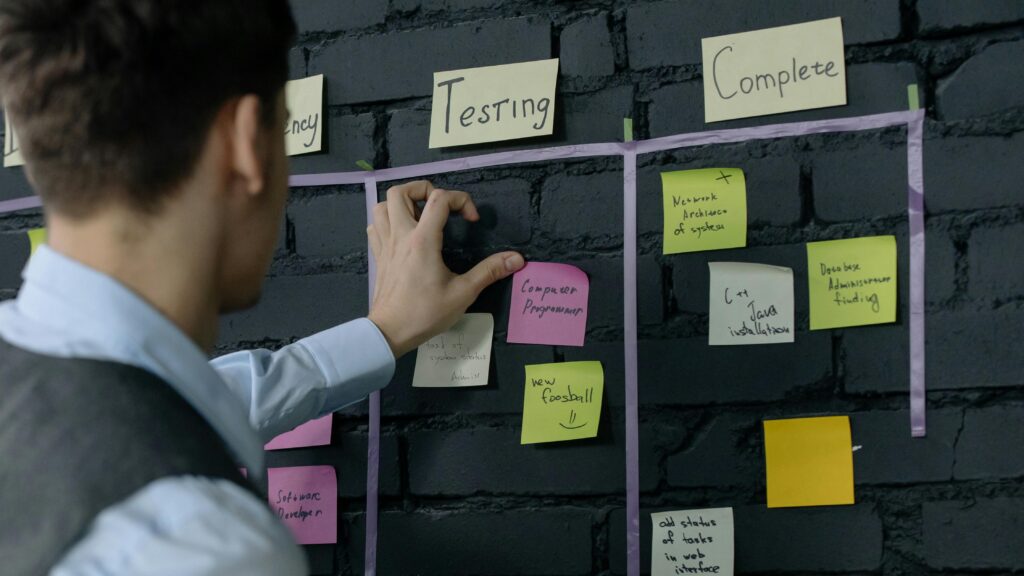
When I build software, I never just write code and hope it works. Testing is part of every stage. It helps me find issues, ensure quality, and deliver dependable results. But testing is more than bug hunting — it’s a structured cycle. I plan, design, execute, and document every step. These Test Activities in Software Development keep me organized, aligned, and efficient. No matter the project or industry, repeating them in each iteration guarantees continuous improvement and reliable outcomes.
What Are Test Activities in Software Development?
Test activities describe the main types of work I perform when I test software. They help me answer seven practical questions:
- What do I want to achieve?
- Is testing progressing as expected?
- What should I test?
- How should I test it?
- What must I prepare?
- What happened when I ran the tests?
- What can I conclude when testing ends?
Therefore, I distinguish seven core activities:
- Test planning
- Test monitoring and control
- Test analysis
- Test design
- Test implementation
- Test execution
- Test completion
I do not view these activities as seven isolated phases. They form a connected and repeatable testing process.
For example, I may design a test and discover that a requirement remains unclear. I then return to analysis. Likewise, test execution may reveal a new risk that changes my priorities and planning.
This flexibility becomes especially important in iterative and continuous development.
1. Test Planning: Defining the Direction
First, I decide what testing needs to achieve.
I define the test objectives, scope, priorities, resources, responsibilities, schedule, and overall approach. In addition, I consider product risks and project constraints.
For example, I may need to decide:
- which features require the most testing
- which test levels and test types I need
- which risks deserve priority
- what I can automate
- what environments and tools I need
- when testing can begin
- when I have enough evidence to stop
I also define suitable entry and exit criteria when they add value.
However, I do not plan every project in the same way. A payment system, medical application, internal reporting tool, and marketing website create different risks.
Good test planning matches the depth of testing to the consequences of failure.
Therefore, risk should influence the plan. I invest more effort where failures would cause serious business, technical, security, safety, or regulatory consequences.
2. Test Monitoring and Control: Checking Progress
Planning alone does not keep testing on track. Therefore, I continuously compare actual progress with the plan.
I monitor information such as:
- completed and remaining tests
- test results
- requirement or risk coverage
- defect numbers and severity
- blocked tests
- unresolved product risks
- time and resource consumption
However, metrics only help when I interpret them in context.
For example, a high number of executed tests does not automatically indicate good progress. If the most important scenarios remain untested, the project may still carry substantial risk.
When I identify a meaningful deviation, I take control action. I may change priorities, add tests, reduce low-value work, resolve an environment problem, or discuss a release risk with stakeholders.
Test monitoring tells me where I am. Test control helps me decide what to do next.
Reporting also belongs here. I communicate progress, obstacles, quality information, and remaining risks throughout testing instead of waiting for a separate reporting phase.
3. Test Analysis: Deciding What to Test
Next, I analyze the information available about the product.
I call this information the test basis. Depending on the project, it can include:
- requirements
- user stories
- acceptance criteria
- business rules
- process models
- architecture descriptions
- interface specifications
- risk analyses
- regulations
- existing system behavior
I examine this information and identify testable features and test conditions.
A test condition describes something that I want to verify. For example, I may identify the condition that a customer can reset a forgotten password.
At this point, I also look for problems in the test basis itself. A requirement may contradict another requirement. An acceptance criterion may remain ambiguous. A business rule may omit an important case.
Therefore, testing already creates value before I execute software.
Test analysis answers the question: What must I examine to gain useful information about quality and risk?
I also prioritize the identified conditions. Risk, business importance, technical complexity, frequency of use, and previous defects can all influence that decision.
4. Test Design: Deciding How to Test
After I know what to test, I determine how to test it.
I convert test conditions into more concrete test cases, test charters, coverage items, and requirements for test data or environments.
For example, the condition “customer can reset a forgotten password” can lead to tests for:
- a valid registered email address
- an unknown email address
- an expired reset link
- repeated reset requests
- an already used reset link
- a new password that violates password rules
I select suitable test techniques instead of inventing cases randomly. Depending on the problem, I can derive tests from requirements, decision rules, boundaries, system structure, previous experience, or identified risks.
Moreover, I define expected results where appropriate.
A useful test case does not merely describe an action. It creates a clear way to distinguish acceptable behavior from unacceptable behavior.
Test design also forces me to think about practical constraints. I may need particular accounts, datasets, devices, interfaces, permissions, simulators, or system configurations.
Therefore, design connects abstract test objectives with executable testing.
5. Test Implementation: Preparing the Tests
Test implementation turns the design into something I can actually execute.
I create and organize the necessary testware. Depending on the context, this can include:
- test procedures
- manual test scripts
- automated test scripts
- test suites
- test data
- test execution schedules
- environment configurations
- stubs, drivers, simulators, or service virtualization
I also establish the required test environment.
At this stage, sequencing matters. Some tests may depend on earlier tests or specific data states. Therefore, I organize them accordingly.
Automation also belongs here when it provides sufficient value. However, I do not automate simply because automation is possible.
I consider repeatability, execution frequency, maintenance effort, stability, speed, and risk.
Automation supports testing, but it does not replace test analysis, judgment, or risk-based decisions.
6. Test Execution: Running the Tests
During test execution, I run the prepared tests and observe what the software actually does.
I record relevant results and compare actual behavior with the expected behavior.
If I identify a discrepancy, I investigate it. When the discrepancy represents a defect, I document enough information for others to understand and reproduce the problem.
Useful defect information can include:
- affected functionality
- software version
- environment
- test data
- steps that led to the problem
- expected result
- actual result
- relevant logs or evidence
- severity or business impact
However, a failed test does not automatically prove that the software contains a defect. The test itself, test data, automation, configuration, or environment may cause the failure.
Therefore, I first establish what happened.
After developers fix a defect, I may perform confirmation testing to verify the fix. In addition, I use regression testing when a change could have affected previously working functionality.
Test execution produces evidence, but I still need analysis to turn that evidence into reliable conclusions.
7. Test Completion: Evaluating and Closing the Work
Eventually, a test cycle, iteration, release, or project reaches a completion point.
I then review what testing achieved.
I consider questions such as:
- Did I meet the test objectives?
- Did I achieve the required coverage?
- Which important tests remain incomplete?
- Which defects remain open?
- Which product risks remain?
- What do the results say about release readiness?
- What should I improve in the next iteration?
I summarize the relevant information for stakeholders.
Importantly, test completion does not mean that the product contains no defects. Instead, it means that I have reached a defined point at which stakeholders can evaluate the available evidence and remaining risk.
Testing supports a release decision; testing does not make the business decision by itself.
I also preserve useful testware when future work may need it. For example, reusable automated tests, test data, environment configurations, and regression suites can support later releases.
Finally, I capture lessons learned. If a particular approach created unnecessary work or missed an important risk, I use that information to improve future testing.
Traceability Across the Test Activities
Traceability connects the individual activities.
For example, I can link:
requirement → test condition → test case → test result → defect
I can also trace tests directly to risks, acceptance criteria, or other relevant test-basis elements.
This connection helps me determine what I have covered and what remains untested.
For example, if a requirement changes, traceability helps me identify affected tests. Likewise, if an important business risk has no corresponding tests, I can see the gap.
However, I use traceability where it creates value. I do not create complex traceability structures merely to produce documentation.
Effective traceability helps me understand coverage, change impact, test results, and remaining risk.
Test Activities Are Not a Waterfall Process
The names of the activities can suggest a fixed sequence. In practice, I often move between them.
For example:
I analyze a user story. Then I design tests. During design, I discover an ambiguity. Therefore, I return to analysis and clarify the story. Later, execution reveals an unexpected risk. As a result, I update the plan and add another test condition.
In an agile team, this cycle may happen several times within one iteration. In continuous delivery, parts of it may happen for every significant change.
Consequently, I focus on the purpose of each activity rather than forcing testing into a rigid sequence.
Modern testing works best as a continuous feedback process, not as a final phase after development.
How the Activities Work Together
Each activity answers a different question:
| Test activity | Main question |
|---|---|
| Test planning | What do I want to achieve? |
| Monitoring and control | Are we on track, and what should change? |
| Test analysis | What should I test? |
| Test design | How should I test it? |
| Test implementation | What must I prepare? |
| Test execution | What actually happens? |
| Test completion | What have I learned, and what risk remains? |
Together, these activities give structure to testing without making the process unnecessarily bureaucratic.
Final Thoughts
Test Activities in Software Development provide a practical framework for organizing testing from the first planning decision to the final assessment.
I plan according to objectives and risk. Then I monitor progress, analyze the test basis, design useful tests, prepare the necessary testware, execute the tests, and evaluate the results. Throughout the process, I maintain enough traceability to understand coverage and change impact.
However, I do not treat these activities as fixed phases. I repeat, combine, and adapt them as the product evolves.
The purpose of structured test activities is not to produce more testing documentation. Their purpose is to help me obtain reliable information about software quality and remaining risk.
That information allows developers, testers, product owners, managers, and other stakeholders to make better decisions about the software.
What’s Next?!
Now that you understand how Test Activities in Software Development ensure structure and quality, it’s worth looking at the other side. Even the best testing process has limits. Curious what testing can—and cannot—achieve? Continue reading my next article — Limitations of Software Testing — to discover where testing reaches its boundaries and how understanding those limits helps you plan smarter and deliver stronger software.
Create Clarity Before Software Takes Shape
Start with Requirements Engineering to understand how I turn uncertain ideas into clear system direction. In the main article, I explore elicitation, documentation, validation, testing, management, and system analysis as connected building blocks. Together, they help me discover real needs, describe them clearly, check them early, and guide change with confidence. Therefore, requirements engineering helps me reduce confusion before it becomes expensive rework. As a result, I can support better decisions, stronger communication, and software that truly fits its purpose.
Credits: Photo by cottonbro studio from Pexels